
Share:
Searching for a specific person on OnlyFans is not an easy task. The fact is that the platform was originally created to attract subscribers from other channels of the model. Therefore, the built-in search is almost useless, public profiles are poorly indexed, and without the exact username, it is almost impossible to find the right account.
Fortunately, there are working methods and third-party services that solve this problem. This article provides a detailed breakdown of all the real ways to find someone on OnlyFans, from the fastest and most effective to backup options. You will learn what to do if you only have a fragment of a nickname, a link from social networks, or a rough description of the niche of the model you are interested in.
What information you will need
Before you start searching, determine what you already know about the person — this will determine which method you choose. For example, their exact or partial username, nickname on social media (Instagram, X/Twitter, TikTok, Reddit), content niche (fitness, cosplay, ASMR, couples, etc.), location or language of content, approximate subscription cost, appearance or distinctive features (tattoos, piercings, hair color)
You don’t need all the data at once — even one or two parameters may be enough. But the more specific information you have, the faster you will find the right person. Vague descriptions like «blonde with fitness content» will give you hundreds of results, while «jessicafit_miami with a subscription of about $15» will give you only a few.
OnlyGuider — the simplest and most effective way
If you need to find a profile on OnlyFans without the exact username, OnlyGuider is the main tool you should try. Unlike OnlyFans itself, OnlyGuider indexes public profiles and allows you to search not only by the exact nickname, but also by:
- A fragment of the username;
- Keywords related to content (yoga, gamer girl, milf, cosplay);
- Niches — fitness, goth, tattoos, couples, BDSM;
- Locations — country or city, if specified in the profile;
- Price range — subscription cost (free, $5-10, $10-20, $20+);
- Number of subscribers.
The algorithm is simple: you enter everything you know into the search — name, nickname, city, or keyword (for example, yoga). OnlyGuider will show you a list of matching profiles with preview photos and basic information. Go to the profile card for more details, and from there, go to the official OnlyFans profile with one click. Use advanced filters or browse trending creators to find exactly what you need.
Let’s look at how it works using real examples:
Search by nickname. Let’s say you know a girl from Instagram with the nickname @fit_emma_berlin, but you don’t know her OnlyFans username. Enter «emma berlin fitness» into OnlyGuider. The system will give you 3-5 relevant profiles instead of hundreds. All you have to do is look at the photos and find the right profile in a couple of minutes.
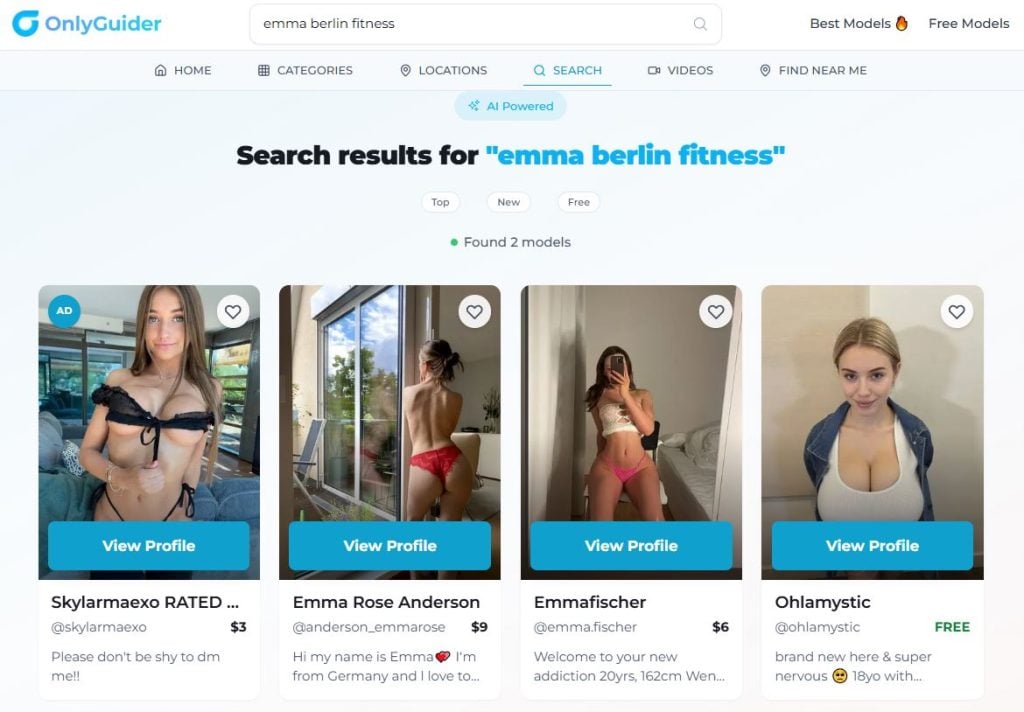
The search returned only two suitable models — most likely, you are looking for one of them
Search by distinguishing features. For example, you remember that the model has a dragon tattoo on her shoulder and is from Berlin. Enter the query: dragon tattoo, set the filter to Location: Germany or Berlin, and see what the system returns.
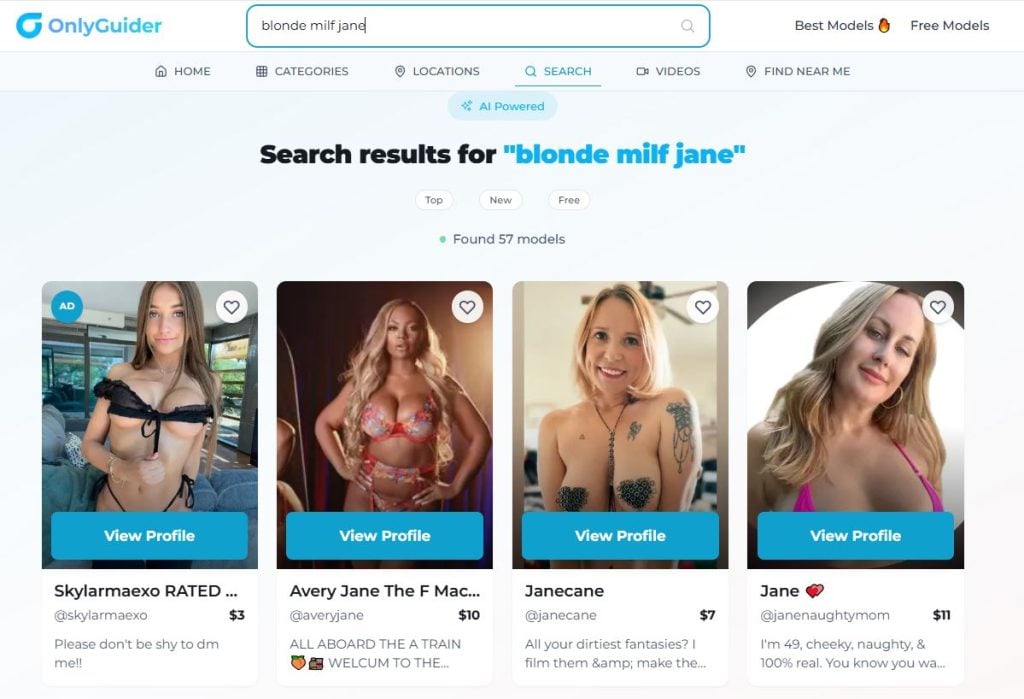
Search for blonde milf jane
Search by style or niche. Let’s say you saw a promo video of a model dressed as Harley Quinn on Twitter, but you didn’t remember her name. Just type in an exact description of the character — Harley Quinn cosplay — and search for matches.
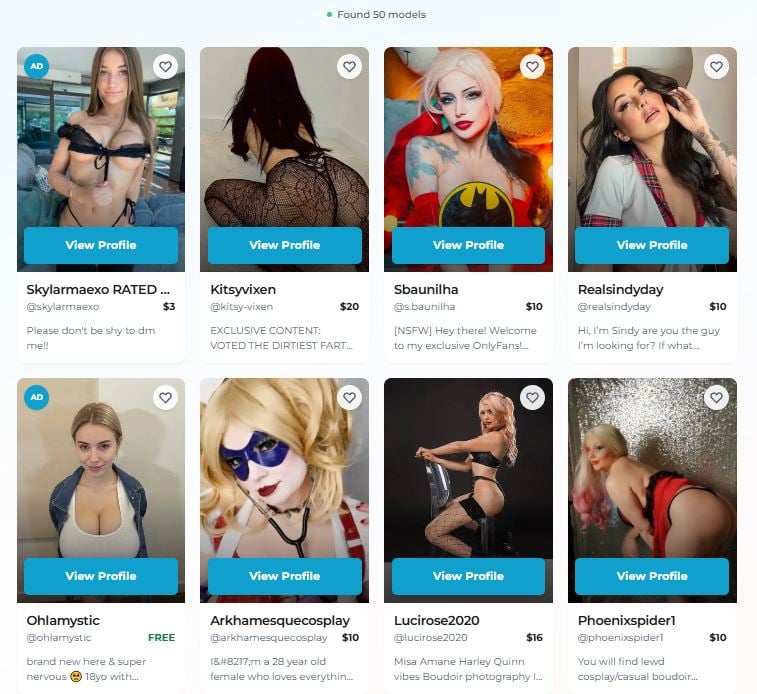
The main advantage is that you don’t have to guess the exact login. Any clue is enough to start searching and quickly find the right profile, filtering out irrelevant ones
If you don’t find the account you’re looking for on the first try, try variations of the name. For example, with or without an underscore, or with numbers.
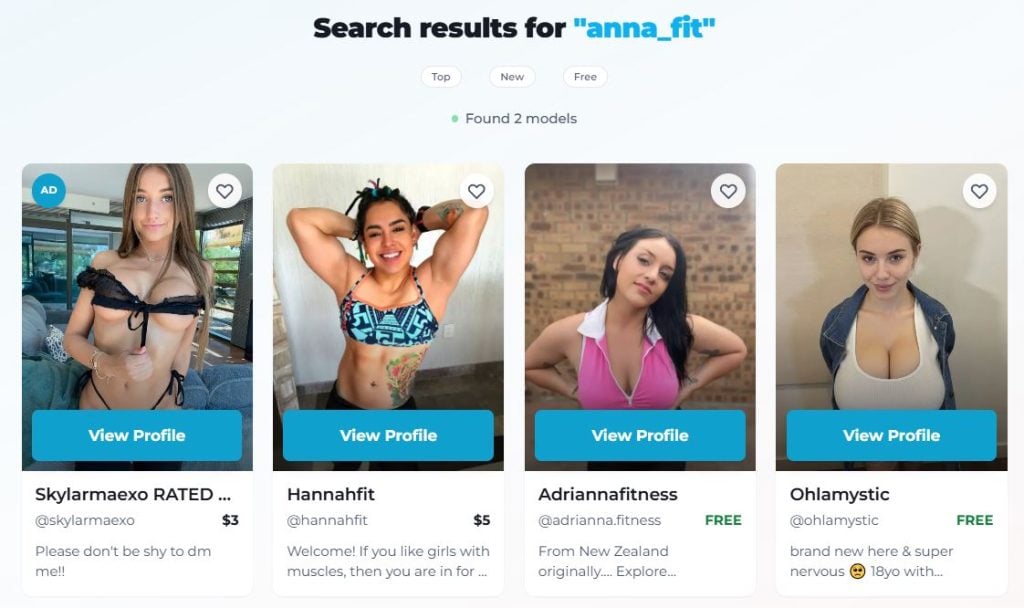
The more variations you try, the more chances you have of finding the right model
OnlyGuider is a completely free service. No subscriptions, hidden fees, or tricks. The service saves you time so you can focus on what matters most — the content you really enjoy.
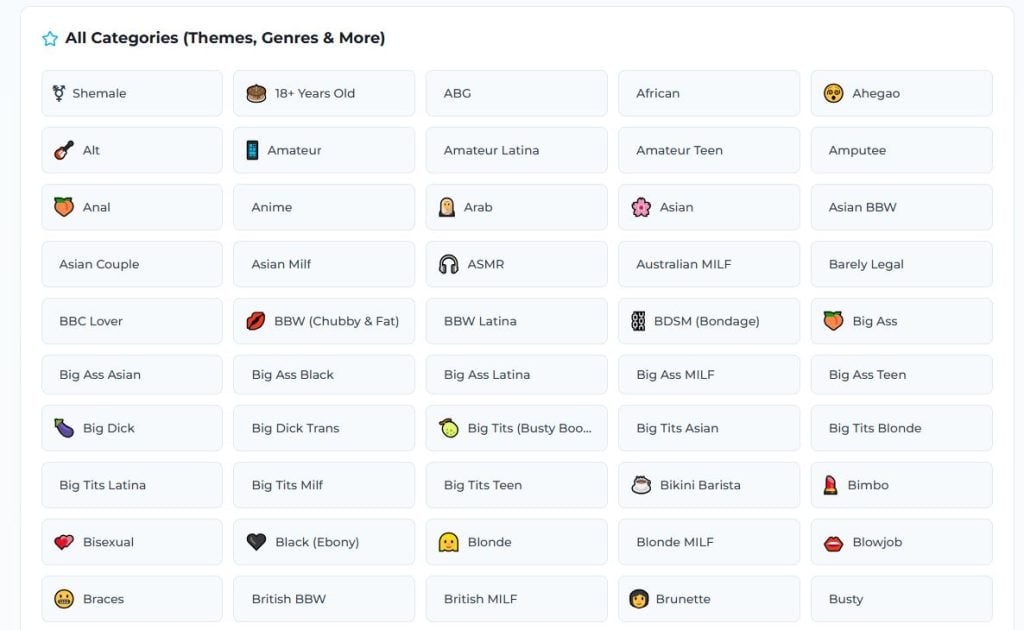
There are thousands of categories on the OnlyGuider website — you can choose the one that suits you and search for it.
Searching for a profile by URL
This is the simplest but also the least reliable method. The main problem is that models often use different variations of their username: with underscores, dots, numbers, abbreviations. Sometimes the name on OnlyFans does not match the nickname on Instagram or X. Therefore, this method only works if you know the exact username or are willing to try different options.
How it works:
- Find out what a particular model’s login might be (for example, based on their Instagram nickname: @anna_fit_miami).
- Enter the combination onlyfans.com/username in the browser’s address bar. For example, onlyfans.com/anna_fit_miami.

If the page loads, the profile has been found. If the site returns an error, the login is incorrect
If the first attempt fails, try the following options:
Basic. With and without underscores (anna_miami → annamiami), with and without periods (anna.miami → annamiami), hyphenated and separate (fitanna → fit_anna)
With numbers. For example, at the end (anna123, annafit69, anna2024), at the beginning (01anna, 22anna), instead of letters (ann4, 4nna).
With abbreviations. For example, full names vs. short names (jessica → jess, alexander → alex), removing vowels (anna → ann, miami → mmi), first letters (jessica fitness miami → jfm).
With character replacement. For example, you can remove dashes, underscores, periods, replace & with and, @ with at.
With changed word order. For example, miami_anna instead of anna_miami, fitgirl_anna instead of anna_fitgirl.
This method is more of an opportunity to test a specific hypothesis. It is ineffective to start a global search with it. It is much more effective to first use aggregators such as OnlyGuider or search on social networks, and check the direct link at the very end.
Searching through social media
Most creators actively promote OnlyFans through social media. Instagram, X (Twitter), TikTok, and Reddit are the main sources of traffic for creators, so that’s often where you can find a direct link to the service. For example, on Instagram, it can be found in:
- Bio — often there is a link to OnlyFans there;
- Highlights — OnlyFans models usually have Links or Subscribe highlights;
- Pinned posts;
- Comments under posts — if Instagram blocks links in bios.
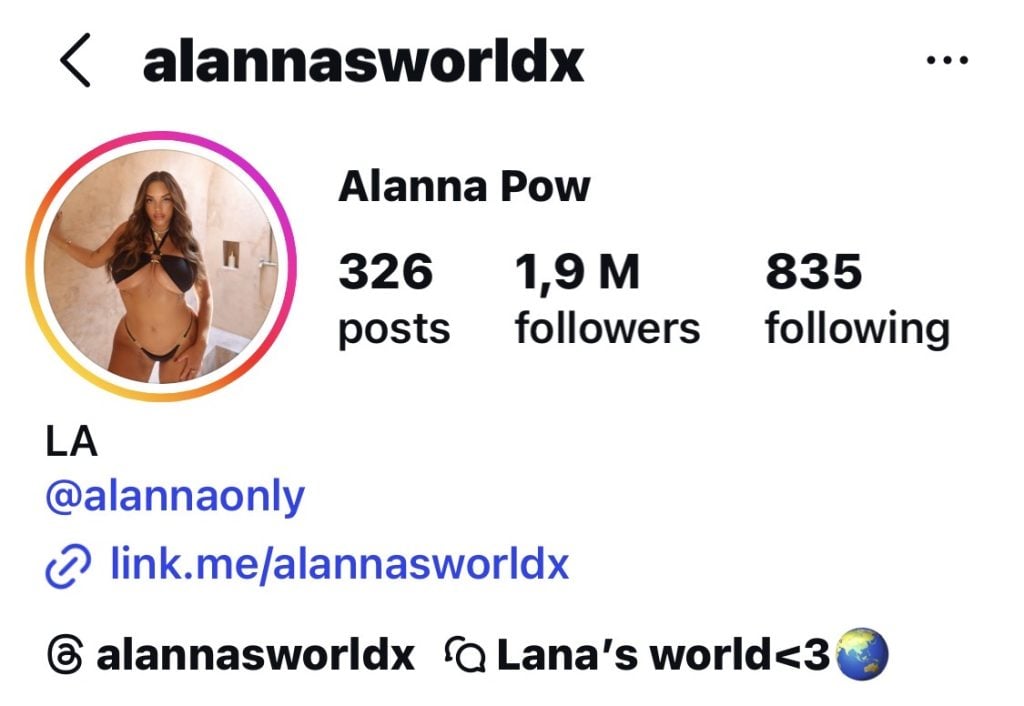
Many platforms (especially Instagram and TikTok) do not allow direct links to OnlyFans. In this case, authors use intermediate aggregator pages such as Linktree, Beacons, AllMyLinks, Bio.fm, and Tap.bio. These pages collect all of the author’s links, and OnlyFans will certainly be among them
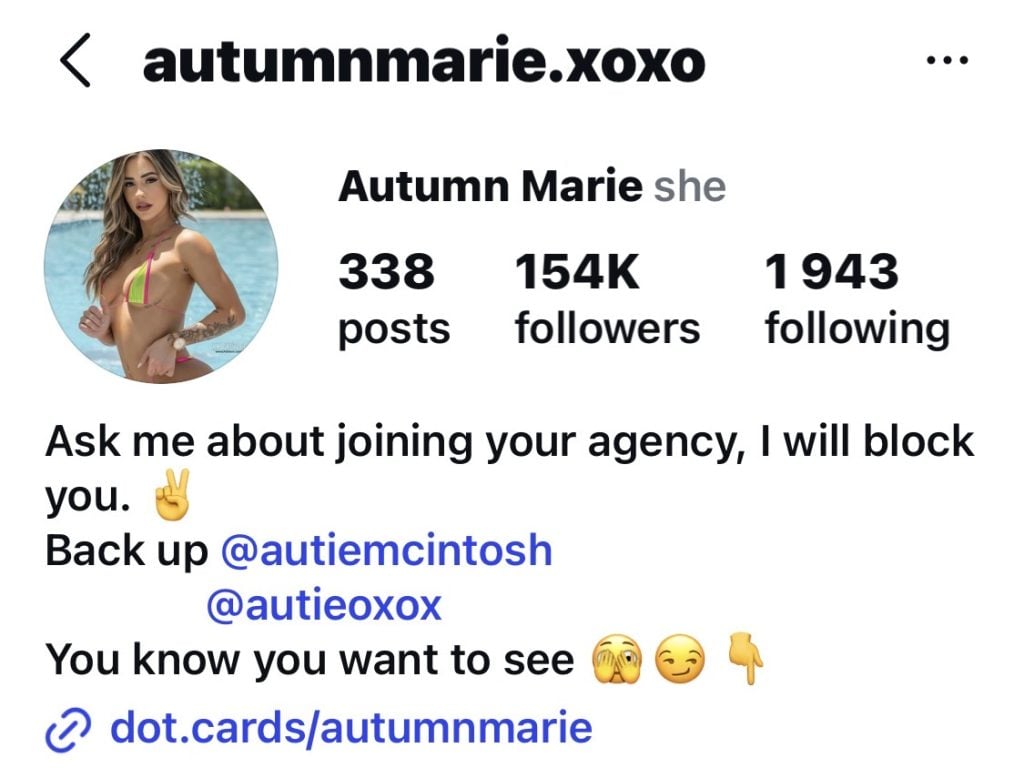
Models often disguise links to OnlyFans in their bios by using other names (e.g., personal blog, my website, exclusive content)
On X (Twitter), check the profile description — it often contains links to other resources. Also, take a look at the pinned tweet and posts — many authors regularly promote their pages. Sometimes you can even find links in replies to subscribers’ comments.
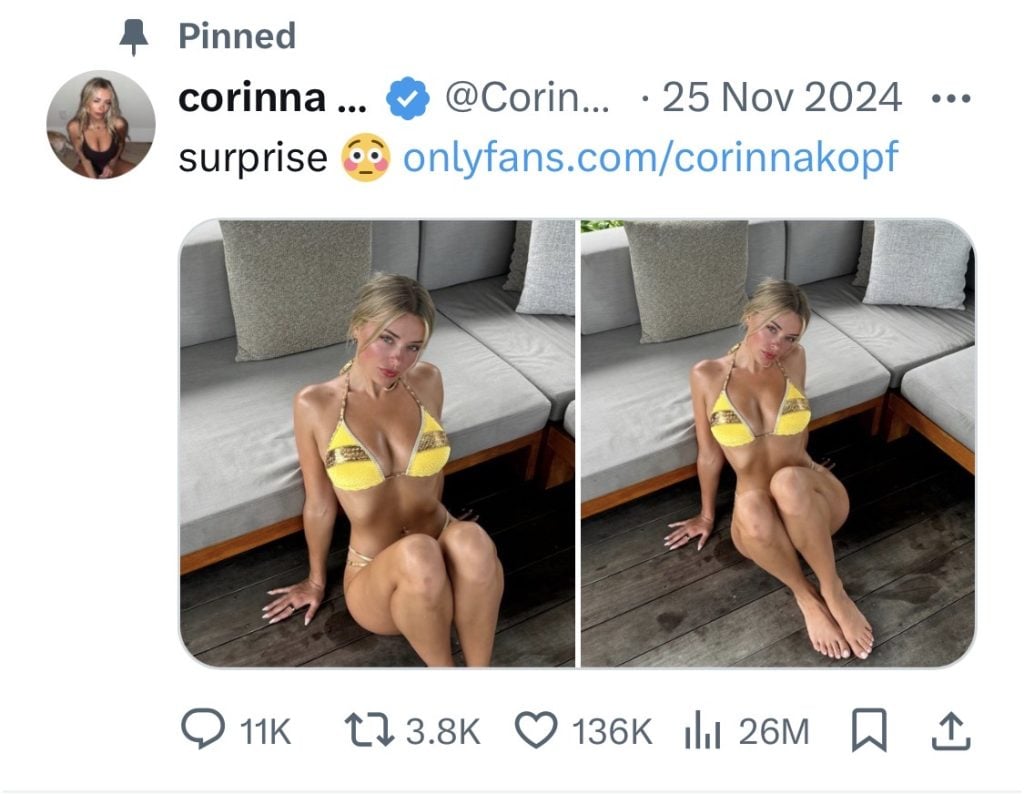
Example of a pinned post with a link to OnlyFans
On TikTok, it’s useful to check the comments under popular videos: the author may respond to subscribers and leave a link there. Pay attention to the list of other social networks in the bio — you can use them to go to the page you need.
On Reddit, look for the author’s posts in NSFW communities, where promotions are often published. Check the user’s profile in the «About» section, as well as the comments — authors often give direct answers with links to questions like «Where can I see more?»
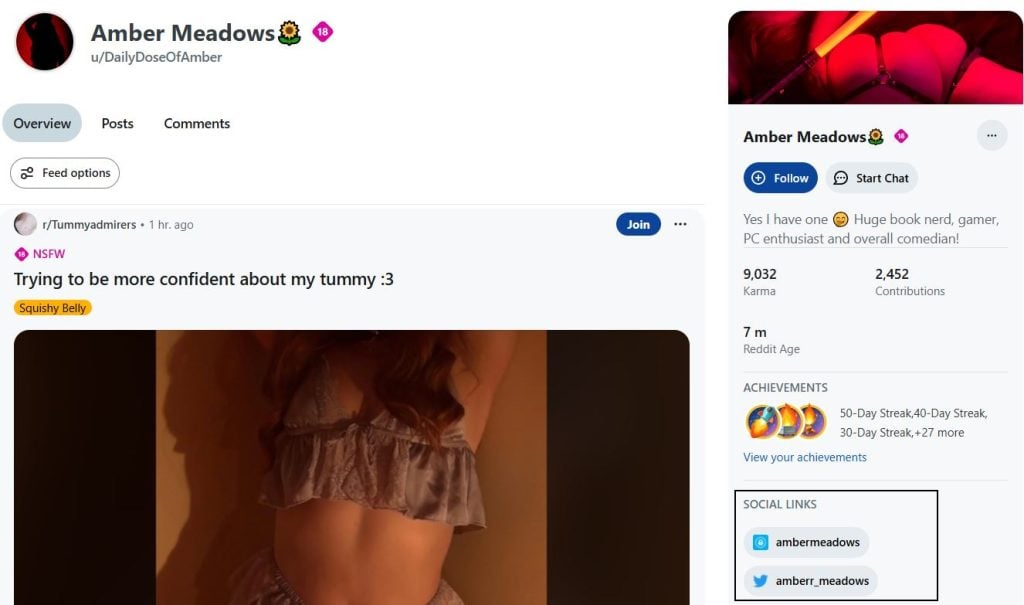
The profile most often contains links to other resources
What to do if there is no direct link?
If searching the page yields no results, you can use more advanced methods:
Search by hashtags and mentions. Many authors use specific hashtags for promotion. Try to find a person by searching the platform, combining general tags such as #onlyfanscreator or #onlyfansmodel with more specific details — for example, the name of a niche (#cosplay) or city (#miami). Sometimes an author may be mentioned in other users’ posts or Stories, so it’s worth checking these options as well.
Search through mutual subscriptions and collaborations. Creators in the same niche often interact with each other. If you know a model with similar content, check out their subscriptions or see who they mention in their posts.
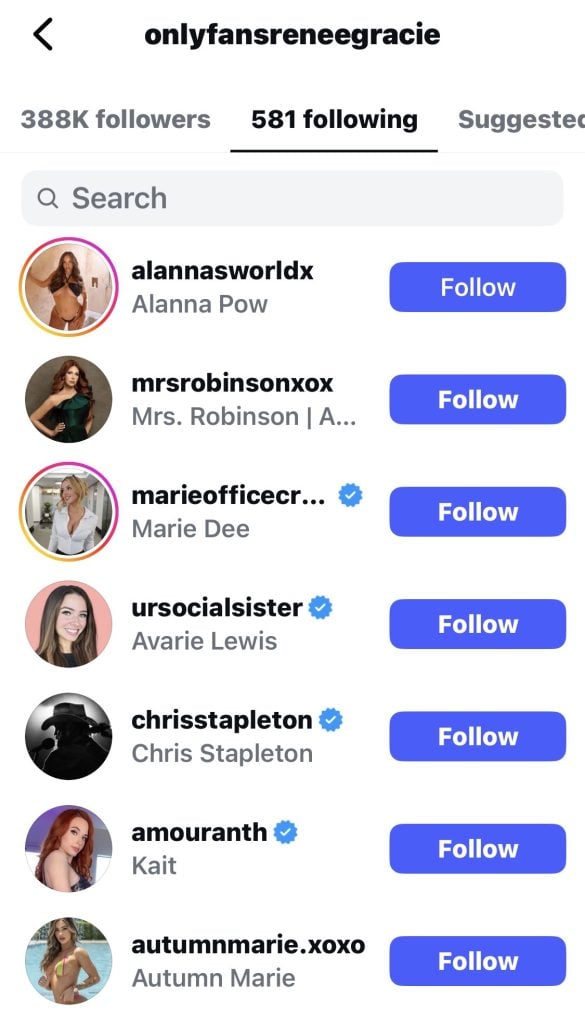
OnlyFans models often follow their colleagues
Analyze comment history. It is useful to check communities where the person you are interested in may leave comments. For example, under colleagues’ posts or in thematic communities.
This method works well if you already know how to find the person on at least one social network and if they actively maintain their accounts. But remember that not all authors publicly promote their pages. Some prefer complete anonymity and do not link OnlyFans to other social networks. This can be an obstacle to your search.
Searching Google with precise search queries
When specialized services and social networks don’t help, you can try Google. It’s not the most reliable method, but sometimes it works. The key to success is precise queries.
How to compose effective queries
Try combining the information you know. If you know the model’s name or nickname, use queries such as nickname + onlyfans or name + onlyfans link. To find mentions on other sites, add the name of the platform: for example, nickname + onlyfans + reddit or name + onlyfans + twitter.
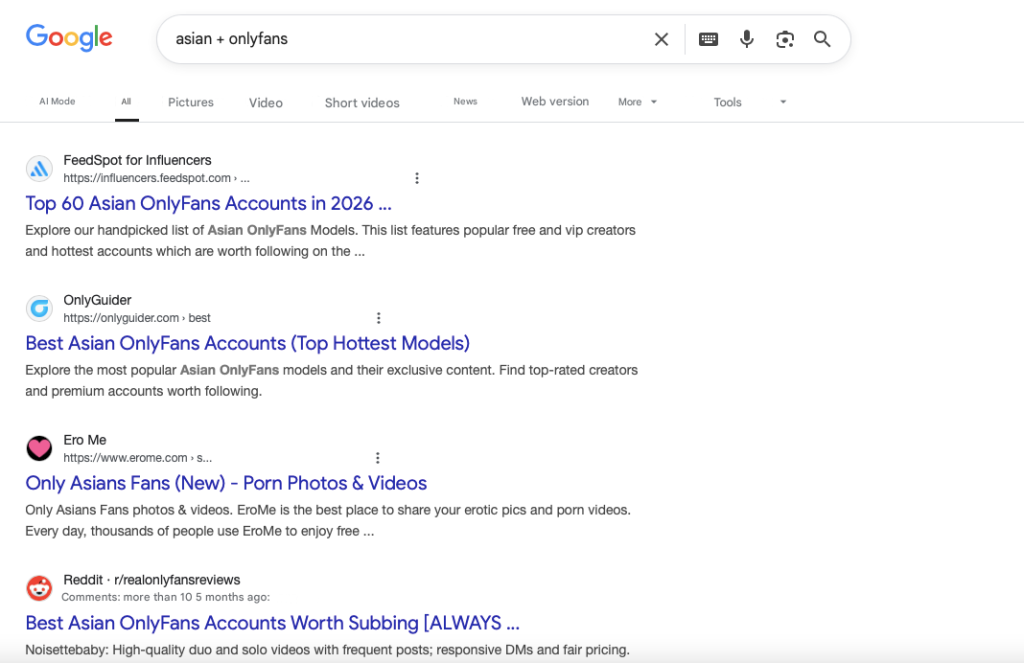
Example search: category + onlyfans
You can search for models through link aggregator pages. To do this, use the text site:, which limits the search to one site. For example, site:linktree.com «nickname” or site:beacons.ai “name».
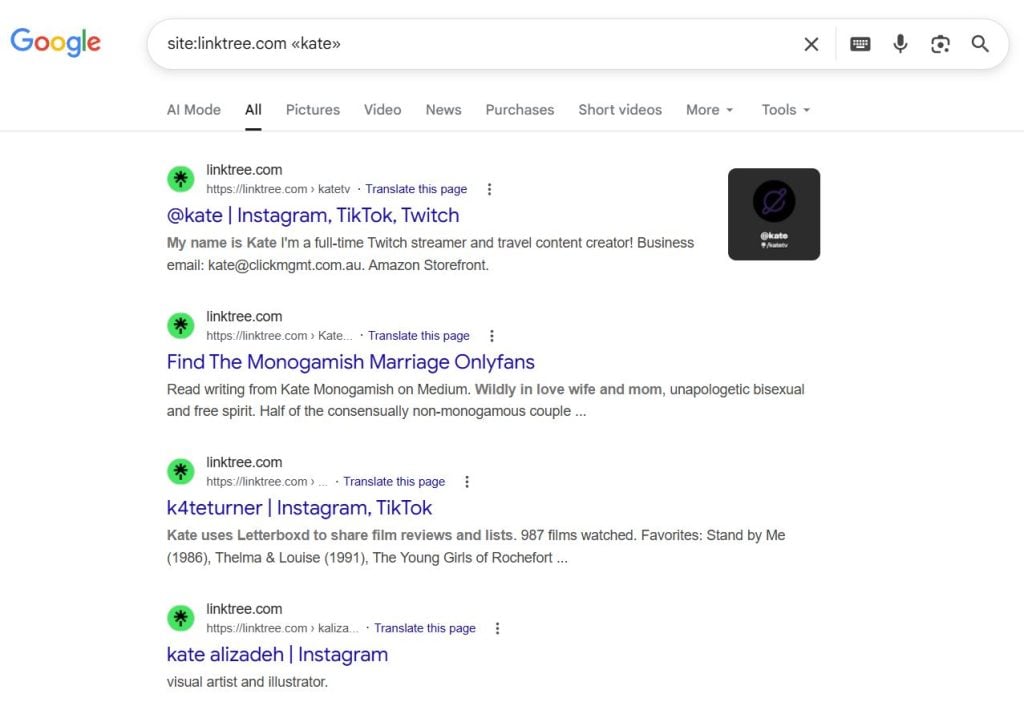
Search results for name + website
| Let’s say you’re looking for someone with the username jessicafit from Miami. Try these search queries one by one: jessicafit onlyfans miami, site:onlyfans.com jessicafit, jessicafit fitness onlyfans link. Ideally, you will find either the profile itself, if Google has indexed it, or mentions on forums, in old tweets, reviews, or articles on themed blogs. |
However, this method may be ineffective due to the platform’s own policies. OnlyFans technically restricts search engine indexing of its pages, so most profiles are either not visible at all on Google or are only partially visible. Many authors also deliberately do not share their links publicly. Another problem is that if the author has changed their username, the old indexed links lead nowhere.
Google search can be useful in specific situations: if the profile has existed for many years and has been actively promoted, if the author has given interviews or participated in collaborations. In other cases, it is more of a backup option that should not be relied on too much.
Why is it so difficult to find someone on OnlyFans?
The platform’s business model. OnlyFans earns money from commissions on subscriptions and paid messages. It is beneficial for the platform if creators bring in their own audience from outside (from Instagram, TikTok, Twitter) rather than relying on internal traffic. This reduces the cost of moderating search content.
Privacy and security. Open searches by name, location, or appearance could create privacy issues for creators. Many creators work anonymously and do not want to be easily found through general parameters.
OnlyFans does not have:
- Search by category — you cannot simply select Fitness or Gaming and view creators;
- Popular or Trending pages — the platform does not show ratings;
- Recommendations — OnlyFans does not suggest similar creators based on your subscriptions;
- Public directories — you cannot simply “scroll through” the pages of models like on Instagram.
Step-by-step plan for finding someone on OnlyFans
Step 1. Start with OnlyGuider. This is the fastest and most effective method. Enter all available information (name, nickname, keywords, location) and apply filters — in 70-80% of cases, this is sufficient. Example queries: anna miami, fitgirl, fitness model new york. Filters by age, gender, or content type will narrow down your search. In 70-80% of cases, this is enough to find the profile you are looking for.
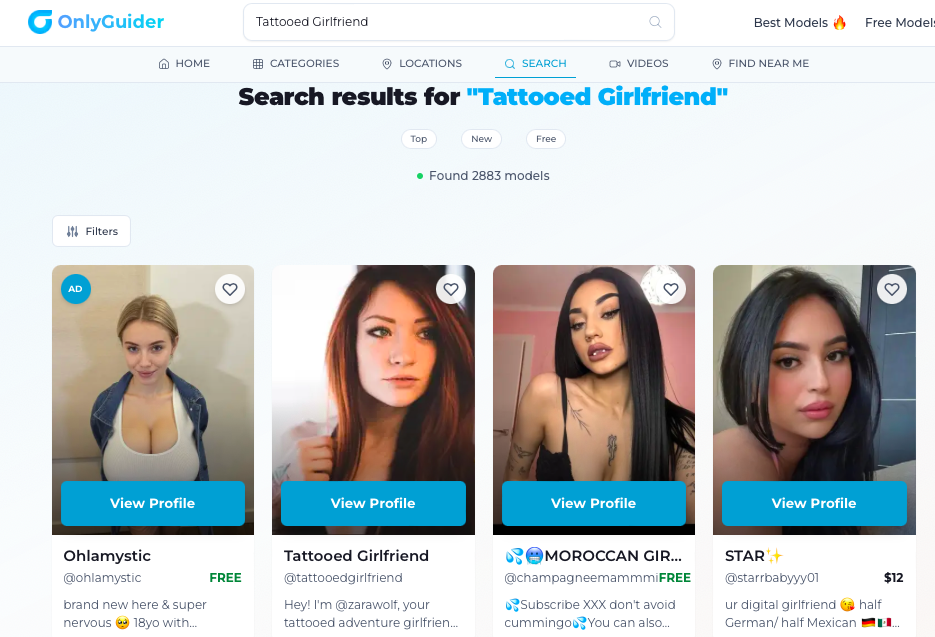
Search results for tattooed girlfriend
Step 2. Check social media. If you have the person’s username on Instagram, Twitter, or TikTok, find their profile and look for a link to OnlyFans in their bio, pinned posts, or via Linktree.
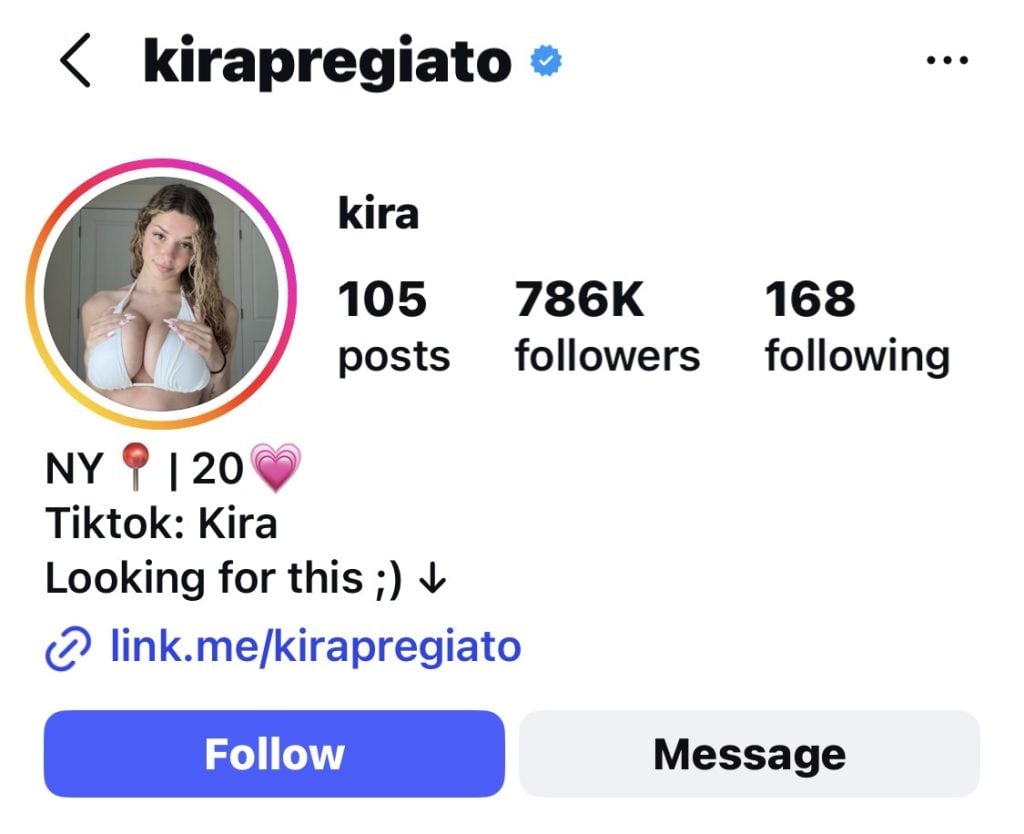
Often, models may disguise links to OnlyFans under innocuous names such as personal blog, exclusive, fan club, backstage or simply website
Step 3. Try searching by URL. If you are almost certain of the username, try entering onlyfans.com/username and several variations (with underscores, numbers, abbreviations). Try different variations:
- with underscores: anna_miami, jessica_fit, fit_girl_2023;
- with numbers at the beginning or end: anna99, 01jessica, fitgirl2024;
- with abbreviations: alex_fit instead of alexander_fitness, jess instead of jessica;
- with character replacements: anna.miami instead of anna_miami.
Even if there is no exact match, sometimes the system redirects to a page with a similar nickname or gives a hint.
Step 4. Use Google. If the previous methods didn’t work, try specific Google searches. This may give you additional clues or mentions.
Search examples:
- anna miami OnlyFans;
- jessica_fit OnlyFans link;
- OnlyFans model from New York fitness;
- onlyfans.com/anna + fitness.
You can also search for old nicknames if the person may have changed their name, or for phrases like subscription to exclusive content in combination with the name.
If that doesn’t work, the profile may have been deleted or blocked, or the author may have completely changed their username and deleted old references. Another reason is that the profile is brand new and has not yet been indexed anywhere.
Frequently asked questions (FAQ) about searching for people on OnlyFans
Can I search for someone on OnlyFans by name?
No, OnlyFans’ internal search does not support searching by name. The platform only works with exact or nearly exact usernames. Searching by real name, display name, or keywords is not possible within the platform itself.
Can I find OnlyFans models by location?
OnlyFans does not offer location-based search or filtering. However, third-party services such as OnlyGuider index public information from profiles, including display names and aliases, allowing you to search for users based on these parameters.
Why doesn’t OnlyFans have categories or viewing features?
OnlyFans is focused on direct subscriptions rather than content discovery. Its business model assumes that creators will attract their audience from social media rather than relying on internal traffic. As a result, sections such as categories, popular content pages, or public directories are intentionally absent.
Is it safe to use third-party OnlyFans search tools?
Third-party tools are safe if they adhere to basic principles: they do not require your OnlyFans login credentials, do not request payment details or personal information, only index publicly available information from profiles, and have a transparent privacy policy.
Why doesn’t Google always find OnlyFans profiles?
Not all OnlyFans pages are fully indexed by search engines for several reasons. OnlyFans uses robots.txt settings and meta tags that restrict the indexing of most pages. Google’s search robots can only see basic public information, but not profile content. Most of the content on OnlyFans is loaded dynamically via JavaScript, which makes it difficult for search engines to index.
How long does it take for a new OnlyFans profile to appear in third-party search engines?
It depends on the specific service and the activity of the author. Usually, new profiles are indexed within 24-72 hours after creation, if the profile is public and contains enough information (photos, description, subscription price). You can speed up the process by actively promoting yourself on social media, adding links to Linktree/Beacons, mentioning your OnlyFans in posts and comments on Reddit and Twitter, and using the hashtags #onlyfans and #onlyfanscreator.
Author

Want more paying OnlyFans subscribers?

Launch a campaign in 24 hours and fill your creators’ pages with real fans, not freebie hunters.
Recent partner average: $4.24 back per $1 spent • 324% ROMI
Real people only. No bots, no spam traffic sources.
ONLY FOR ONLYFANS AGENCIES, MODELS, AND MARKETERS
Want to promote your OnlyFans profile?
Start getting paying subscribers from search. Launch in 48 hours.
Recent partner average: $4.24 back per $1 • 324% ROMI