
Share:
If you’ve been running an OnlyFans account for a while, you already know that subscriptions, PPVs, and customs are great revenue drivers. But there’s another monetization tool that often gets overlooked: live video calls.
Video calls are the ultimate high-ticket interaction. In this format, you aren’t just selling content — you’re selling your time, undivided attention, and presence. The per-minute rate can be dozens of times higher than a monthly sub, and the brand loyalty it builds can keep a fan with you for years.
In this guide we’ll show you how to turn a simple conversation into a premium service that scales your income.
Why Video Calls are Taking Over OnlyFans
The adult content market has reached a point of saturation; explicit photos and videos are available everywhere. To stay ahead, top creators are shifting their focus toward authentic, real-time engagement to stand out and retain their audience. The data backs this up: in 2023, the global PPV and live-streaming market hit $1.39 billion, and that number is only climbing.
Here’s why it’s a game-changer:
Peak Monetization. One hour of video chatting can generate as much revenue as a month of grinding out standard PPVs. It is, without a doubt, the highest-paid format on the platform. While about 70% of creators treat OnlyFans as a side hustle, those who offer premium services like video calls are the ones reaching elite income levels.
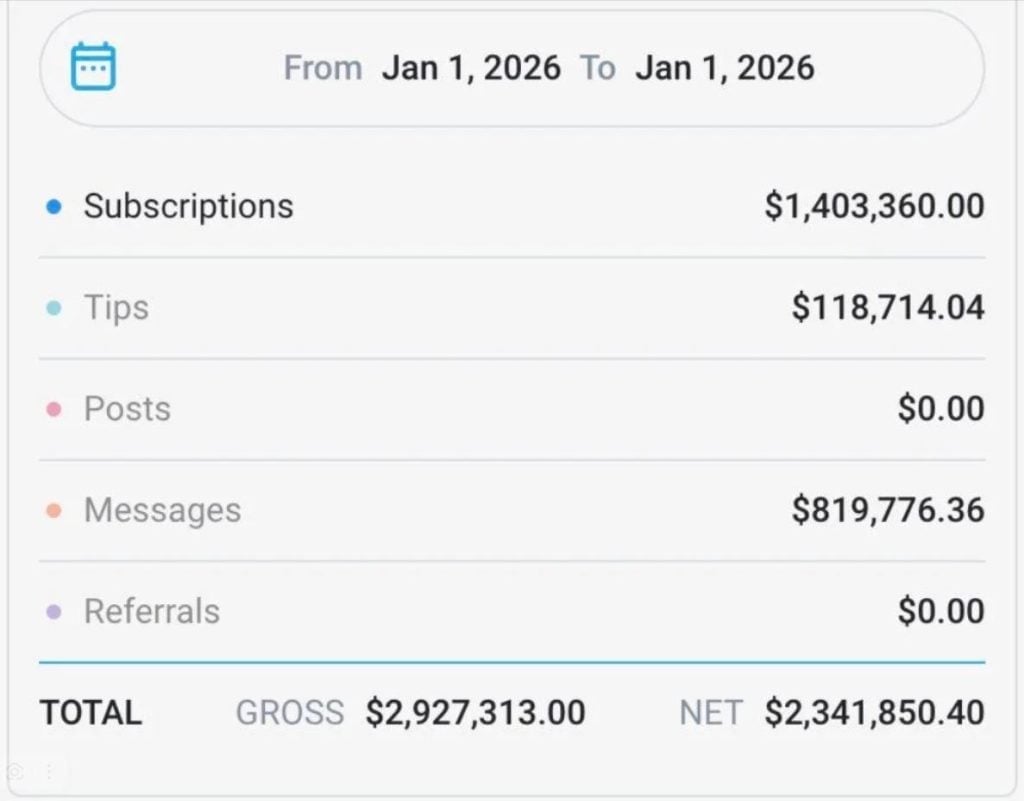
The top-tier creators are making millions
Unmatched loyalty. A fan who has seen you live and felt your undivided attention transforms into a Superfan. They don’t just stay subscribed; they become your biggest advocates, consistently buying your content and spreading the word. Research shows that 60% of all fan engagement happens within direct messages — this is your primary battlefield for building deep, lasting connections.
A competitive edge. Most creators avoid video calls due to shyness, laziness, or a lack of know-how. By offering this service professionally, you automatically elevate yourself into the major League of creators, leaving the vast majority of the competition behind.
In-Depth feedback. A single conversation can reveal more about your fans’ desires than months of texting. Use these insights to tailor your PPVs and custom content, making them irresistible to your core audience.
The Reality of Creator Earnings
Before diving into the technical setup, it’s crucial to have a clear picture of the platform’s financial landscape. Understanding the numbers will help you set realistic goals and stay motivated.
OnlyFans is a massive ecosystem with over 4.6 million creators and 377.5 million registered users worldwide. However, the wealth distribution is heavily skewed. Our internal data confirms that the top tier of OnlyFans models captures the lion’s share of the revenue. The top 1% of creators earn an average of $49,000 per year, while the elite performers bring in millions of dollars annually after the platform’s commission.
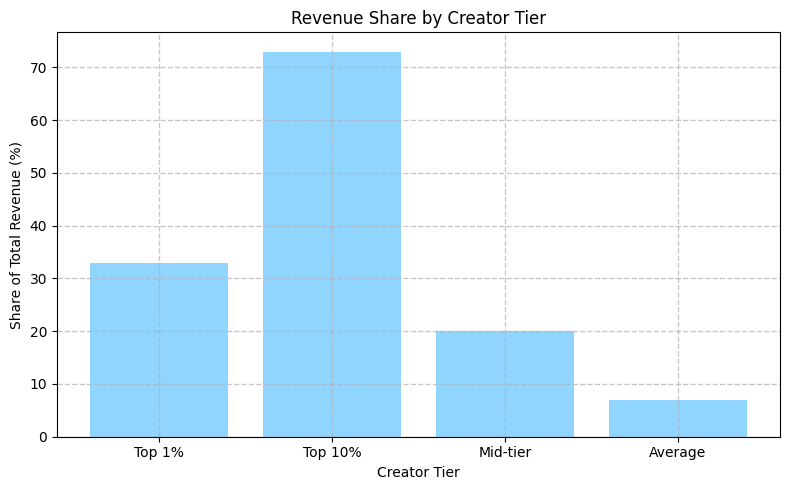
Creator income distribution. Source: FeedSpot
However, these astronomical figures are the exception, not the rule. When looking at the broader picture, the average creator earns approximately $131 per month, or about $1,500 annually. It’s important to note that these figures represent net income after the platform’s 20% commission.
Another critical insight: the top 10% of big spenders generate 90% of a creator’s total revenue. In the industry, these high-value fans are known as whales, and they should be your primary target audience. While income is spread across subscriptions, PPVs, and tips, it’s the exclusive direct messages (DMs) that are the real goldmine — accounting for roughly 69.7% of total creator earnings.
| Take Sophie Rain, for example. The 21-year-old American creator recently made headlines by claiming she earned $101 million over three years, even providing video proof to silence the skeptics. Yet, even she remains realistic, emphasizing that the average creator makes around $150 a month. Her advice is clear: don’t expect get-rich-quicл results — it’s a marathon, not a sprint. |
Technical Organization of Video Calls on OnlyFans
It is important to clarify a key point immediately: OnlyFans does not have a built-in video call function. The platform does not provide this capability. However, this is not an issue — you can organize the process by coordinating and paying for the service within OnlyFans. The call itself takes place in a third-party application (Zoom, Skype, Google Meet, Telegram). This is safe and fully complies with the rules if you follow a few simple conditions.
Step-by-Step Process:
- All communication regarding the call (price, duration, topic, time) takes place only in OnlyFans private messages.
- The subscriber sends you the amount for the call via a tip or a PPV message. The money is credited to your account on the platform.
- After confirming payment, you send the fan a link to the video meeting (e.g., in Zoom) via private messages.
- At the appointed time, you join the call and communicate.
Important: Never discuss details or agree on payments outside of OnlyFans. This is a violation of the rules and carries a huge risk of account suspension.
Your main advantage is authenticity and live participation. Fans can sense insincerity, and it is genuine interaction that becomes your unique selling proposition. No bot messages can replace live communication with you — especially in a video format, where it is immediately obvious when a person is not interested.
How Much Video Calls Cost
The price of a video call should reflect its exclusivity. You are not selling content, but live communication—this is always more expensive. According to platform analytics, the optimal price for video calls is $3–$10 per minute with a minimum duration of 10–15 minutes (i.e., $30–$150 per call). This puts video chats in the category of the most expensive services—noticeably higher than custom videos ($50–$200) or premium PPV mailings ($15–$50).
Factors Affecting the Price:
Your popularity and niche. It’s simple — the more subscribers you have and the narrower your niche, the higher the price.
Duration of the call. It is advised to use per-minute billing or packages (10, 20, 30 minutes). This will make it easier to calculate the cost.
Level of openness. Just chatting is one price. A more revealing show via video is quite another. Clearly separate these formats in your price list and, preferably, describe in detail what is included in one service or the other.
Time of day and urgency. Night calls and right now orders can cost more because you are sacrificing your personal time for the fan’s comfort.
Recommended Rates:
- Video calls: $5–$10 per minute;
- Voice calls: $3–$7 per minute;
- Minimum duration: 10–15 minutes ($50–$150);
- Premium options: Private 1-on-1 call — $10–$15 per minute, group call — $5–$8 per minute per person.
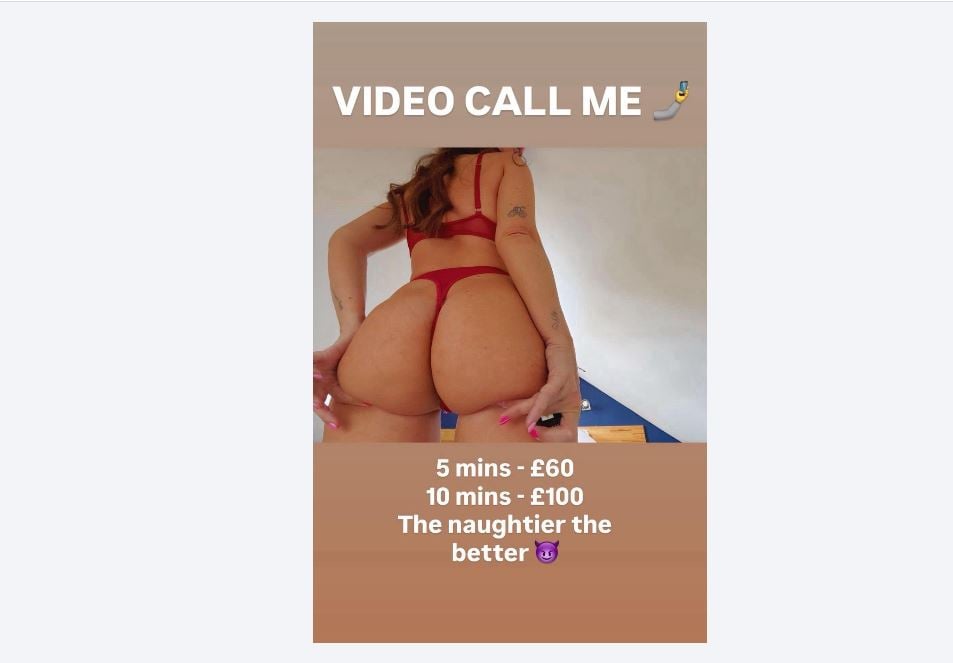
Example pricing. Source: Reddit
If you don’t want to bother with per-minute pricing, offer packages like:
- Introduction. 10 minutes, low price — for new fans to connect with you and get used to your style;
- Deep Communication. 30 minutes, mid-price — where you focus on the product, offering to discuss fantasies or something else at the client’s discretion;
- All-inclusive. 60 minutes + call recording + exclusive photo afterward — for the most loyal and solvent clients.
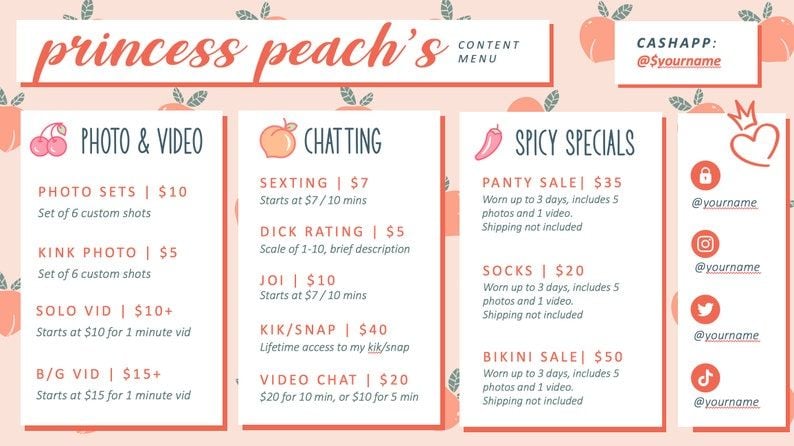
Video call rates can be set in the Tip menu. Source: Pinterest
Technical equipment
Camera. A modern smartphone takes better photos than most laptop webcams. Use your phone as a camera (via apps like EpocCam or DroidCam) or mount it on a tripod and communicate directly.
Light. A ring light or other light source is essential. For a high-quality image, even lighting is needed — it also helps your face look even and fresh.
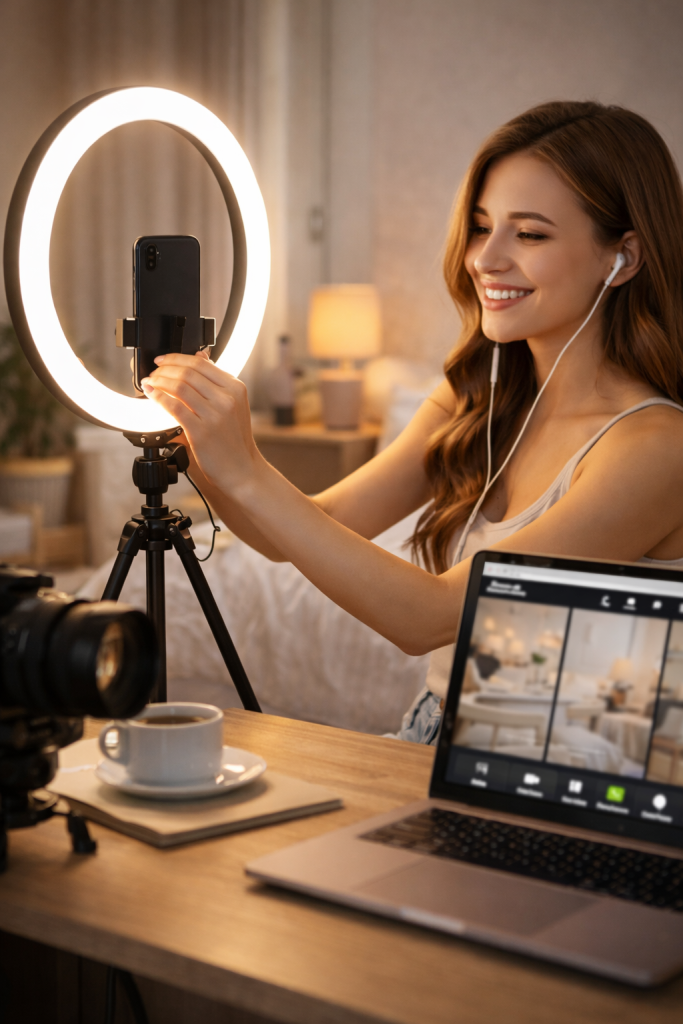
Positioning is key. Place your light source at eye level to avoid unflattering shadows under your nose or eyes.
Audio. Crisp sound is non-negotiable for premium calls. Use a headset or a small external microphone (like a lavalier mic). This is especially critical if you are in a noisy environment, such as outdoors, in a cafe, or a room with an echo.
Connection. A stable internet connection is your top priority. If you’re using Wi-Fi, stay close to the router and disconnect other devices from the network during the call to ensure maximum bandwidth.
Background. Curate your space. Remove personal items, documents, or family photos. The best option is a neutral wall or a dedicated, aesthetically pleasing corner. You can use Zoom’s virtual backgrounds, but be aware they can sometimes glitch or look unnatural.
10–15 minutes before the scheduled time, do a test run with a friend or a second account. Check for:
- Visuals: Is the lighting and focus sharp?
- Audio: Is your voice clear without echoes or background noise?
- Stability: Is the internet holding up?
- Functionality: Are there any app glitches?
Safety and Privacy
A video call is the most intimate and vulnerable format. You are inviting a stranger into your personal space in real-time. Since you don’t truly know the fan, safety must be your priority.
Rules of Conduct During the Call:
Set Hard Boundaries Early. Clearly define what is and isn’t allowed in the chat before the call starts. Example: We’re going to talk and flirt, but I don’t discuss [specific topics]. Just a heads-up: if you cross a line or ignore my boundaries, I will end the call immediately.
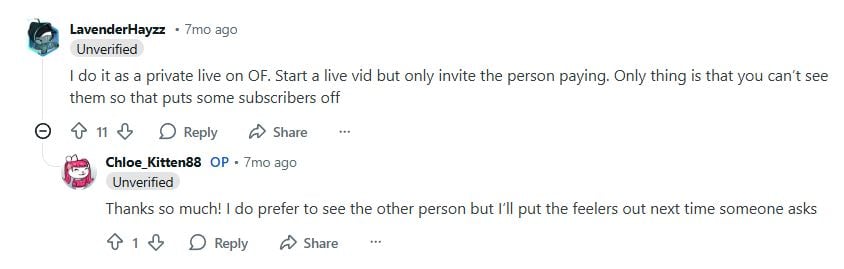
You can consult with colleagues if you’re just starting out and are worried about making a mistake. Source: Reddit
Don’t tolerate it. If you feel uncomfortable, the fan is overstepping their boundaries, being rude, or demanding something you didn’t agree to, end the call immediately. You have every right to do so. You are not obligated to refund the money (the service was partially provided due to the customer’s fault).
Don’t give in to manipulation. Phrases like, «I paid you a ton of money, you owe me» are a red flag. You’re selling a service within the agreed-upon limits, not enslaving yourself. This behavior is a compelling reason to end the call.
After the call, send the fan a short message of gratitude. If the fan has been excellent, you can offer to buy the service again and praise their character/voice/interests. If there were problems, block the member and contact OnlyFans support with a complaint (save the correspondence).
The Psychology of Communicating with Fans
The technical aspects are important, but the most important aspect of a video call is the conversation itself. Subscribers pay for a feeling of intimacy and deep interaction. They want to be understood, listened to, and the center of attention.
Create an intriguing atmosphere even before the call. You can write something like: I’m so looking forward to our conversation; I’ve prepared something special for you. An hour and fifteen minutes before the scheduled time, it’s worth sending a short reminder that you’re waiting for the fan and are eagerly anticipating your conversation.
When the call begins, the main rule is to be present. Look directly into the camera to create eye contact, and don’t be distracted by your phone or other activities. Listen to what they’re saying, ask questions, laugh — the dialogue is key.
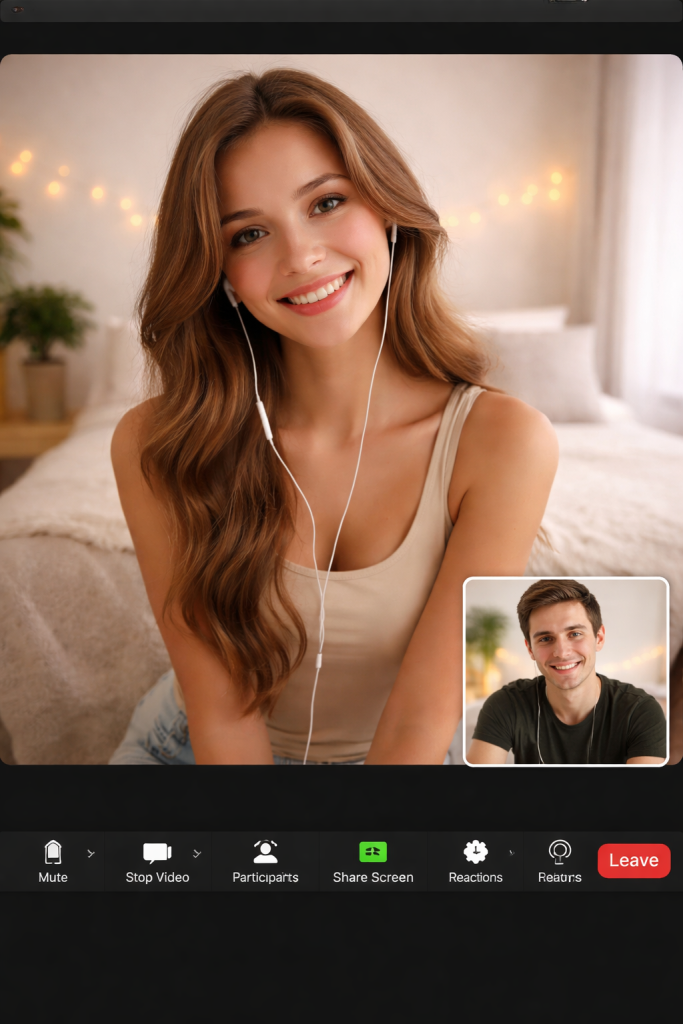
Address the other person by name several times during the conversation—this will really please your followers.
If you have a script, keep it in mind, but don’t be a robot: live improvisation is always more valuable than a memorized script. And most importantly, don’t look at the clock. Sitting with your phone in your hand will ruin the magic of personal contact. Instead, set a timer on your computer or an alarm for a specific time.
After the call, be sure to follow up. Send a short, warm message: Thank you for the wonderful conversation, it was really nice talking to you in person. If you’ve arranged a follow-up call, schedule it immediately. And don’t forget about upselling: you can offer to buy a recording of the call if you recorded it and it was agreed upon in advance, or create exclusive content based on the conversation you just had.
How to Promote Video Call Services
Pinned Post. Create a beautiful announcement with pricing and rules and pin it to the top of your profile. Use a bright image or a short video invitation.
Feed mentions. Remind them in posts every few days: By the way, you can book a personal video call with me.
Broadcasts. Periodically send messages with an offer to all subscribers, but no more than once a week. It’s best to segment them: prioritize those who have already purchased a lot (your 10% of whales).
Teasers on social media. On TikTok or Instagram, you can hint (within the platform’s rules) that an exclusive communication format is available on OnlyFans.
Video Call FAQ for OnlyFans Creators
Will OnlyFans ban my account for doing video calls?
No, as long as you follow the golden rule: all financial transactions must stay on the platform. Using external apps for the actual call is a standard and legal practice, provided the payment is handled via OnlyFans tips or PPVs.
Which platform is best for the calls?
Zoom and Google Meet are the most reliable options. They allow you to generate a one-time meeting link, which keeps your personal accounts (like phone numbers or social media) private.
What if a fan is late or doesn’t show up?
You are not obligated to issue a refund. The time slot was booked and paid for. If the fan warned you in advance, you might offer to reschedule at your discretion. If they simply ghosted the call, that’s on them. Make sure to state this clearly in your Terms of Service.
Can I record the call?
Only with the fan’s explicit consent. You must inform them before the call starts. If they agree, you can later upsell the recording as an exclusive PPV (provided the content is suitable and the fan is okay with it). If they decline, keep the recording off.
How do I handle fans asking for freebies or free sessions?
Stick to your price list. If a fan starts hinting at free content in the DMs, politely but firmly redirect them: I’d love to explore that with you during our scheduled call! If they persist, block them. Time-wasters rarely turn into paying customers.
What if a fan asks for something that crosses my boundaries?
Firmly decline and refer back to your rules. If they continue to push, end the call immediately and block the user. Your boundaries are non-negotiable, regardless of how much a member is paying.
Author

Want more paying OnlyFans subscribers?

Launch a campaign in 24 hours and fill your creators’ pages with real fans, not freebie hunters.
Recent partner average: $4.24 back per $1 spent • 324% ROMI
Real people only. No bots, no spam traffic sources.
ONLY FOR ONLYFANS AGENCIES, MODELS, AND MARKETERS
Want to promote your OnlyFans profile?
Start getting paying subscribers from search. Launch in 48 hours.
Recent partner average: $4.24 back per $1 • 324% ROMI