
Share:
Content created by OnlyFans models is a source of income. For it to keep generating revenue, its distribution must remain under the control of the model and the agency. If videos are leaked online, it can seriously harm the model. She may lose a significant portion of her income, and more importantly, her privacy may be compromised.
When a content leak occurs, it is critical to act quickly to prevent the worst possible outcome. Below, we share practical recommendations on what to do and how to do it in order to stop the leak and protect the model’s privacy.
Why Leaks Are a Serious Threat to a Model’s Work
Loss of Income
There is no exact data on how leaks affect earnings, but estimates suggest that a leak can result in a 20–30% loss of revenue. Here’s why:
- Leaked content loses its value. The model can no longer use it for communication with members and is forced to quickly produce new content, spending additional time and money.
- Members may stop paying. Instead of purchasing content, they may choose to look for leaked videos available for free.
- There is a risk that new content will also be leaked. As a result, the model’s efforts may feel wasted, negatively impacting motivation.
Exposure of Personal Information
After a leak, more people learn about the model. Many see how she looks and communicates, discover her nickname, tattoos, and other identifying features. This information may reach people from whom the model wanted to keep her line of work hidden, leading to de-anonymization.
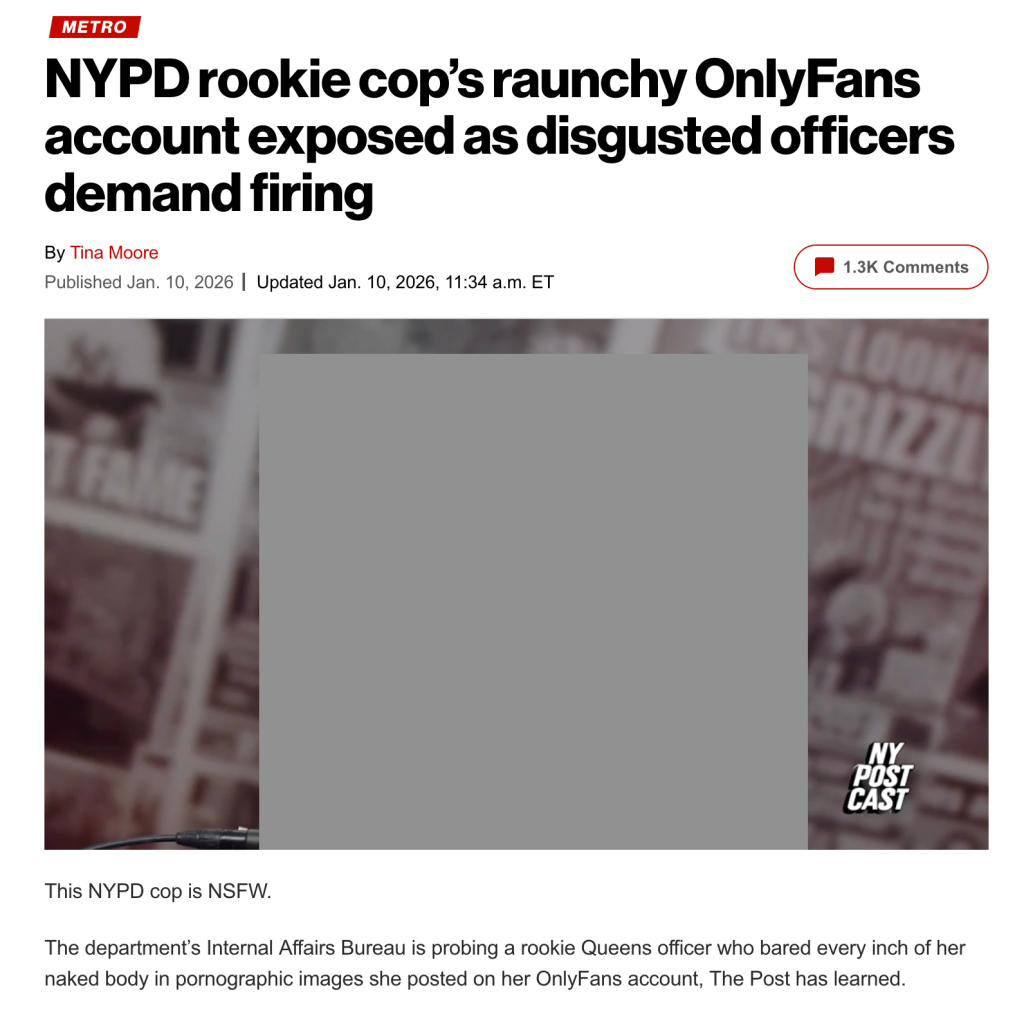
There are cases where a model’s activity becomes known to colleagues from her everyday job or to people from her personal life
Potential Safety Risks
Strangers may discover the model’s real name, place of residence, or other personal data. If this information ends up in the wrong hands, the model may face unwanted attention, stalking, threats, or blackmail.
What to Do First If Your Content Has Been Leaked
To prevent dangerous consequences, leaked content must be found and removed as quickly as possible—before it spreads to dozens of websites. The wider the distribution, the higher the risks.
Below are the steps that should be taken immediately.
Find and Document All Evidence of the Leak
It is best to store all evidence in one place: a Google Sheet, a Notion database, or another document or service. Ideally, keep several copies of the evidence in different locations.
We recommend documenting the following information:
- The date the leak appeared (or the date you became aware of it)
- Details of the leaked content: what videos they are, when they were created, and to whom they were sent
- The URL where the leaked content is hosted
- Any known information about the person who leaked the content: nickname, avatar, registration date
- Screenshots of the leak with visible timestamps showing when they were taken
If the leaked videos appear on multiple websites, each instance should be added to the evidence archive.
The principle is simple: the more information you collect, the better. This will help you remove the leaked content as thoroughly as possible in the future.
Secure the Account
In most cases, leaks are caused by subscribers who purchased the content. However, sometimes attackers gain access by hacking the model’s account. Moreover, once a leak occurs, the account attracts more attention and becomes a higher-value target for hackers.
To reduce risks, take the following steps immediately:
- Change your password. The new password should be long, complex, and include a variety of characters. It is best to generate one using a password manager such as KeePass or Bitwarden.
- Enable two-factor authentication (2FA). This means confirming login not only with a password but also via one-time codes or an authenticator app. App-based codes are more reliable than SMS, which may not be delivered in some countries.
- Review privacy settings. For example, hide your profile from non-authorized users or restrict visibility by geography so users from your country cannot access it.
- Clean up subscribers. If an account looks suspicious, it is better to block it. Red flags include empty profiles or new subscribers who immediately try to buy everything.
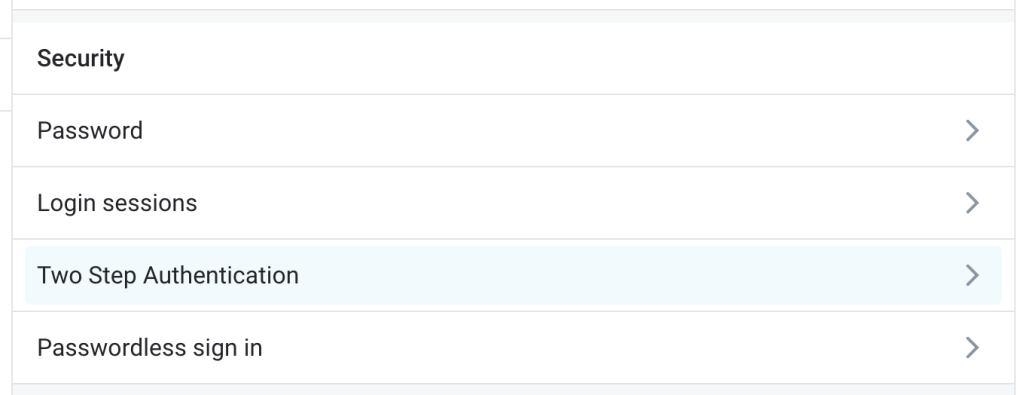
Password change and 2FA options can be found in the account settings under the Security section
Inform Trusted People
We strongly advise not keeping the situation secret from people who already know what the model does. Facing the problem alone is emotionally difficult and can also be unsafe. It is important to have someone who can provide support and help in case of complications.
If the model works with a manager, they should be informed first. This is a professional and reasonable step, and the manager can help coordinate further actions.
Additionally, we recommend reporting the situation to OnlyFans support. The platform provides detailed instructions on how to do this in the Complaints and Reports section.
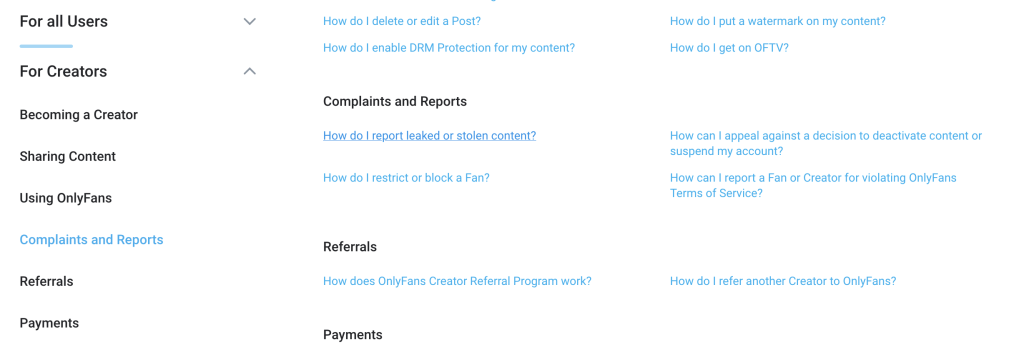
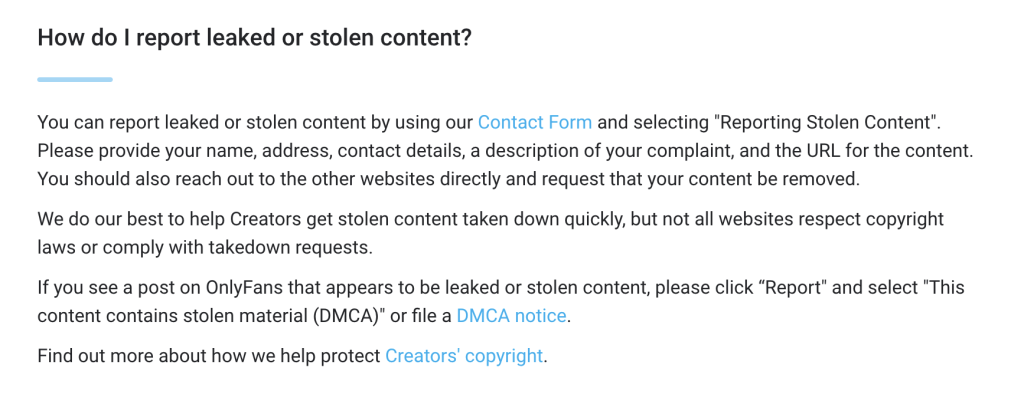
If you know who leaked your content, include the username of that person in the complaint. OnlyFans will take action and restrict the offender’s account.
How to Search for Leaked Content Online
Leaks are rarely limited to a single website. If content appears in one place, it is likely to spread to many others soon. That is why it is important to check as many potential platforms as possible.
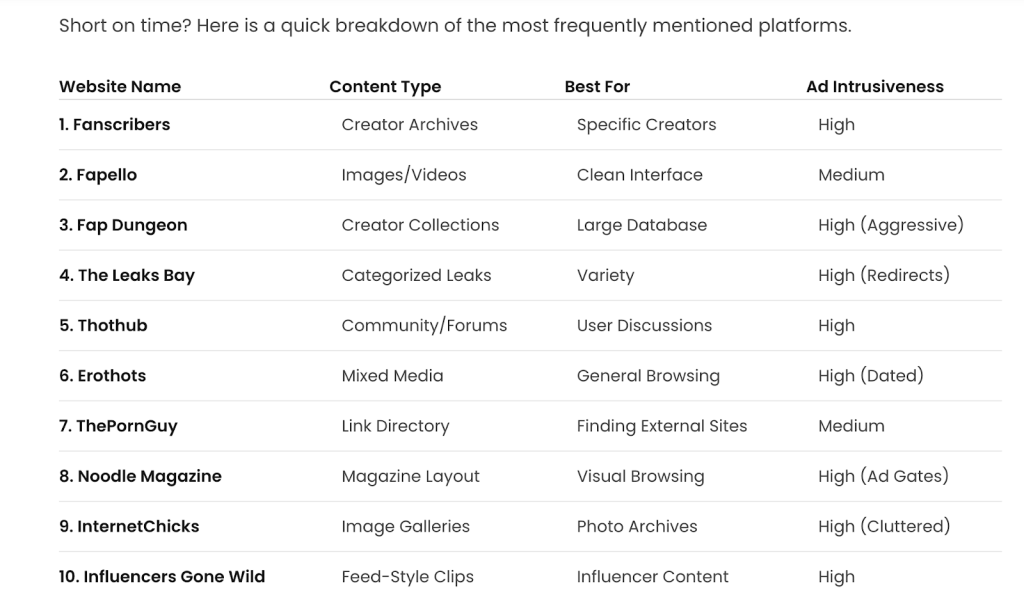
Sometimes entire lists of active leak websites are published online. These can help you identify platforms where your content may have appeared
Every page containing leaked content should be added to your evidence archive with the URL, screenshot, and timestamp.
Below are the main methods for searching.
Using Search Engines
Start with Google. Search queries should follow this structure: model nickname + keywords, such as:
- onlyfans
- only fans
- leak / leaks
- content
- video
If the model creates niche content, add relevant keywords (for example, outdoor if the leaked content was filmed outside).
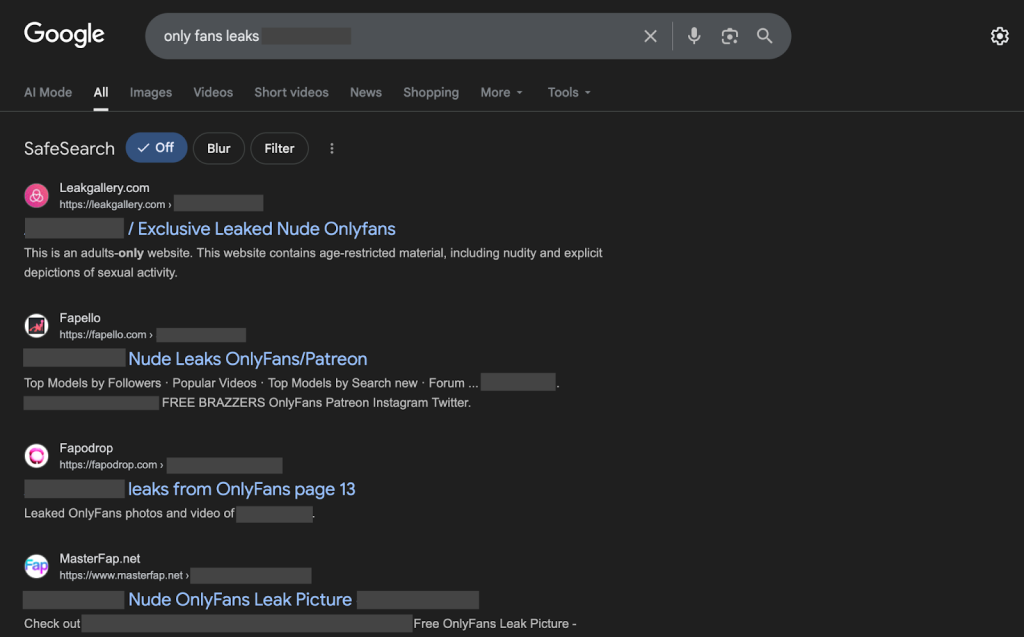
In most cases, search results will include websites specializing in leaked adult content
Based on our experience, Google does not always show all results. Some pages are removed from search results due to copyright claims, and the only way to find them is through direct access to pirate websites.
Searching Directly on Websites
Platforms that commonly host leaks should be checked manually, as they may not appear in Google search results. Visit the website and use its internal search feature with the same keywords.
You should check:
- Reddit and other social media platforms
- Pirate sites with download links (e.g., SimpCity, LeaksHaven)
- Torrent trackers (e.g., EXT, 1337x)
- Porn sites focused on OnlyFans content (e.g., PornTN, PimpBunny, LeakGallery)
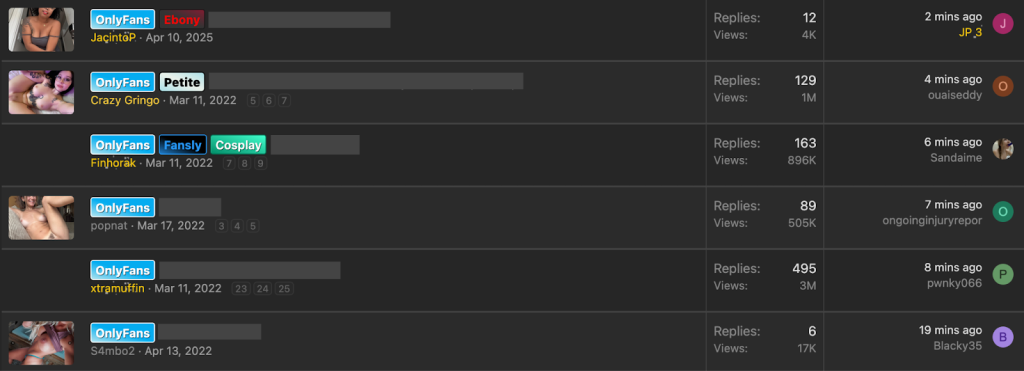
Screenshot from the SimpCity website. Typically, the title of each thread includes the nickname of the model whose videos were leaked
Reverse Image Search
Google and other search engines allow reverse image search, which helps find leaked content even if it was uploaded without keywords or the model’s nickname.
How to search using Google reverse image search:
- Upload a photo or a frame from the leaked video.
- Open the Exact matches tab in the search results.
- Visit all listed links and verify whether your content is present.
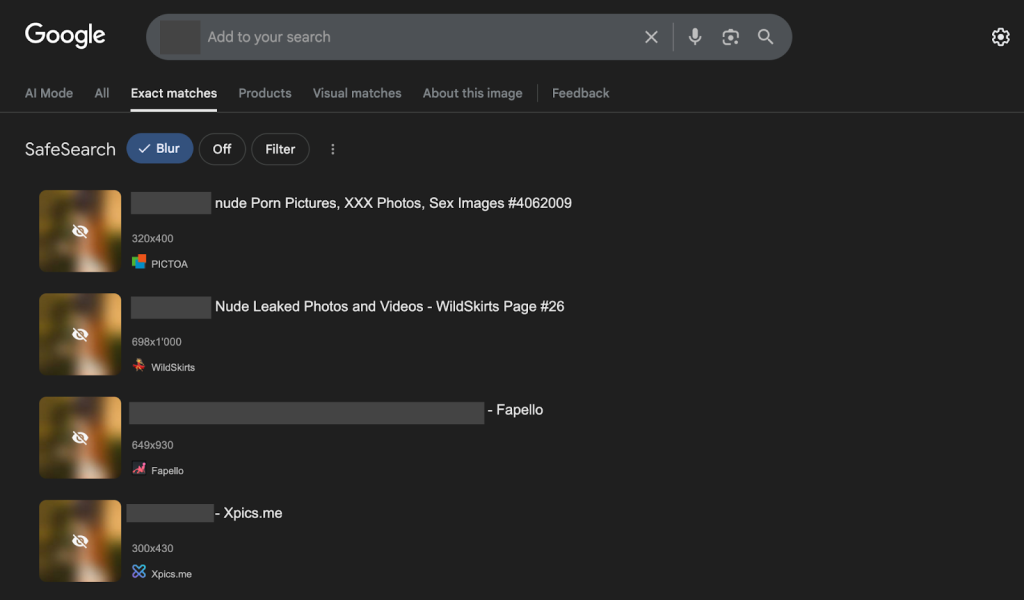
Note: SafeSearch is enabled by default in Google. It is better to disable it during real searches for more accurate results
Using Leak Detection Services
There are AI-based services designed specifically to detect and remove leaked content. Examples include Rulta, TakedownsAI, and Leakless.
Choose such services carefully and only from reputable providers with a proven track record and real reviews. This niche contains many scammers, so caution is essential.
How to Remove Discovered Content
If you did not publish the content yourself, you cannot simply delete it. You will need to rely on copyright law and platform policies.
Submitting Requests to Search Engines
First, submit complaints to search engines. They will not remove the content itself, but they can remove URLs from search results, reducing visibility.
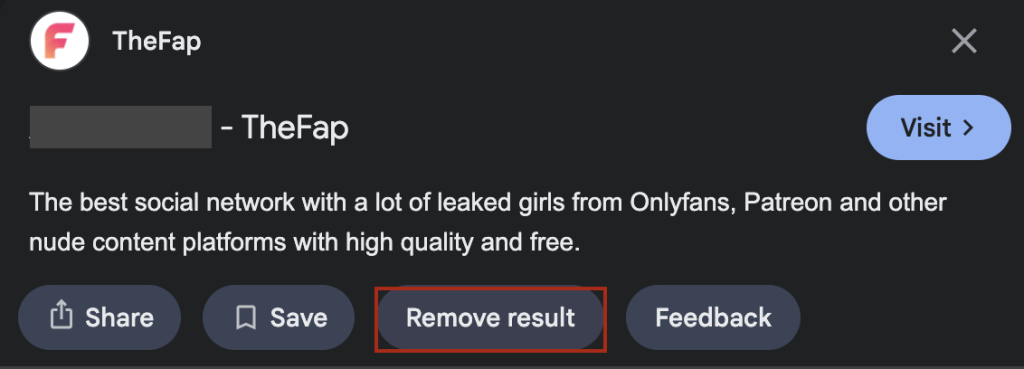
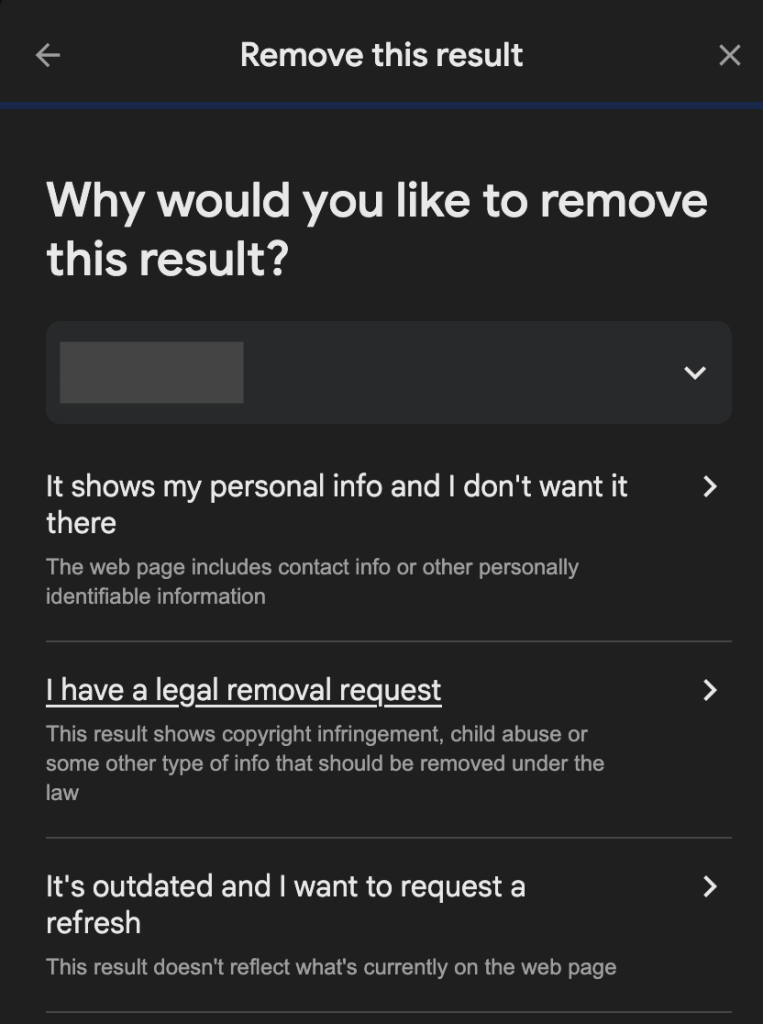
In Google search results, click the three dots next to the website, select Remove result, and choose legal removal request as the reason.
To remove a site from search results, you will need to submit an official request explaining the reason and providing proof that you are the content owner.
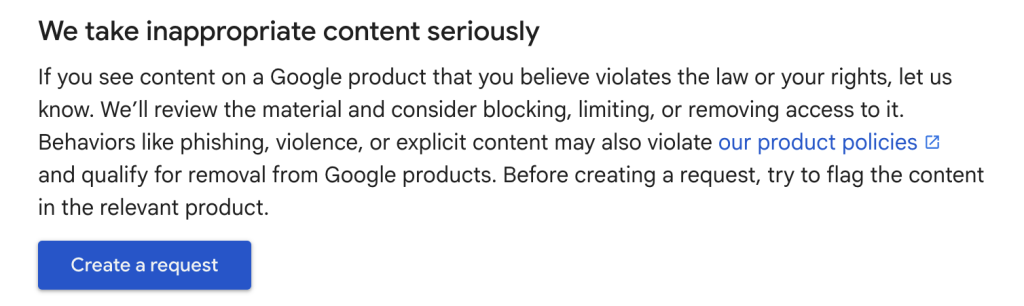
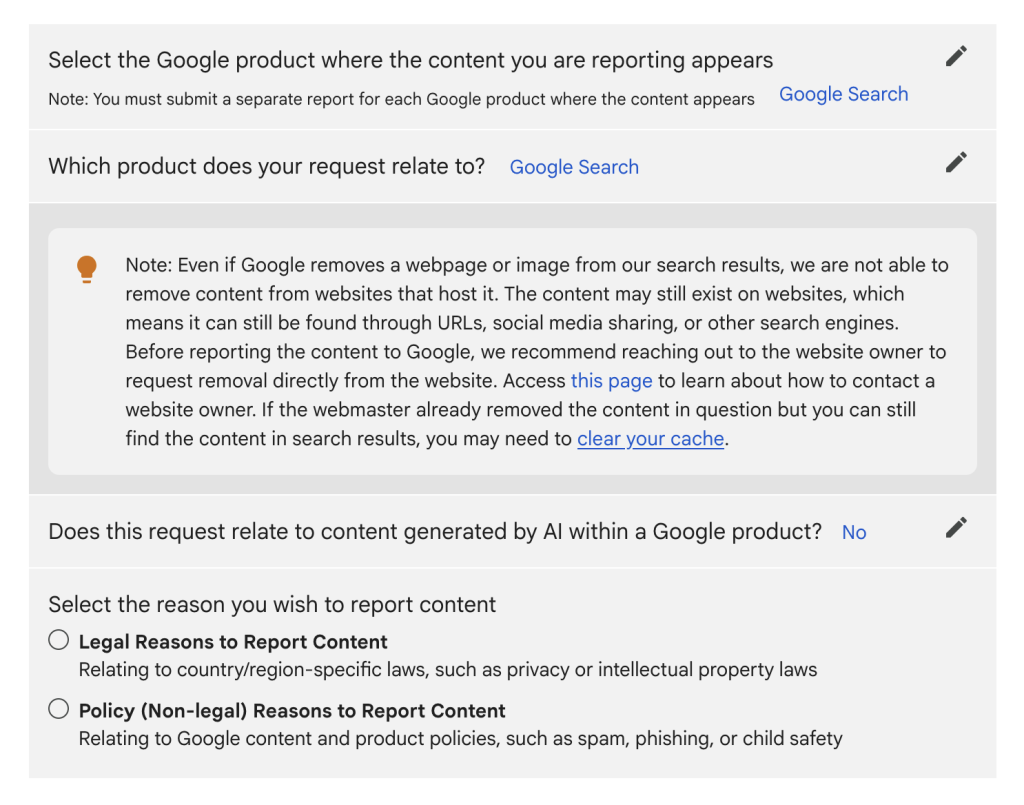
Google will redirect you to a page with instructions on how to submit a complaint. From there, you can click the button to access the request form, where you will need to answer several questions and describe the situation
What steps to take next depends on where the website is registered and which jurisdiction it falls under.
If the Website Complies with the DMCA
This includes most social media platforms. In this case, submit a copyright infringement notice to the platform’s copyright or legal department (not just general support). Contact details are usually found in the Terms of Service or Legal sections.
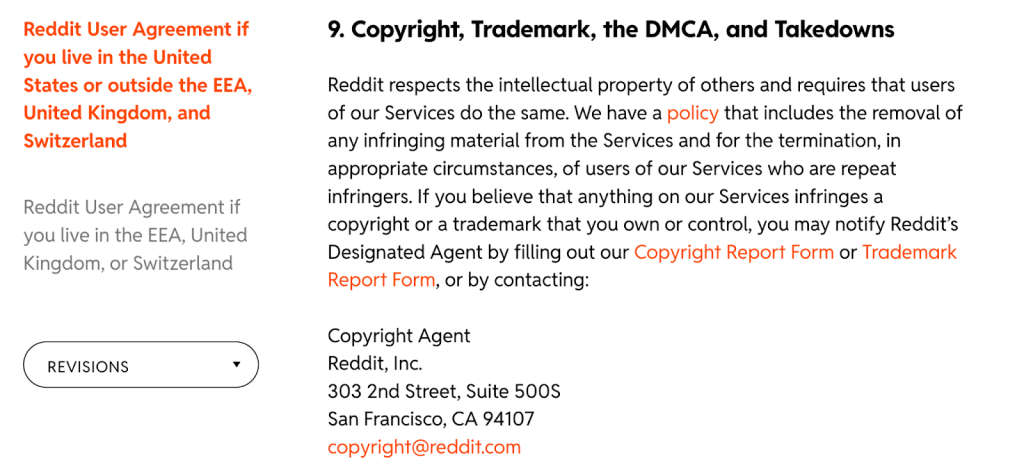
For example, on Reddit the link to the required form can be found in the User Agreement section. The postal address of the relevant department is also listed there, in case you prefer to send a paper letter
The complaint should include:
- Identification details of the copyright holder
- Links to the leaked content on the website
- Links to the original content proving authorship
- Collected evidence
- A physical or electronic signature
You may also state that you will pursue legal action if the content is not removed.
Responses are often slow. If more than 10 days pass without action, send a follow-up or submit another complaint.
If the Website Does Not Comply with the DMCA
Many sites, especially porn sites, ignore complaints. In this case, contact the hosting provider directly. You can find hosting information using domain lookup services such as Who.Is or WhoIsHostingThis.
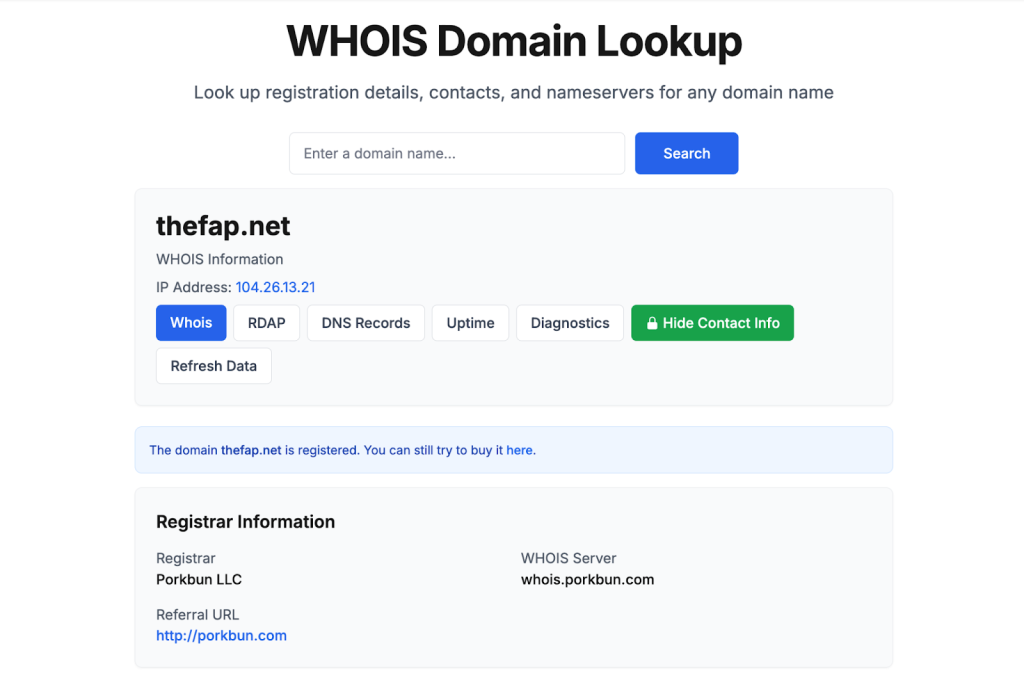
Enter the website URL, and the service will display information about the hosting provider, domain registrar, and other companies involved in the website’s operation
Once you identify the provider, visit their official website and find the section for legal complaints (usually in the footer).
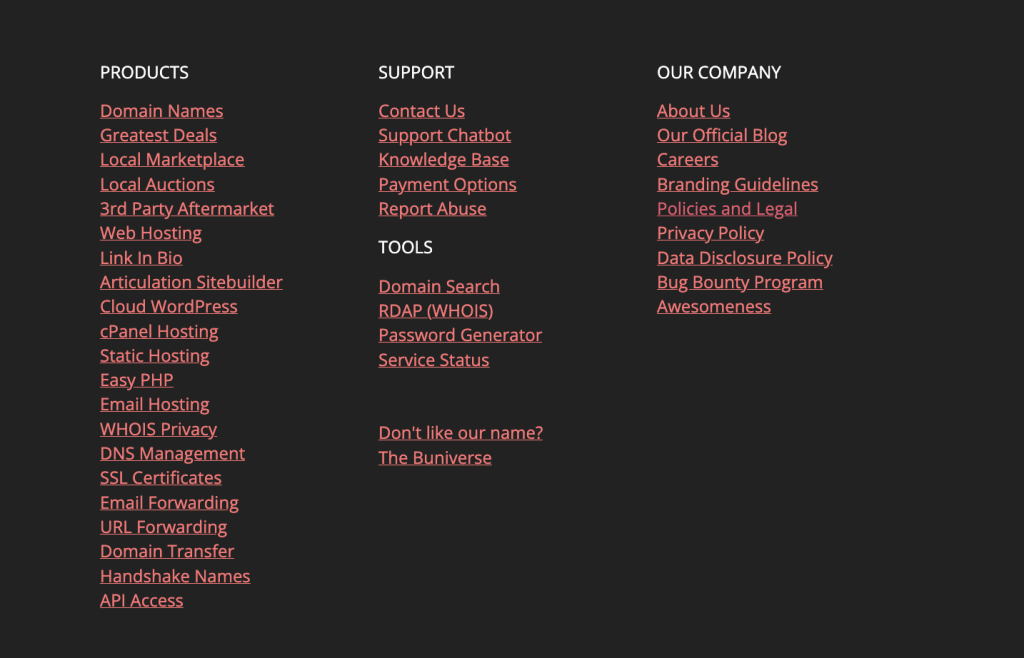
This company is a domain registrar, but it also operates as a hosting provider. Links are located at the bottom of its homepage — in this case, you need the Policies and Legal section
If the site is protected by a CDN (such as Cloudflare), the hosting provider may be hidden. In that case, contact the CDN service directly—Cloudflare, for example, sometimes responds to copyright complaints.
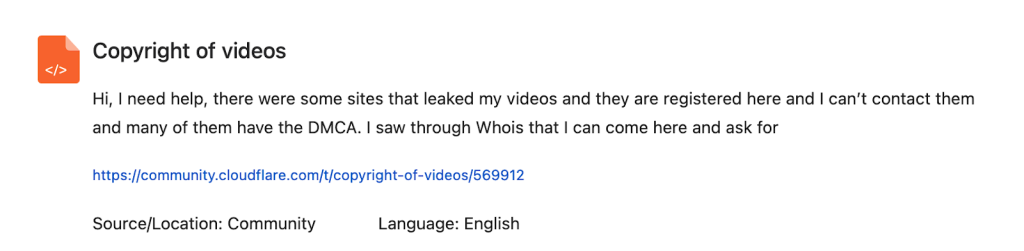
Cloudflare’s support section includes topics related to video copyright issues
Provide evidence that the hosted site violates copyright law and follow up regularly.
If the Website Is Outside Copyright Jurisdiction
This includes platforms that:
- Are hosted in countries that do not enforce copyright law
- Use encrypted channels (e.g., Telegram)
- Operate on the dark web
Most pirate sites and torrents fall into this category. Legal action is usually ineffective here.
The best strategy is to prevent the leak from spreading beyond the platform by focusing on search engine removals and ongoing monitoring.
Some models choose to publicly accuse such platforms of rights violations or harassment. This approach is risky and should only be taken after consulting an experienced lawyer.
What to Do If Nothing Helps
If the leak is large-scale and cannot be handled alone, consider professional help:
- Content removal companies that specialize in mass takedowns (e.g., LeakRemover, Takedown.co, DMCAForce)
- Copyright lawyers who can advise on the most effective legal strategies
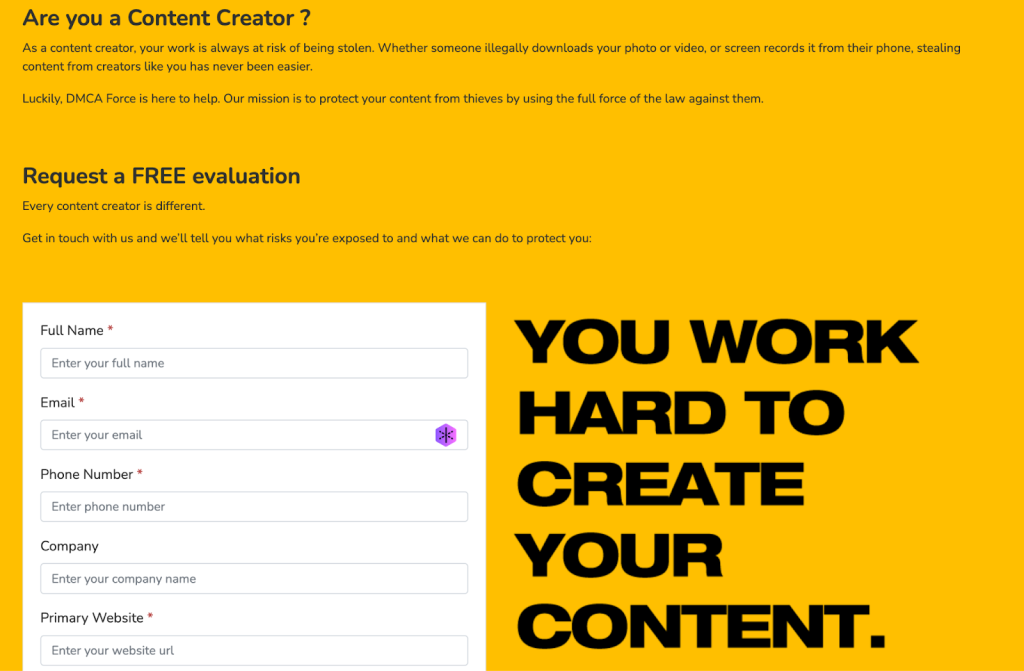
Most services are paid, but initial consultations are usually free
Remember: partially stopping a leak is better than doing nothing. Content confined to the dark web is far less harmful than content spread across the entire internet.
How to Prevent Future Leaks
Prevention is easier than dealing with the consequences. To reduce risks:
- Maintain strong privacy settings, complex passwords, and 2FA.
- Watch for suspicious users—those who do not engage but immediately try to buy everything.
- Enable DRM in OnlyFans settings. It prevents screen recording and screenshots for content published after activation.
- Use watermarks. Invisible watermark services (e.g., Imatag, EchoMark) help trace leaks. Visible watermarks can be added via tools like Canva, though they are less effective due to AI removal tools.
- Monitor your digital footprint regularly, even if no leaks have occurred before.
Key Takeaways: What to Do If Your Content Is Leaked Online
- Secure your account and yourself. Change passwords, enable 2FA, clean subscribers, and tighten privacy settings. Inform trusted people and your manager.
- Find where the content was leaked. Search via Google, site searches, adult platforms, social media, and messengers like Telegram.
- Document every leak point. Record dates, URLs, screenshots, and uploader information.
- Submit complaints. Start with search engines, then platforms, then hosting providers if necessary.
- Seek professional help if needed. Specialists can handle detection and takedowns, while lawyers can protect your rights.
Want more paying OnlyFans subscribers?

Launch a campaign in 24 hours and fill your creators’ pages with real fans, not freebie hunters.
Recent partner average: $4.24 back per $1 spent • 324% ROMI
Real people only. No bots, no spam traffic sources.
ONLY FOR ONLYFANS AGENCIES, MODELS, AND MARKETERS
Want to promote your OnlyFans profile?
Start getting paying subscribers from search. Launch in 48 hours.
Recent partner average: $4.24 back per $1 • 324% ROMI