
Share:
Most creators on OnlyFans have multiple sources of income. The simplest one is subscriptions. This is a monthly income that depends on the number of subscribers and fluctuates from month to month. However, the biggest source of income comes from selling additional content — Pay-Per-View (PPV). If a model doesn’t use PPV, she loses at least half of her potential earnings.
In this article, we’ll cover everything you need to know about PPV: from content selection and pricing to step-by-step instructions on creating posts and messages, as well as secrets that will help you sell more.
What is Pay-Per-View (PPV)?
PPV is content (photos, videos, messages) that a subscriber can access only after paying. In other words, regular posts are visible instantly, while PPV content appears as a blurred image or a short teaser. To view the hidden content, the subscriber has to click the “Open” button and pay the amount set by the performer.
There are two ways to offer PPV on the platform:
In the public feed. All subscribers see a preview (for example, a blurred photo or a short teaser), but they have to pay to see the full version. This is a convenient way to sell a single piece of content to a large number of people.
Example: You’ve shot a 10-frame photo set. You post the two best photos in your feed for free, and below them you write: «The remaining 8 photos from this set are available for $10». Subscribers who like the preview buy the full version.
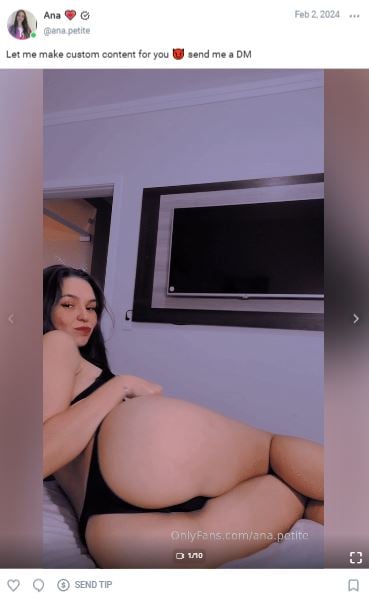
You can post a small excerpt of the video and then invite others to watch it via private messages
Private messages. PPVs can be addressed to all subscribers, a specific group (for example, top buyers), or a specific person. Conversion rates are higher here because the message feels like a personal offer, and members are flattered by such attention.
Example: You send a message: «Hey! I made a video today that definitely won’t end up in the feed. I think you’ll like it ❤️ You can access it for $15». This message is more enticing than a regular post in the feed.
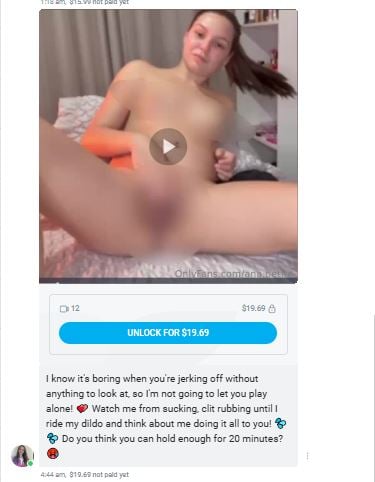
Example of PPV in private messages
Important: You can only post PPV content to your OnlyFans profile feed if you have a free subscription. However, you can send PPV content in private messages with any subscription type.
| Let’s calculate the approximate income from PPV sales:Imagine you have 150 subscribers who pay $10 monthly. This earns you about $1,200 per month after commission. To earn more, you need to either increase the subscription price (risking losing some of your audience) or attract new subscribers.PPV breaks this linear relationship. The same subscriber can buy 5, 10, or 20 PPVs from you per month. Their average bill no longer equals the subscription price — it starts to reach hundreds of dollars. If, with the same 150 subscribers, you send four PPVs per month at $15 each, and 30 people (20% of your audience) buy, you’ll earn $1,800 per month.Furthermore, PPV allows you to segment your audience. You don’t lose members who aren’t willing to pay anything other than a subscription by selling premium content only to specific people. Ultimately, everyone is happy, and you’re profitable. |
How to choose content for PPV
Here’s what to pay attention to:
The most popular posts in the feed. Which topics, formats, and outfits get the most interactions? This is a sign that such content is popular and should be offered more often.
Requests for custom content. If several people are asking for the same thing, it means there’s demand for your content. Try offering such photos or videos as PPV and analyze how well they perform.
Activity in private messages. What are people asking about most often? What fantasies are being discussed? This is important to consider when creating PPV content.
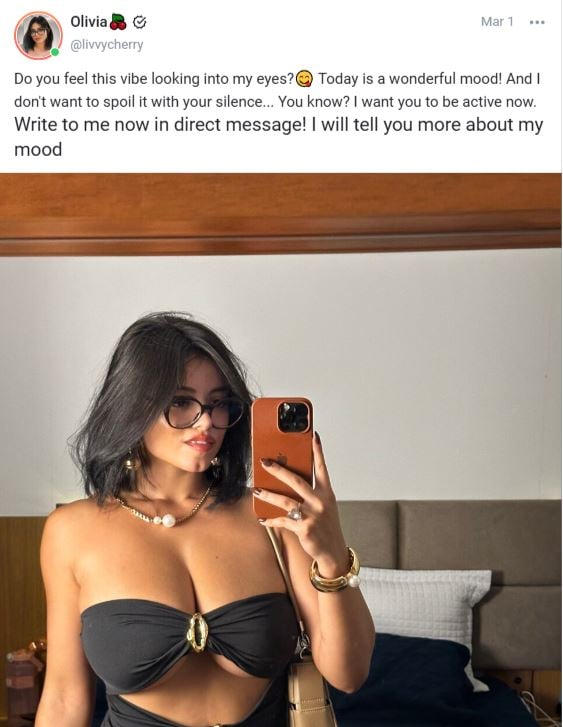
For example, if such posts get more likes, perhaps subscribers are responding to direct appeals and engaging captions
PPV content shouldn’t be duplicated; you can’t simply offer the same content available for free in the feed for a fee. Subscribers won’t appreciate such a solution. PPV content is either more explicit footage, longer versions of videos, or paired content. Members should understand what they’re paying for and why the content is worth the money.
It’s important to remember that PPV content must be of the highest quality. Good lighting, a well-thought-out image, and high-quality video editing are key. High-quality content builds loyalty: subscribers know they’ll get a beautiful picture when they pay, and they buy again without hesitation.
PPV is a complete product, not just a single random shot, but a series united by a common idea, mood, or image. For example, a set of 8-10 photos in red lingerie on white sheets. The subscriber receives not just a picture, but a short story. The first shots may be more reserved and languid, while the last ones are extremely revealing. It looks like work worth paying for.
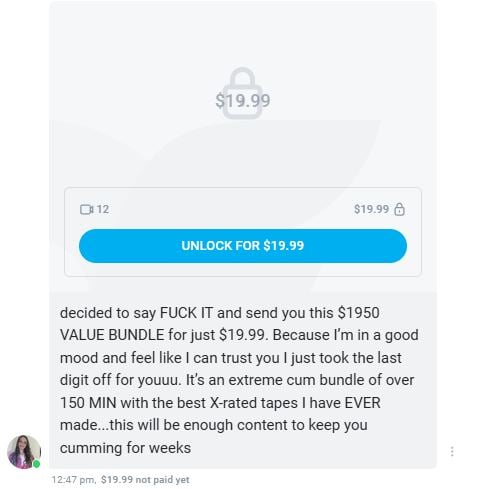
Discounts and promotions work well to make subscribers think, «She lowered the price just for me»
You can collect several videos or photo shoots under one theme — for example, all of your summer swimsuit shoots or your best latex shots. This works like a package deal: subscribers are willing to pay to get a lot of content at once.
How to set a price for PPV
It’s important to find a happy medium — too high a price will scare away buyers, while too low will devalue the content and make subscribers think it’s low-quality.
To set prices correctly, consider several factors:
Complexity. Consider how much time and effort you spend creating a PPV. A professional shoot with a makeup artist in a rented studio should definitely cost more than a selfie in bed taken on a phone.
Duration and length. A short video that’s less than a minute long can’t cost as much as a ten-minute video. The same thing works with photos: the more photos in a package, the more expensive it needs to be sold.
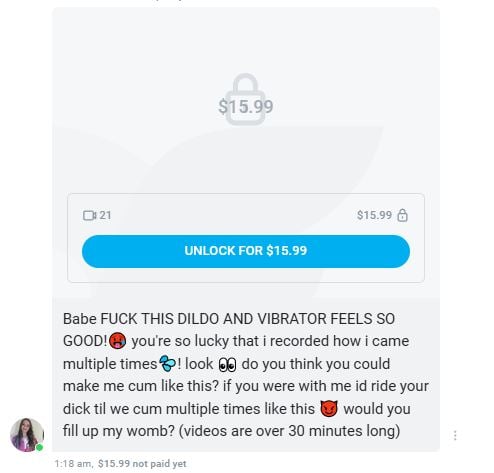
You can justify the price in your caption: how long is the video, how many toys you use.
Level of explicitness. The more explicit the content, the more expensive it is. If you strip naked, strike daring poses, show off your intimate parts, or use sex toys, it will cost much more than just photos and videos in a swimsuit or tight clothing.
If you’re just starting out selling PPV, set a low price to analyze how many people buy and how they react. For example, if 20 out of 100 people buy a $10 video, and 12 buy a $15 video, your revenue from the newsletter will remain virtually unchanged ($200 versus $180). You can keep the price at $15 and work on improving the quality of your content to increase conversion.
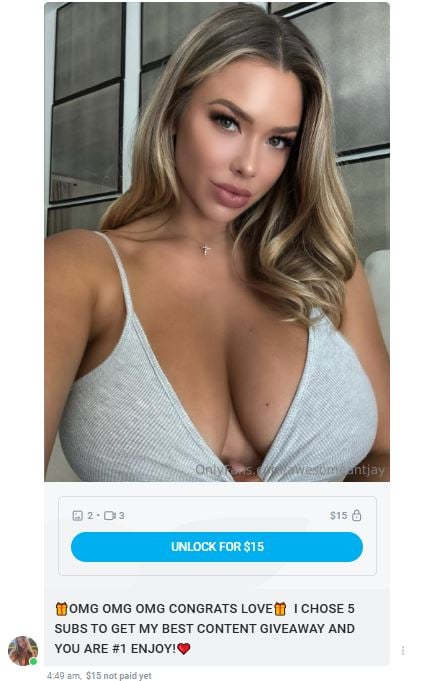
Analyze the most popular prices and why
Approximate prices for different types of content:
| Content Type | Recommended price |
| Photoshoot (5-10 pcs) | 5–15$ |
| Short Video (1-3 min) | 10–25$ |
| Medium Video (3-7 min) | 25–50$ |
| Long Video (10+ min) | 50–100$+ |
How to create a PPV post
Step 1. Go to the post editor. On the account main page, click «Create a new post…».
Step 2. Upload media. Click the «Add media» icon (usually a camera or gallery icon). Select files from your computer or phone.
Important: OnlyFans limits video length (usually to 5-10 minutes, depending on file size). If your video is longer, you’ll need to split it into parts or compress it before uploading.
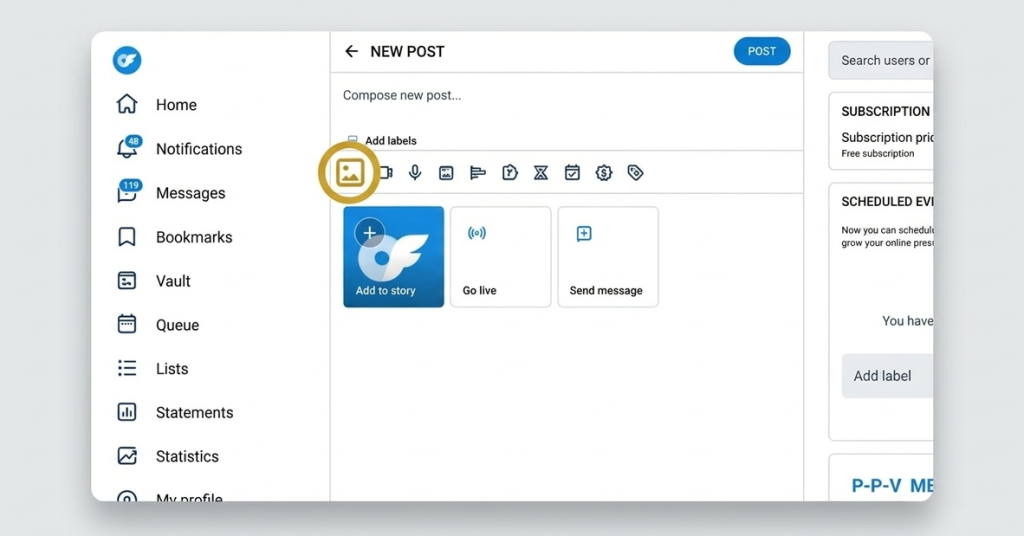
You can upload multiple photos or videos at once — they will appear as a gallery.
Step 3. Create a teaser. If it’s a photo, upload a special preview as the first frame — either a blurred version of one of the PPV frames or simply a beautiful image with the text «Full set of 10 photos inside». Set the price for all subsequent frames.
For videos, the platform allows you to display a free preview video up to 30 seconds long. To do this, after uploading the video, click on it, select «Configure preview» and specify the portion that will be visible for free. The remaining portion will only be available after payment.
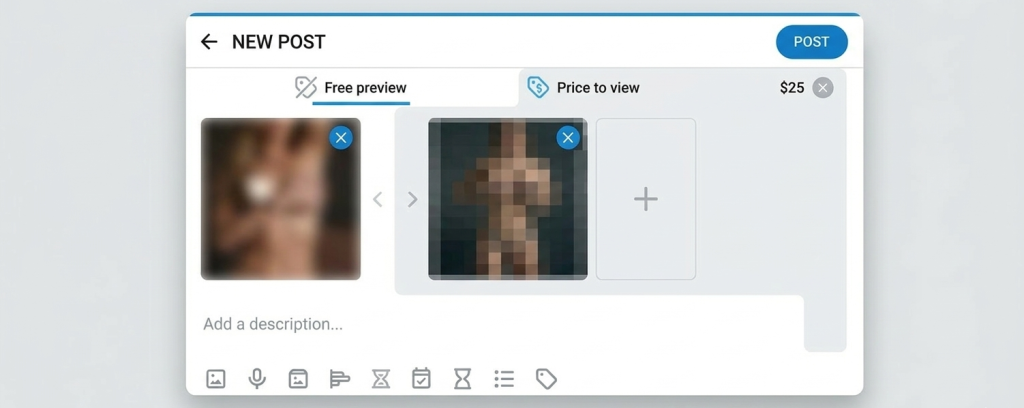
The main rule: the teaser should tease and create a desire to purchase the rest
Step 4. Create a compelling caption. The caption for a PPV post is the text that should convince the subscriber to click «Open». It should:
- Intrigue without revealing everything;
- Clearly communicate what exactly the buyer will receive (5 new photos in lingerie, a video where I…);
- Create an emotional background (I’ve been wanting to film this for a long time; it turned out so revealing, I’m even embarrassed);
- If necessary, add a restriction (only available for 24 hours; the first 5 people to buy will receive a bonus).
Example of a good caption: I filmed this video especially for my most loyal followers. Honestly, I’m even a little embarrassed to show it 🙈 If you want to see me in a new look, open it, but promise not to show it to anyone 😉
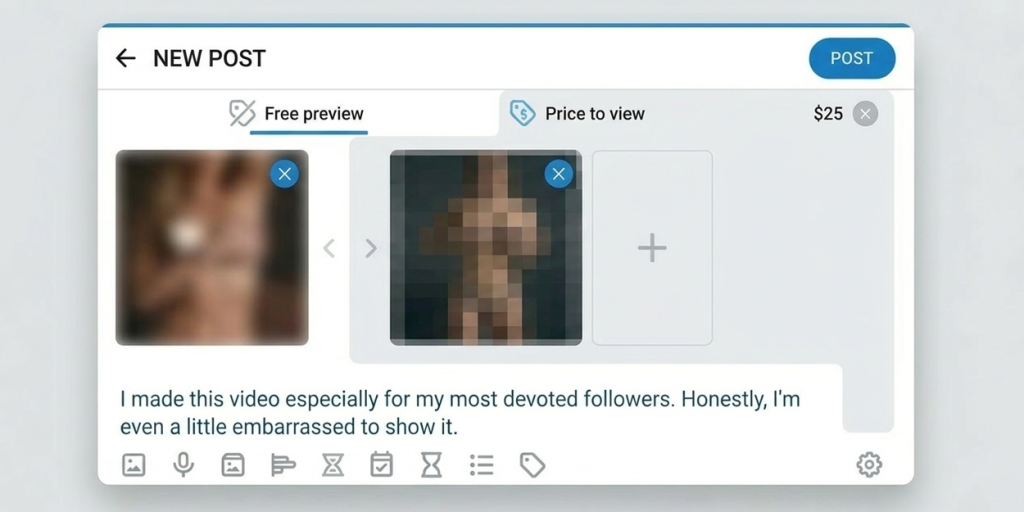
The more engaging the caption, the more likely it is that your PPV will be purchased
Step 5. Set the price. Under the uploaded media, you’ll find the price tag icon (usually a price tag). Click it and enter the amount. If you’ve uploaded multiple files, the price will automatically apply to all. To keep a file free (for example, a teaser photo), click it and uncheck the «Paid» box or remove the price in the file’s settings.
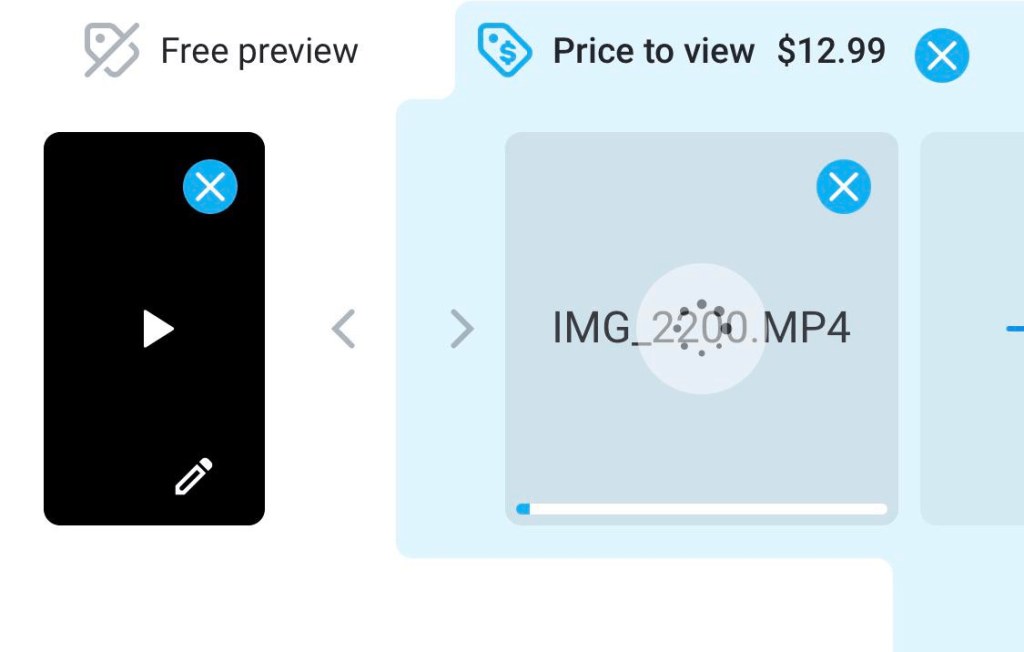
The maximum price for PPV content on OnlyFans is $200
Step 6. Publish or schedule a post. Publish now or select a date and time using the calendar icon to automatically publish the post at a time that’s most active for your audience.
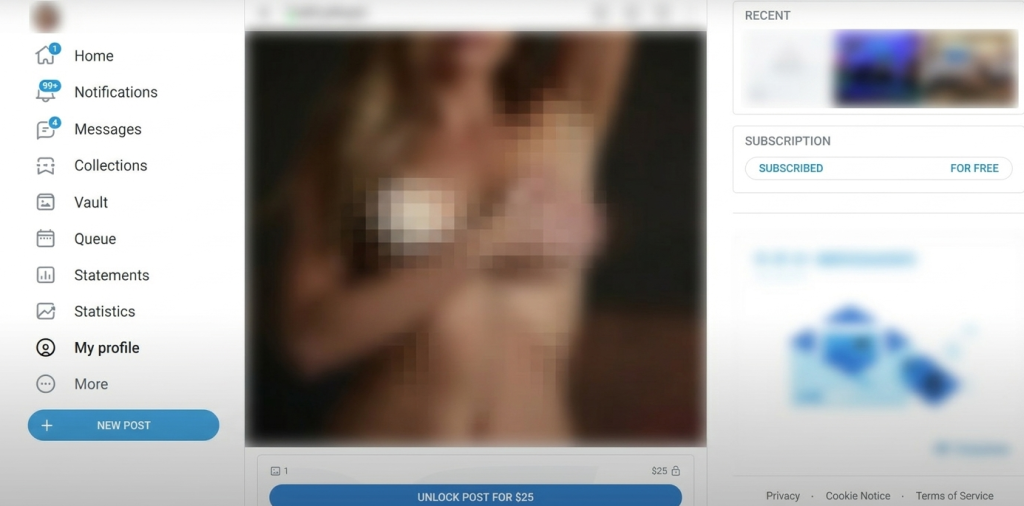
This is what a paid post looks like in the feed
How to send a PPV message
Step 1. Go to the Messages section and select recipients. You can send a message:
- To all subscribers — click «New message» and select «All subscribers».
- To specific subscribers — select them from your contact list.
- To a group of subscribers — if you’ve created lists in advance (e.g., top buyers, active).
Important tip: segment your audience. Send the most expensive PPV messages only to those who are already big spenders.
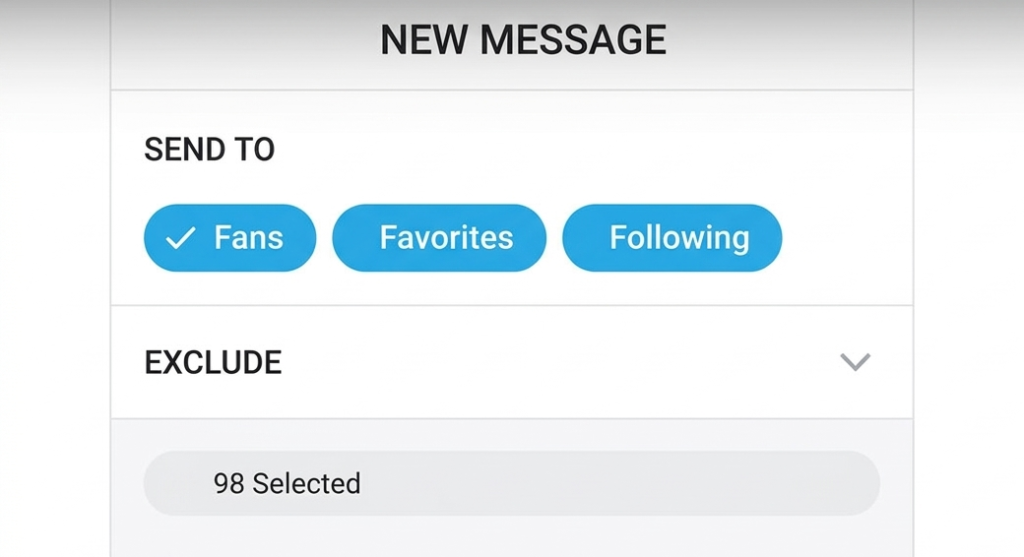
Offer newcomers cheaper positions to warm them up.
Step 2. Attach media. Click the «Add media» icon and select the files. Wait for them to upload.
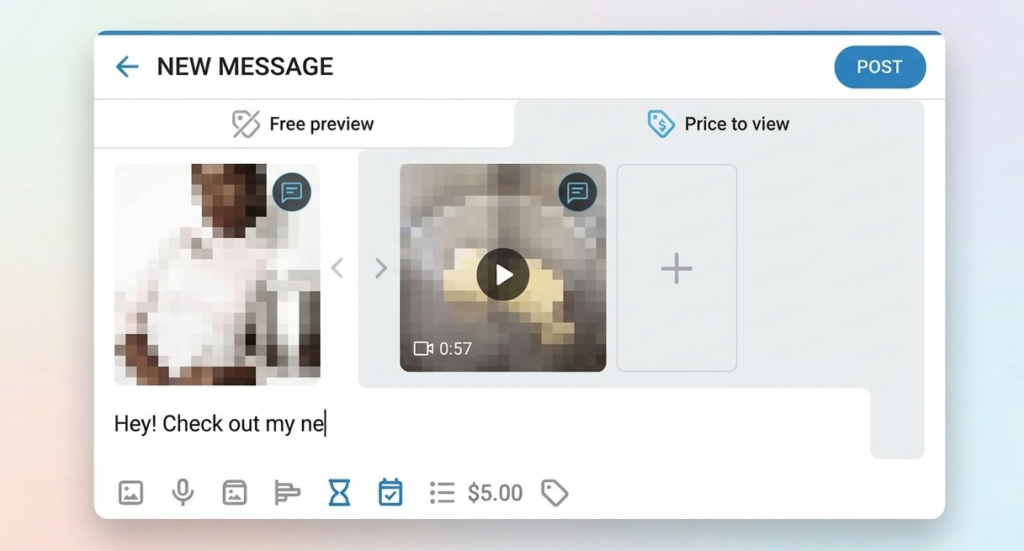
You can upload either a photo or a video.
Step 3. Write a personal message. The text in the message should be different from the post caption. A more intimate tone and personal appeal are appropriate. Use information you know about the subscriber: «You love it when I wear red — I made this video to let your imagination run wild». Even when sending a mass email, try to avoid boilerplate. If you send the PPV manually, be sure to include the recipient’s name — they’ll definitely appreciate it.
Sample message: Hi [name]! You’re one of my most active subscribers, so I’m sending you this video first. It’s very personal, I hope you like it ❤️
Step 4. Set the price. Click the price icon under the uploaded media and enter the price. You can add a free preview—a photo or video that will be available for free — by dragging the selected content to the left. If you send multiple files, the price is set once for the entire set.
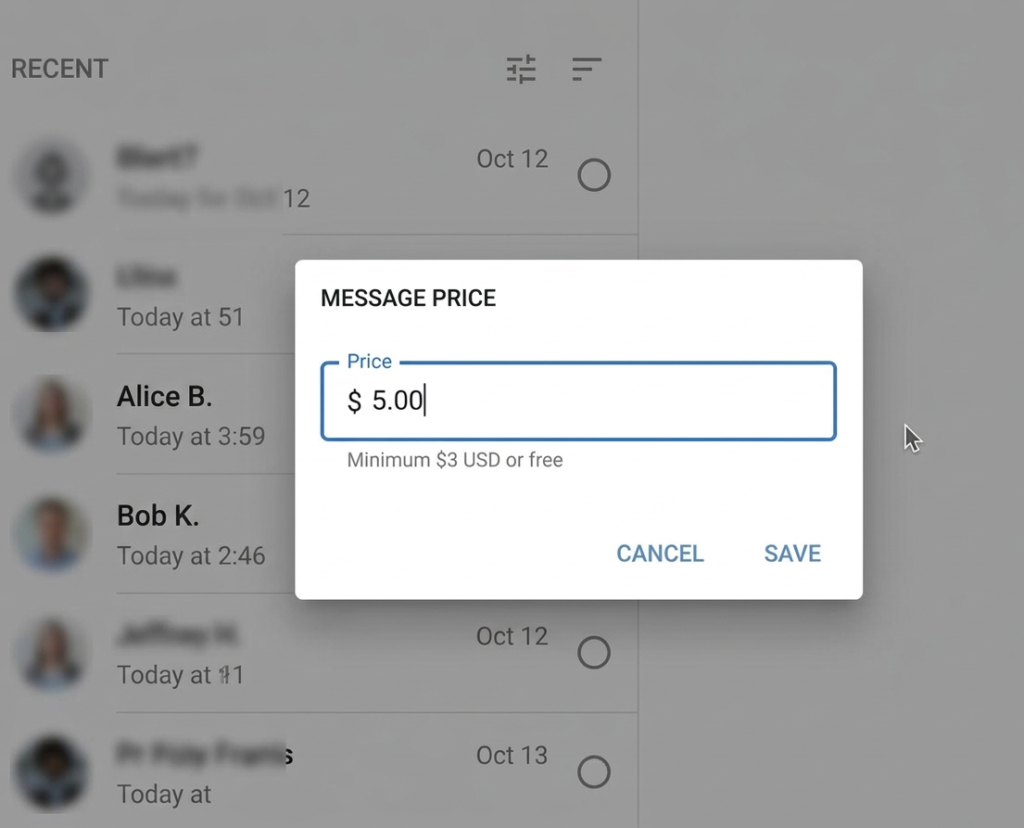
The minimum price for a PPV is $3.
Step 5. Send a message. However, try not to send a PPV message immediately after someone has subscribed. Establish contact first, otherwise they will perceive it as spam and pushy and may unsubscribe.
How to Increase PPV Sales
Warm-up Before Sending. A few hours or a day before sending a PPV, make an announcement in your feed or stories. For example: Something interesting in a private message tomorrow; Preparing my most explicit set for you this month. This will warm up your fans and increase the likelihood that they will open the message.
Handling Rejections. Not everyone will open a PPV right away. A day or two later, send those who haven’t purchased a short reminder with a different message: Have you seen this video yet? It’s still available. Sometimes people simply forget about your offer or put off making a decision, and a reminder nudges them toward a purchase.
Sales Analysis. Review your statistics after each mailing. How many people opened the message? How many were purchased? At what price? Compare different types of content and different texts.
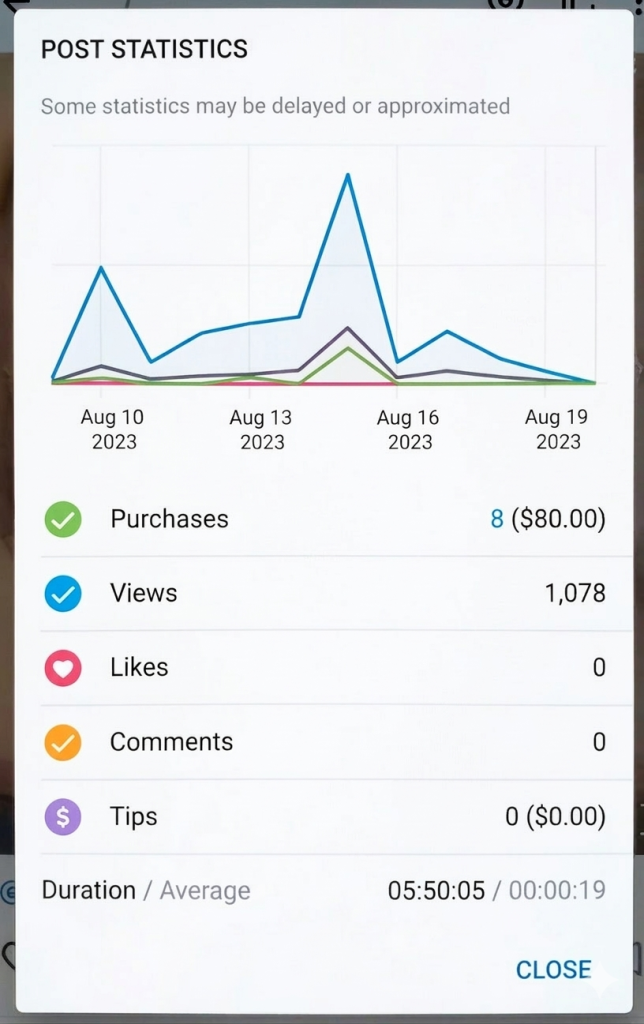
Over time, you’ll develop a clear understanding of what and how to sell to your audience
Audience segmentation. Send your most expensive PPVs only to subscribers who consistently purchase your content and demonstrate their support in every way. Create a list of your top 10 or top 20 subscribers and offer them exclusive content at above-average prices. Sales will increase because members don’t need to be warmed up or persuaded.
Series PPVs. Instead of selling a single video or photo shoot, you create a story that unfolds over several parts. A subscriber who buys the first part is highly likely to want to see the rest—and will buy the second, third, and fourth. For example, this could be a mini-series of three to five videos united by a common plot: the first part is seduction and flirtation, the second is foreplay, the third is the main act, and so on.
Package offers. Offer a discount for purchasing multiple PPVs at once. For example, three videos for $50 instead of $60. This increases the average order value and motivates people to buy more than they planned.
Typical mistakes in Pay-Per-View
Over-sending. You send PPV messages every day or every other day — it seems like the more often you offer, the more you’ll earn. But subscribers start ignoring them, turning off notifications, or unsubscribing.
This is because subscribers become fatigued from constant sales. They came for content and communication, but instead receive endless offers to buy something. Even if the content is truly good, subscribers simply stop opening your messages, the open rate drops to 5-10%, and the income from each subsequent broadcast decreases. Therefore, alternate sales messages with regular ones: thank-yous, questions, or simply flirtatious ones. For each PPV, there should be 2-3 regular messages or posts in the feed.
No teaser. You’re counting on subscribers already knowing what your content is and buying blindly. But people don’t like buying a pig in a poke. They need to understand exactly what they’re getting before they part with their money. Therefore, always include a teaser image as the first frame for photos — either a blurred version of one of the frames or a beautiful cover with the text: 10 photos inside, $15. For videos, use the preview feature and show 10-30 seconds of video.
Fixed pricing for all content. You can’t set the same price for a short video and a long photo shoot. Prices should vary depending on value. Create a price list for yourself and stick to it — subscribers will quickly get used to your system and understand how much each type of content costs.
Ignoring feedback. You sent out a PPV, and almost no one bought it. You think: the content is bad, I won’t make anything like that again. Or you simply forget and repeat the same mistake a week later. To correct this, after each mailing, track how many people opened the message, how many bought it, and at what price. If conversion is low, change the caption, price, or content, and try sending newsletters at a different time.
Lack of a system. You send PPVs when you’re in the mood, have filmed content, or remember you haven’t posted in a while. Your strategy is chaotic, the content is random, and prices fluctuate from one send to another. It’s better to prepare PPVs in advance. Batch-create content in one day, organize them into folders, and stick to a schedule — for example, Monday, Wednesday, and Friday.
Frequently Asked Questions (FAQ) about PPV on OnlyFans
How many PPVs should I send per week?
The sweet spot is usually 2–3 paid posts or messages per week. However, a lot depends on your niche and how active your subscribers are. Start with two broadcasts, track the results, and scale up if the engagement stays high.
What if subscribers aren’t buying my PPV?
First, check your warm-up — are you using teasers and engaging in DMs? Also, evaluate if your pricing matches the value and if the content itself is trending. You can try a limited-time discount or a flash sale. Sometimes fans just miss the notification, so don’t forget to promote your PPV in your feed to remind them it’s available.
Can I send PPV to subscribers who have muted my messages?
Technically, yes, the message will still land in their inbox, but they won’t get a notification. If they’ve completely muted you, your only option (if you have a Free Page) is to post locked content directly to your feed so they see it while scrolling. If you have a Subscription Page, you’ll have to rely on engaging them enough to make them check their DMs manually.
How do I price a new type of content?
Research successful creators in your niche to see their price points for similar formats. A good strategy is to start at the lower end of the market price, track your sales volume, and gradually increase the price as demand grows.
Can subscribers share my PPV content with others?
Technically, OnlyFans prohibits downloading content, but leaks can never be 100% prevented. To protect yourself, always use watermarks. For custom requests, you can include the subscriber’s username in the watermark. As a rule of thumb: never put anything in a PPV that you wouldn’t want to potentially see elsewhere.
Author

Want more paying OnlyFans subscribers?

Launch a campaign in 24 hours and fill your creators’ pages with real fans, not freebie hunters.
Recent partner average: $4.24 back per $1 spent • 324% ROMI
Real people only. No bots, no spam traffic sources.
ONLY FOR ONLYFANS AGENCIES, MODELS, AND MARKETERS
Want to promote your OnlyFans profile?
Start getting paying subscribers from search. Launch in 48 hours.
Recent partner average: $4.24 back per $1 • 324% ROMI