
Share:
X (Twitter) in 2026 is an excellent platform for promotion: you can speak directly, show photos, and instantly engage in dialogue, turning casual scrollers into subscribers. For OnlyFans models, this is a unique opportunity to get targeted, hot traffic and build a personal brand through openness and charisma.
We have prepared a detailed guide on how to promote OnlyFans on X, turning likes and retweets into a steady stream of subscriptions on your page.
Step 1. Design your profile
The first impression you make on potential fans depends on your Twitter profile design. A well-designed X account for an OnlyFans model will warm up the user from «just scrolling the feed» to «want to see more and ready to pay.» Here’s what the packaging includes:
Username. The username should be short, memorable, and reflect the essence of your content. To be recognized by fans, use the same username as on OnlyFans and Instagram. If the name is taken, add prefixes like real, official, or of. Avoid extra numbers (e.g., masha_1995) — such profiles look fake.
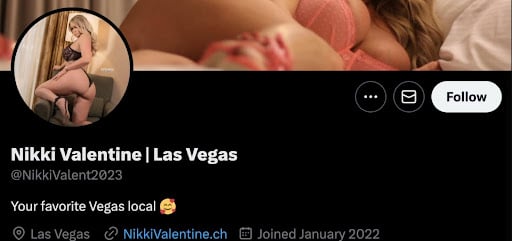
You can add your city or keywords to the username. For example, Alana | New York
Profile Picture. Choose a portrait photo, with the face occupying 60-70% of the frame. Look directly into the camera, as if personally addressing the subscriber. The subscriber should feel: «She is looking right at me and talking to me».
Example of a profile picture on X
Header Banner. Optimal size: 1500 × 500 pixels. Use a high-quality image that reflects your style (e.g., an aesthetic photo zone, a collage of your best shots, thematic art). You can place an indirect hint about the link (e.g., «Swipe up for more» + an arrow, «Exclusive content awaits» with a lock icon).
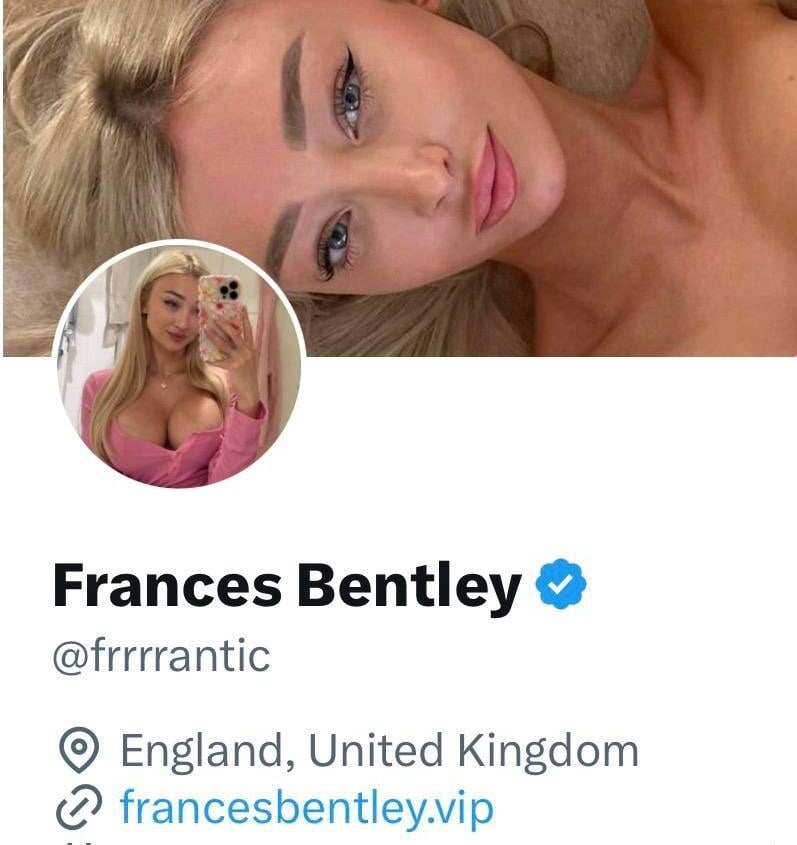
Example of a header banner design
OF Bio. You have 160 characters (about 25-30 words), so every word must count. Remember, the bio is a brief overview of who you are and what you do. If someone sees your profile, they should immediately understand what you’re about.
Use the structure: who you are + your unique angle + a call to action. For example:
- «Your gothic muse 🖤 Love lace, leather, and dark fantasies. All my forbidden world—via the secret link 👇»
- «That girl from the next street over ☕️ Love video games, pizza, and cozy sweaters. My cozy (and very explicit) diary awaits you here»
- «Your bad habit 🔥 I say what I think and show what you want. Only teasers here. The most explicit stuff—via that link down below. ⬇️»
Don’t forget to use emojis—they help convey emotion and break up the text block. Just don’t overdo it.
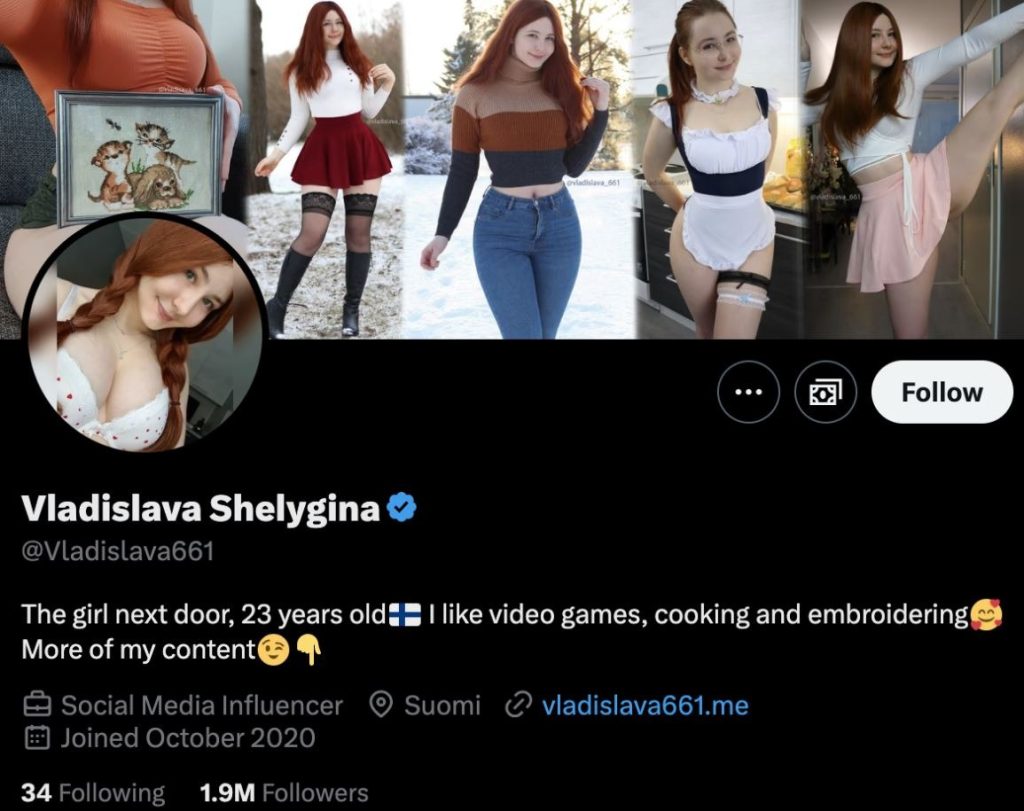
Important: Do not use the word «OnlyFans.» Instead, write: «Secret link», «Exclusive content», «My private page» or use emojis like 💎/🔗. Also OnlyFans restricted words.
Link. X allows only one active link. But do not link directly to OF—the algorithm might reduce reach or even block the profile. Use intermediary services (Linktree, Beacons). You can format the link like this: «FREE ACCESS HERE» (if you have a trial) or «MY DAILY ARCHIVE».
You can indicate the link on the header banner
Even in pinned tweets and regular posts, do not put a direct link in the tweet text. Instead, write «link in bio».
Pinned Tweet. On X, you can pin one tweet — for example, a welcome post with a beautiful photo and text about who you are and why someone should follow you. Its goal is to show your personality, let the algorithm understand what your account is about, and convince visitors to follow.
The main technique in these tweets is to use a «bait» in the headline. This is a short, catchy phrase at the beginning of a tweet that makes someone stop and read to the end. For example:
- «I’ll admit right away… 🔮 I lead a double life. Here I’m sweet and harmless, but via the secret link in my profile—I’m completely different. Curious?»
- «I’m often asked how I manage to do it all… 💪 Answer: discipline in the gym and complete freedom in creativity. You can find my creativity via the link—there I open up 100%.»
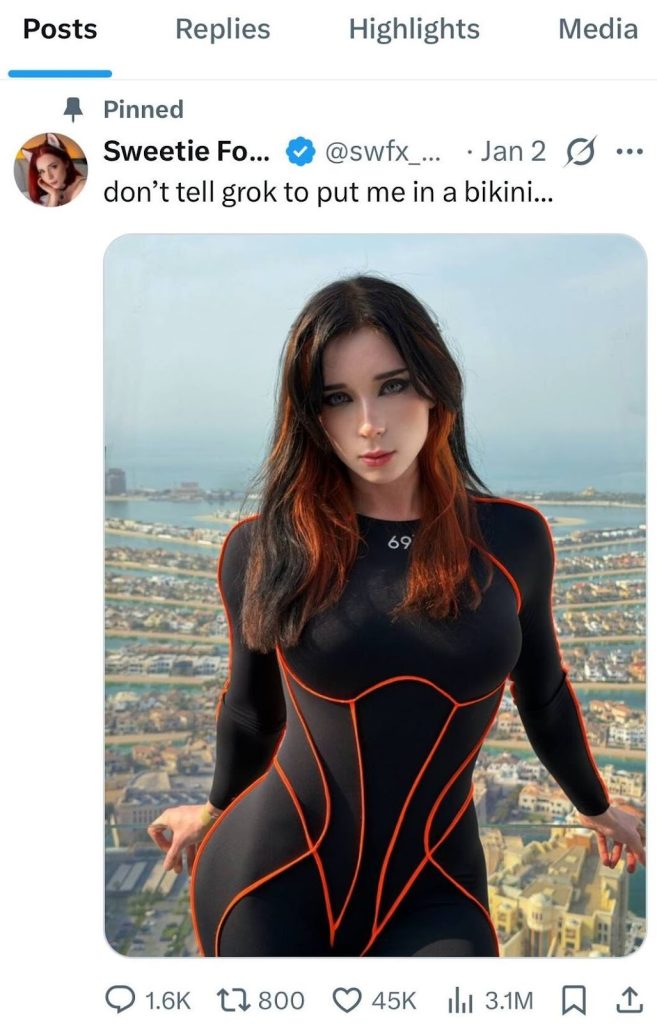
Example of a pinned post on X
Don’t forget to mark your account as containing sensitive content. To do this, log into your Twitter account, then find «Settings and privacy», go to the «Privacy and safety» section. Then click «Your posts» and check the box to confirm that your profile contains sensitive information.
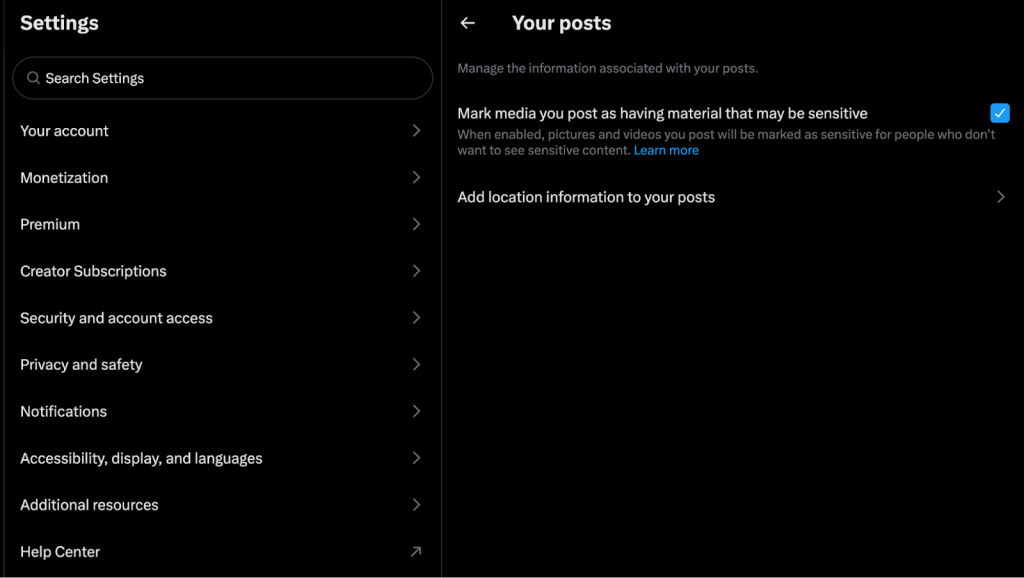
This ensures that underage users cannot see your posts
Step 2. Link Twitter (X) to OnlyFans
You can link Twitter to OnlyFans and automatically share posts from OnlyFans with fans on Twitter, expanding reach and inviting them to an exclusive community. Also, activity on other platforms shows potential subscribers that the content creator is reliable and can be trusted.
Here’s how to do it:
- Open your OnlyFans account and go to the «Settings» section.
- Select the «Account» section, then go to «Connected Accounts». Find the «Twitter» option and click on it.
- The system will prompt you to authorize Twitter and grant OnlyFans access to your account. If you are already authorized in Twitter on the device, the system will temporarily redirect you to Twitter and then return you to OnlyFans for confirmation.
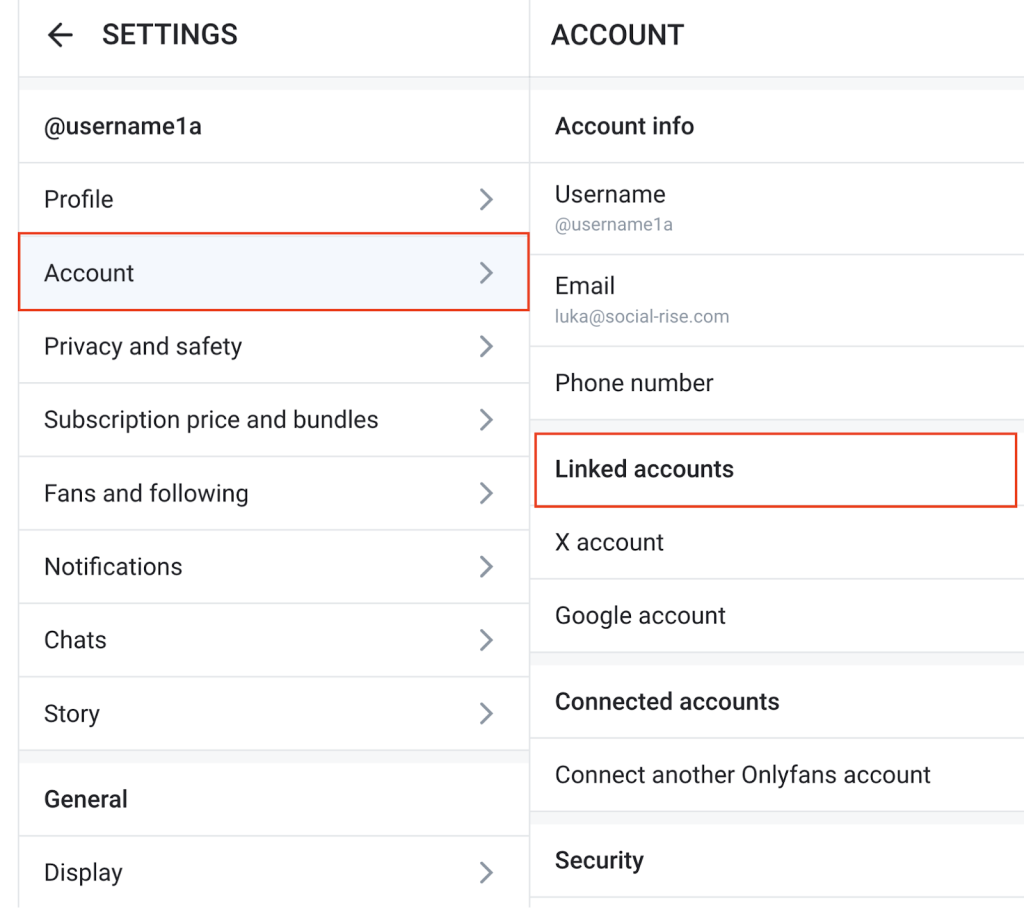
Now your X account is linked to your OnlyFans profile
Step 3. Plan your content strategy
Promoting OnlyFans on Twitter is not just about posting explicit content. This approach often backfires, leading to low conversion and risk of blocking. We advise focusing on a content strategy with an emphasis on personal storytelling, teasing content, clickbait headlines, and regular posting. Here are key principles that will help you stand out and attract loyal fans:
Post High-Quality Teasers. The main tool for attracting attention is a teaser that intrigues but doesn’t reveal everything. It should meet several criteria:
- Impeccable quality. Use only clear images and videos in high resolution. Good lighting and well-chosen angles will highlight your assets and definitely impress members.
- Uniqueness. Don’t copy others. Add your own «touch»—be it a special style, pose, or sense of humor. Your audience should understand they won’t find such content anywhere else, and that you are unique.
- Engaging caption your OnlyFans subscribers. The visual should work in tandem with the text. Use intriguing phrases or provocation: «What do you think I was doing before taking this photo?» or «Do you like this look?» Ask questions that make people think or feel something: «Imagine we met. Tell me, how would you want to spend this evening?»
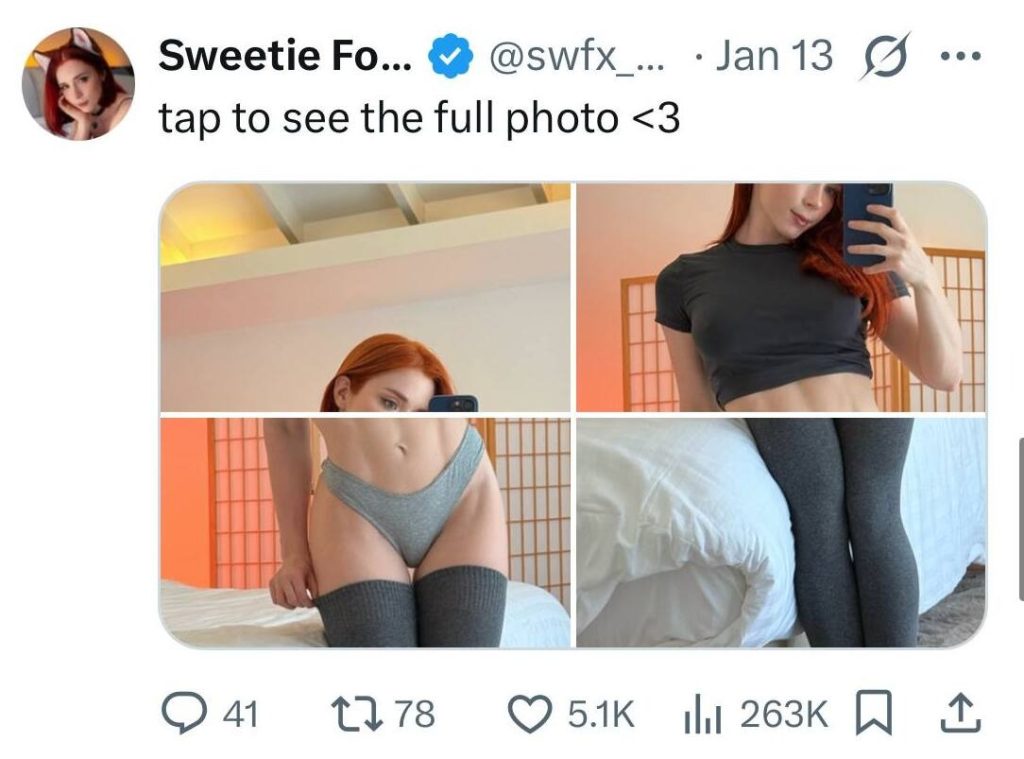
Example of teasing content
Don’t rely solely on nudity. Twitter (X) is tolerant of explicit content, but you shouldn’t post only intimate photos, otherwise people won’t see a reason to pay for what they get for free. It’s better to use hints that spark curiosity and «warm up» subscribers to more explicit interactions.
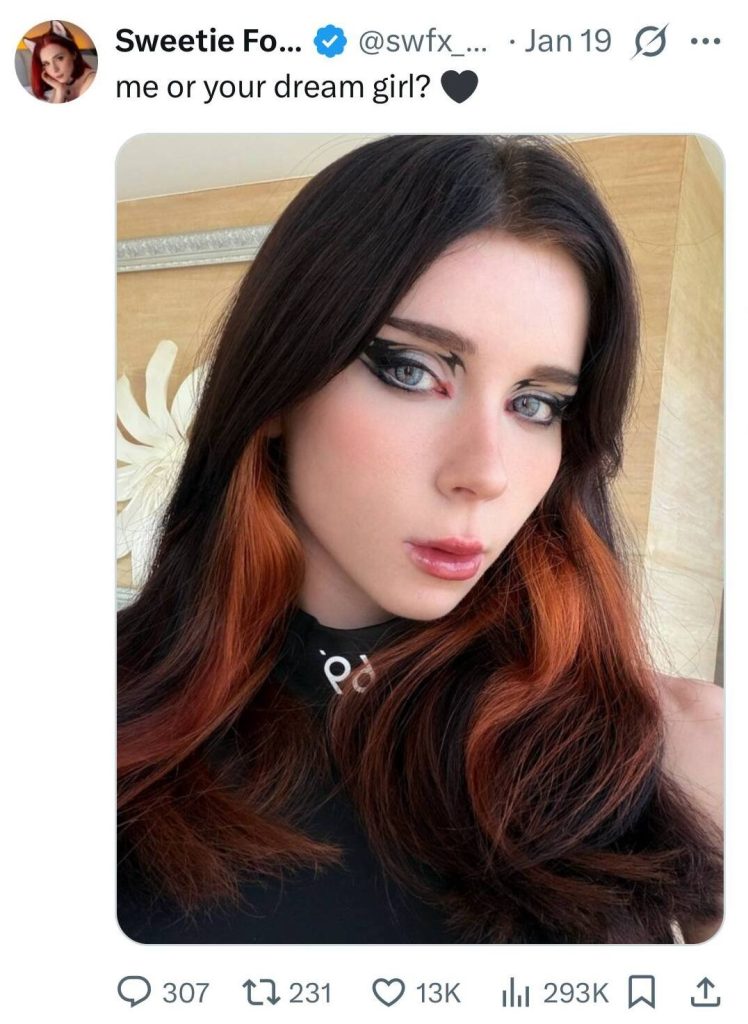
Even photos in clothes attract viewers’ attention
Don’t forget personality. A profile consisting only of explicit teasers looks like a faceless spam account and is off-putting. Show your real self. Share moments from life on OF: talk about hobbies, share funny incidents, post cute selfies in everyday clothes. Sincerity attracts and builds trust.
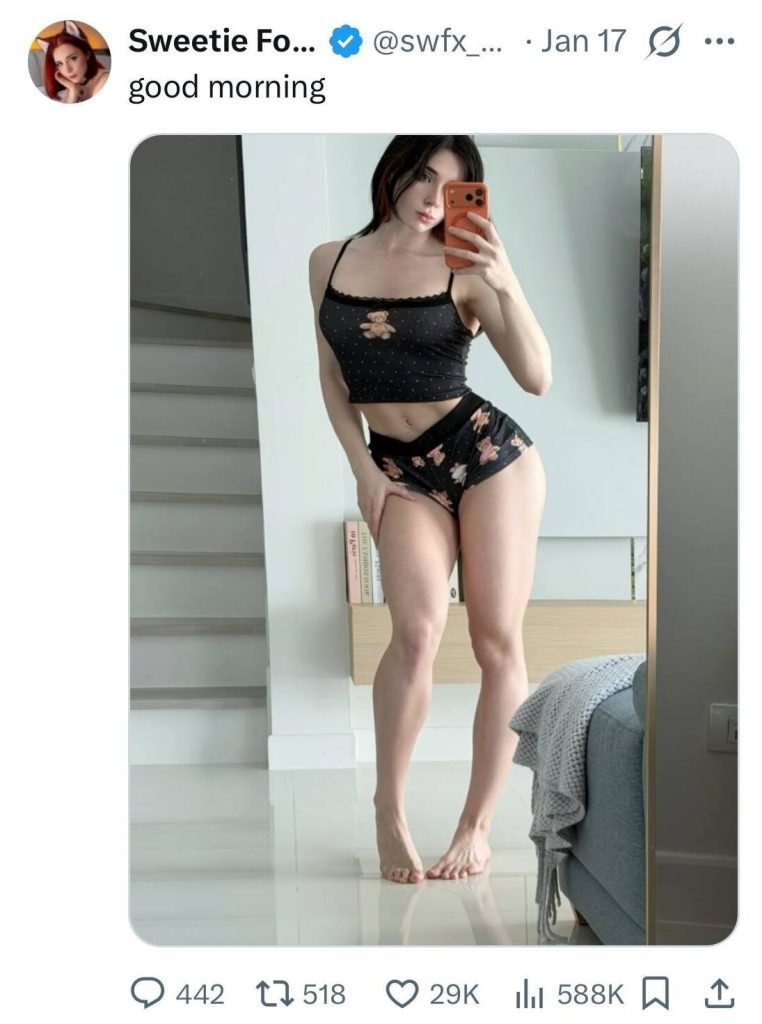
Cute morning selfies will definitely gather likes and comments
Be consistent. Regularity is the key to success and retaining audience attention. Stick to a posting schedule: it’s best to post 1-3 tweets per day. Consistency is the path to increasing tips from subscribers on OF. Alternate different formats and track how the audience reacts: what they like, and what causes a negative reaction. Study which posts get the most engagement (likes, retweets, replies), and make more of that content.
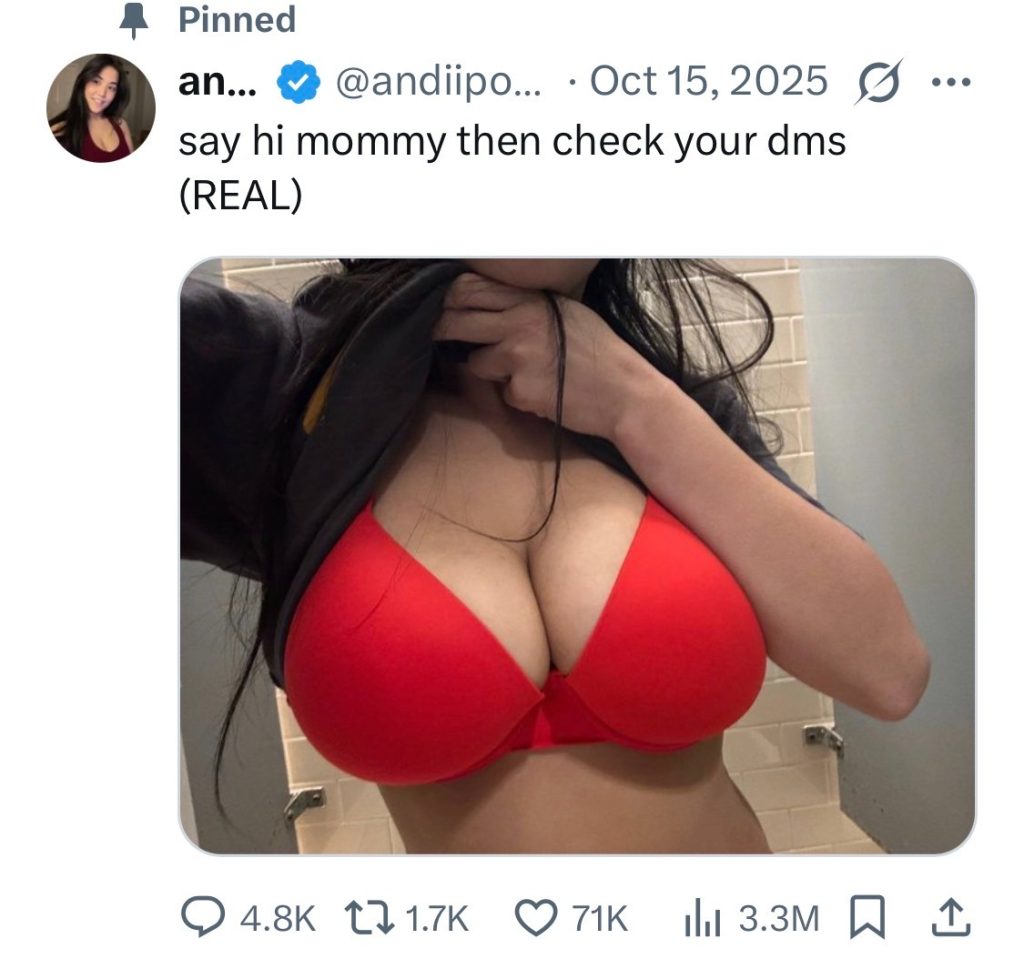
Warm up subscribers so they want to go to OnlyFans and subscribe. Learn how to sexting with subscribers
Determine the best time to post. Peak activity of your target audience often occurs in the evening and night hours (approximately from 7:30 PM to 11:30 PM). Plan your most important content for this time.
Interact with other users. Activity in others’ tweets is a powerful source of organic growth. Leave witty, flirtatious, or substantive comments under posts by popular authors from related topics (gaming, fitness, humor, music). This attracts a new audience that might be interested in you and stay for a long time.
Also, initiate dialogue in your own tweets. Ask questions, conduct polls, and be sure to respond to your followers’ comments. This increases engagement and gives the algorithm a signal to promote your account on OF.
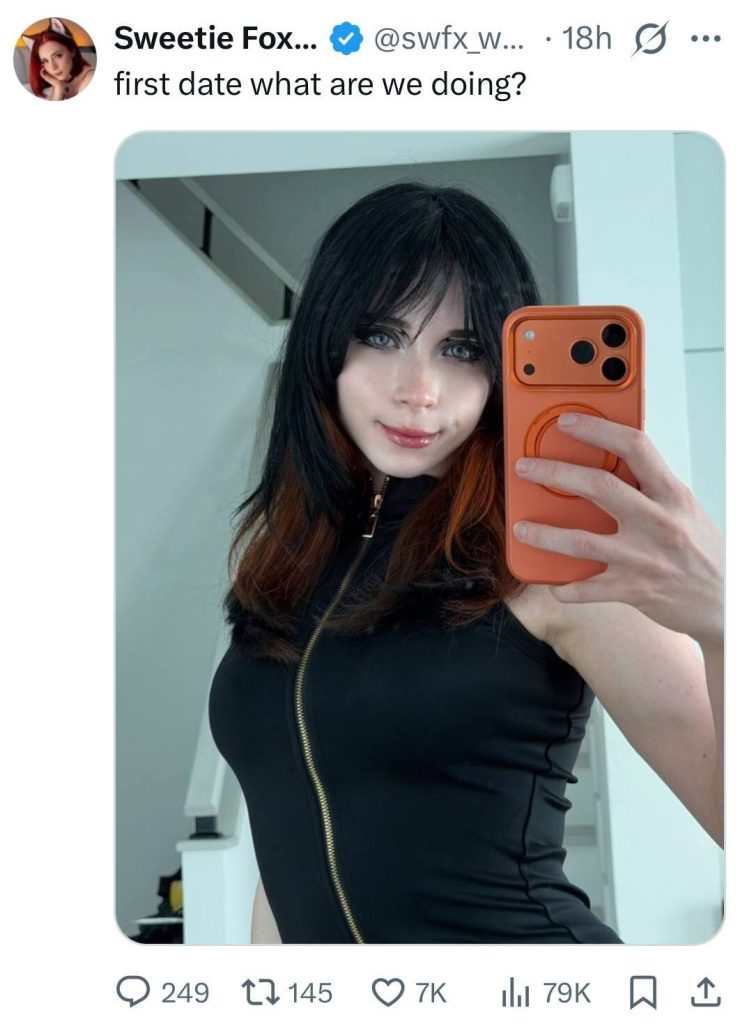
Viewers are likely to answer such a simple question
You can also collaborate with other OF creators: agree to mention each other, run joint contests or polls, organize OnlyFans live streams.
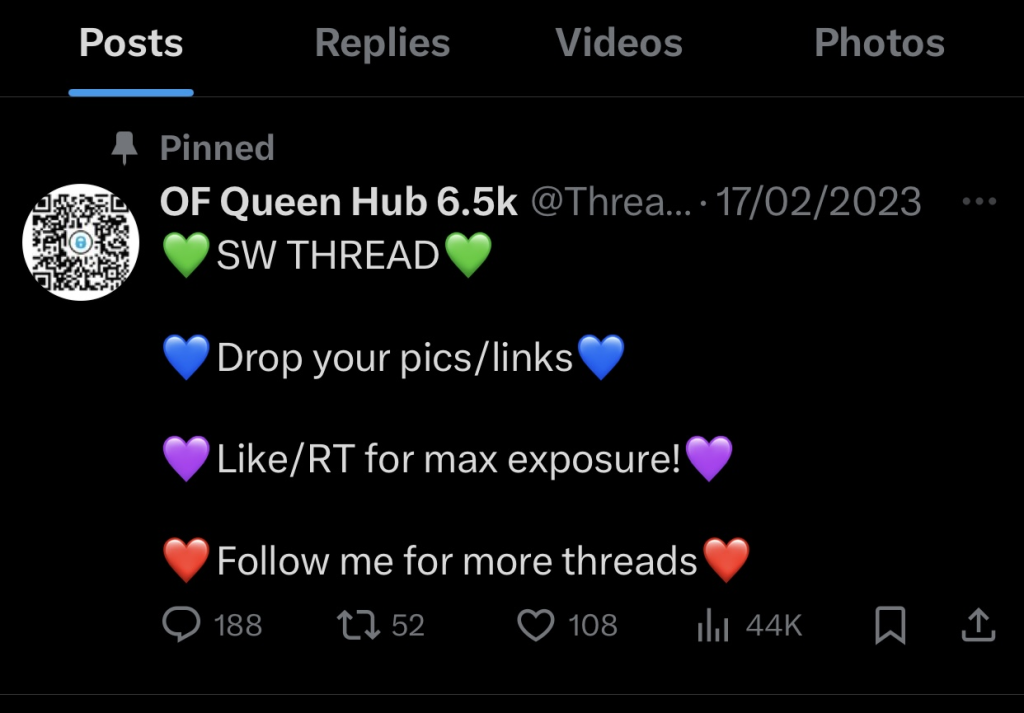
There are accounts on Twitter for promoting OnlyFans
Step 4. Don’t forget to comment on other’s posts
This is one of the key tools for growth on X. A witty, valuable, or provocative comment gathers likes and retweets, putting you in the feeds of new users. This forms the image of a lively, charismatic creator who people want to follow.
The optimal choice is posts by authors with an audience of 5–50 thousand followers: there’s enough activity there, but less competition than with mega-stars. Pay attention to engagement: if a tweet already has 50+ likes and 10+ replies, it means people are ready to discuss the topic.
Choose relevant tweets: for example, topics adjacent to your content (fashion, fitness, relationship psychology, entertainment). Look for posts with 50+ likes and 10+ replies — active conversation is happening there. Write more detailed comments: instead of «Cool!» write «I love this style! Especially the detail with …», instead of «Agree» write «Exactly! I also think that … Because …».
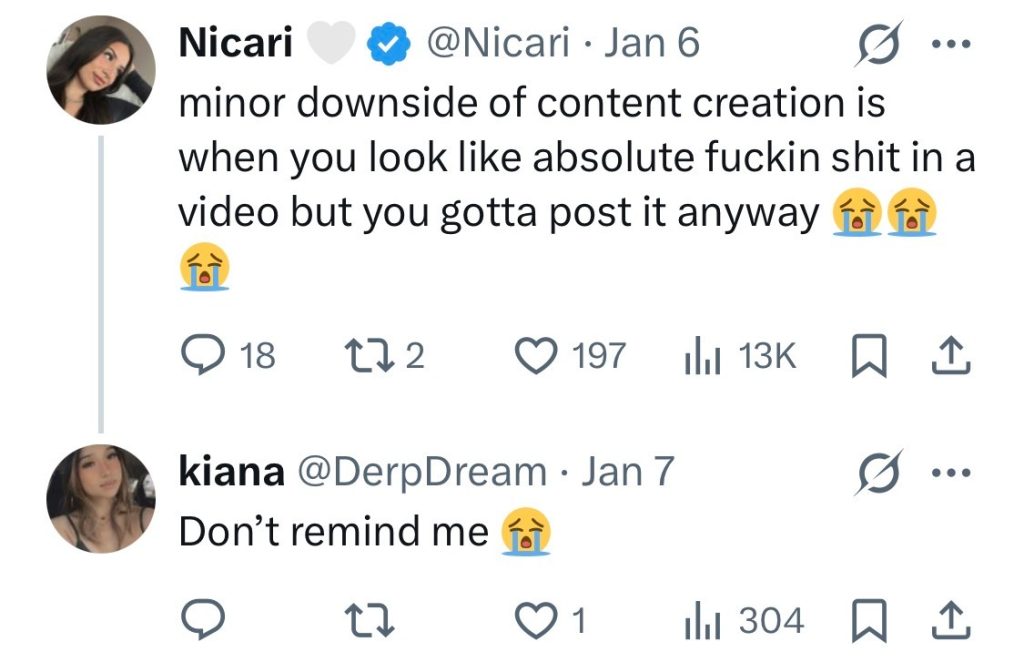
Example of a reply on X
Examples of Successful Comments:
- To a tweet about style: «Oh, this color perfectly matches your eyes! I recently experimented with a similar shade — it turned out edgy. How do you usually combine such things?»
- To a post about a hobby: «Wow, what a cool idea! I also adore [mention the hobby]. Try adding [advice] — the result will be even more impressive. Have you been doing this for long?»
- To a provocative tweet: «Interesting perspective! But it seems to me there’s another aspect here: [your thought]. What do you think, maybe this also affects it?»
Track the response: if your comment gets 5+ likes — save the wording as a template. If the tweet author replied to you — develop the dialogue (2-3 replies). After 2-3 mutual replies, you can gently direct the interlocutor to your profile: «I actually have a post on this topic — take a look, I’m interested in your opinion!»
Step 6. Analyze the results
Many creators focus on posting content but miss the key stage—analyzing results. Without understanding metrics, you’re acting blind: you don’t know which formats work, when it’s best to post, or what content converts.
X (Twitter) has a built-in analytics section: there you’ll find key metrics for the last 28 days. Additionally, use intermediary link services (Linktree, Beacons)—they will show how many people clicked on your bio link.
What to Look At:
- Impressions — how many times your tweet appeared in users’ feeds. For a profile with 5–10 thousand followers, normal impressions for one post are 2–5 thousand. If the number is low, it means the algorithm isn’t promoting your content or you didn’t reach the target audience.
- Engagement — the sum of likes, retweets, replies, and link clicks. Normal: 3–5% of a post’s impressions (not the number of followers!). For example, with 3,000 impressions, a good figure is 90–150 actions.
- Clicks on the bio link — a direct signal of interest in OnlyFans. Track the dynamics: if clicks drop, reconsider your bio or pinned tweet. Benchmark: 1 click per 50–100 profile views.
- Follower growth — an indicator of trust in your profile. Normal: +50–200 per week for an account with 5–20 thousand followers.
- Profile views — how many people visited your account. If there are many views but few new followers, maybe the bio or profile picture isn’t compelling.
Use the data to adjust your content strategy. For example, if a post with a video got 2 times more likes and retweets than a photo, publish such content more often. If the best impressions are at 8:00–10:00 PM: schedule key posts (teasers, announcements) for that time.
Most popular questions (FAQ) about promotion on X (Twitter)
How much time per day should I dedicate to Twitter (X)?
In the first 1-2 months—1.5-2 hours per day. 60% of the time goes to engaged commenting under viral tweets, 40%—to creating your own content and communicating with followers.
What can get you banned or restricted on Twitter (X)?
X is significantly more tolerant of adult content than Meta platforms (Instagram, Threads). However, there are rules. You will definitely be penalized for child pornography, bullying, violence, child abuse, copyright infringement, non-consensual content. Read how to obtain an OnlyFans release form. You might get shadowbanned for explicit nudity without the «Adult Content» label, spamming comments, aggressive mass following/unfollowing.
How many links can you leave and how to use them?
You can place one active link in your profile. You can place links in posts (tweets), but it’s better to refer to the bio. Direct links to OnlyFans in bios and tweets are not officially banned, but using Linktree is better.
What to do if tweets aren’t getting impressions and views?
Increase activity in comments: your messages should be interesting or provocative to gather likes and replies. You can join a discussion of a current trend (search via the search bar or the «Trending» tab).
Do hashtags work on Twitter (X) and how to use them?
Yes, and they are a powerful tool. Use 1-3 relevant hashtags in a tweet. Instead of #girl #beauty #model #onlyfans #love #fitness #instagram, use 1-2 precise ones: #twittergirls #onlyfansmodel.
Author

Want more paying OnlyFans subscribers?

Launch a campaign in 24 hours and fill your creators’ pages with real fans, not freebie hunters.
Recent partner average: $4.24 back per $1 spent • 324% ROMI
Real people only. No bots, no spam traffic sources.
ONLY FOR ONLYFANS AGENCIES, MODELS, AND MARKETERS
Want to promote your OnlyFans profile?
Start getting paying subscribers from search. Launch in 48 hours.
Recent partner average: $4.24 back per $1 • 324% ROMI