
Share:
An OnlyFans model can have great content, a strong visual identity, and an engaging presentation. But if the profile design looks sloppy or boring, earning potential drops to zero. Users won’t understand why they should subscribe — and will simply scroll past to other accounts.
Your profile needs to grab attention instantly. Templates help with this: they save time on design and keep a consistent visual style across the account. In this article, we’ll break down how to use templates so your OnlyFans page looks cohesive, clean, and increases user engagement.
What an OnlyFans profile includes
An OnlyFans profile is made up of several blocks:
- Banner — a large horizontal image at the top of the page.
- Avatar — the main profile photo.
- OnlyFans Bio — a short text description explaining what the creator does and why the profile is worth following.
- Tip Menu — a list of paid options the creator offers subscribers for extra money.
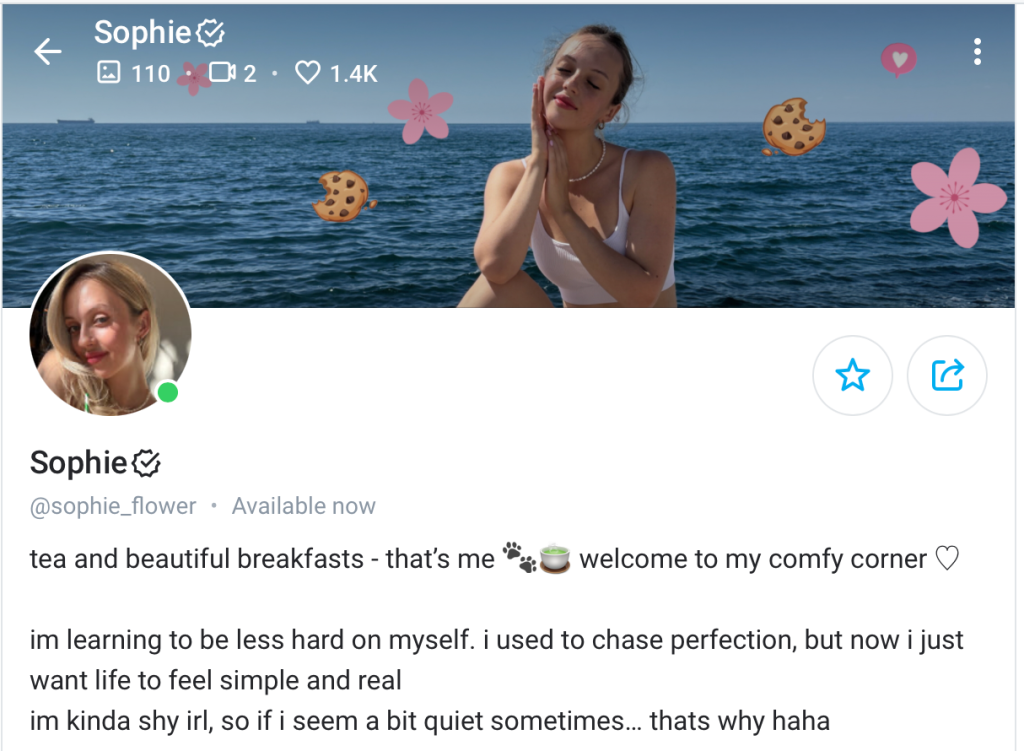
This is how an OnlyFans profile is structured: the banner sits at the top, with the avatar and bio below it
Why profile templates are useful
When the banner, avatar, and tip menu match in color and design, the profile looks cohesive and polished instead of like a random collection of elements. Templates make this possible: they eliminate visual clutter and make the profile easier to understand.
It’s easy to think that a beautifully designed profile will automatically start making money. In reality, it doesn’t work that way. Templates don’t sell on their own. Before using them, you need to define your positioning on OnlyFans. Ask yourself:
- Who are you as a creator?
- Who is your profile for?
- Why should someone subscribe specifically to you?
Only after answering these questions does it make sense to use templates and work on design. Then the visuals won’t just look nice — they’ll support your content and actually work.
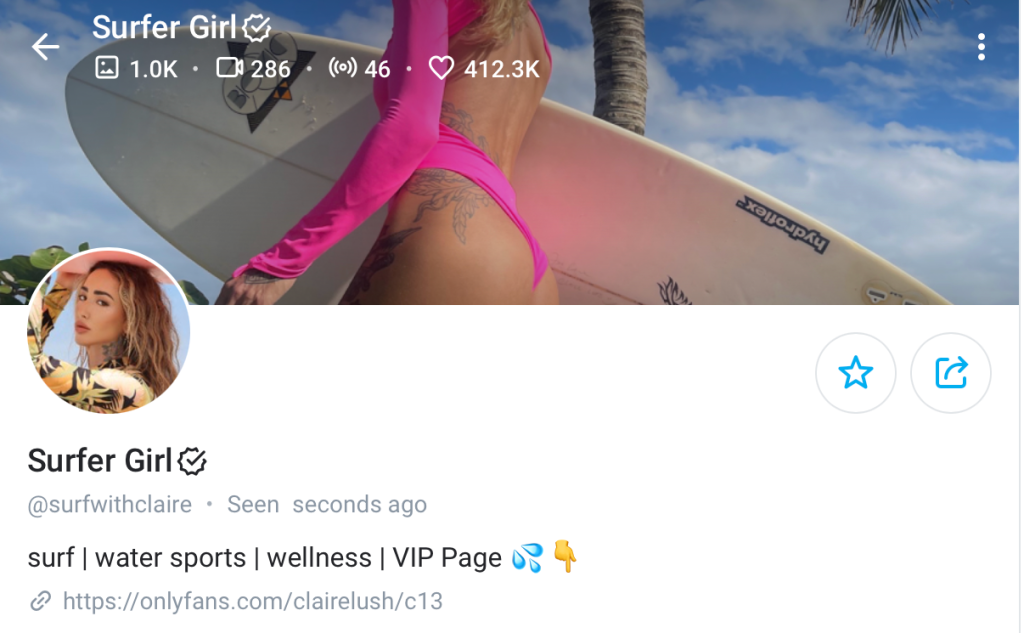
On this page, it’s immediately clear that the account belongs to an active, athletic girl who loves surfing
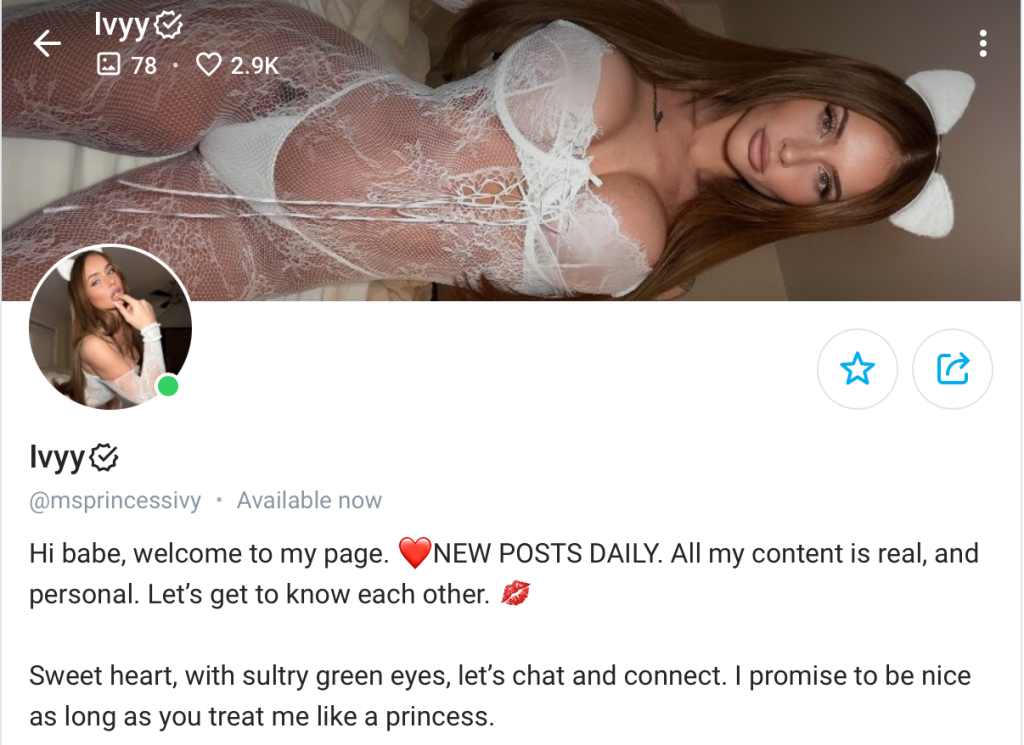
This model’s profile may appeal to fans of more explicit content
Advantages of using templates
Templates can be found on design platforms like Canva and Creative Market, as well as digital marketplaces such as Etsy and Postermywall. The key is choosing templates that fit your niche on OnlyFans and customizing them. Here are their main advantages:
- Save time — no need to design everything from scratch or test dozens of options. You can focus on creating content.
- Make the profile look polished — visuals follow a consistent style, which increases recognition in a competitive space.
- Improve clarity — subscribers can quickly understand what the profile is about and what they’ll get.
- Increase the chance of subscription — a clean, well-designed profile looks more appealing.
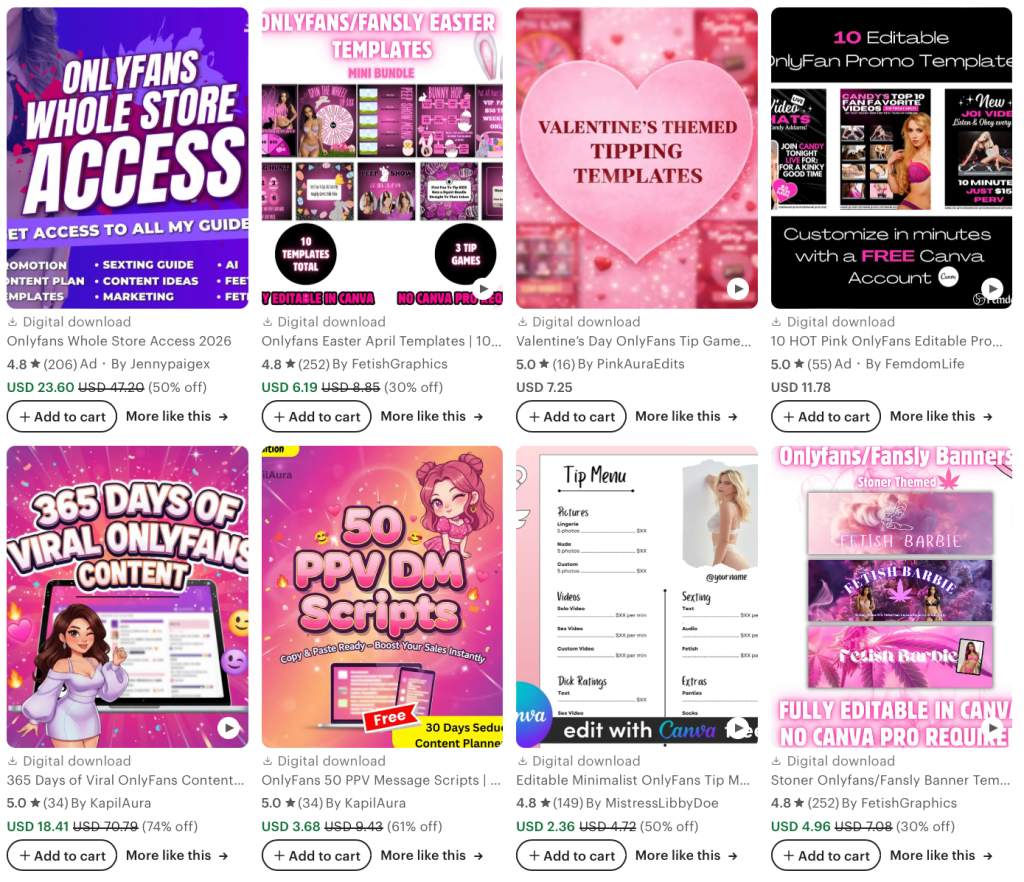
Etsy offers thousands of templates, making it easy to find a suitable option
How to work with banner templates
The profile header is the key element that forms the first impression and helps users decide whether to stay or leave. A banner should:
Show the niche. Users should instantly understand the model’s content type: fitness, lifestyle, adult content. For example, a cosplay model can use a banner photo in an anime character costume.
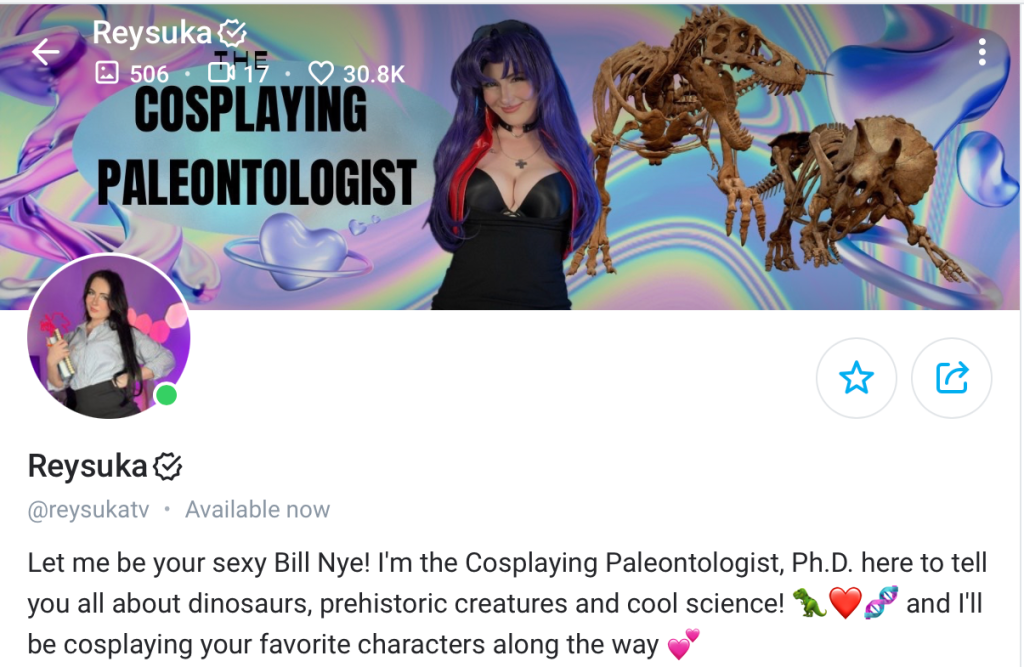
The banner clearly demonstrates the model’s niche
Build trust. A clean, thoughtful banner signals that the account is run by a real person. Balanced composition, high-quality photos, and the absence of visual clutter suggest that the creator takes both content and subscribers seriously.
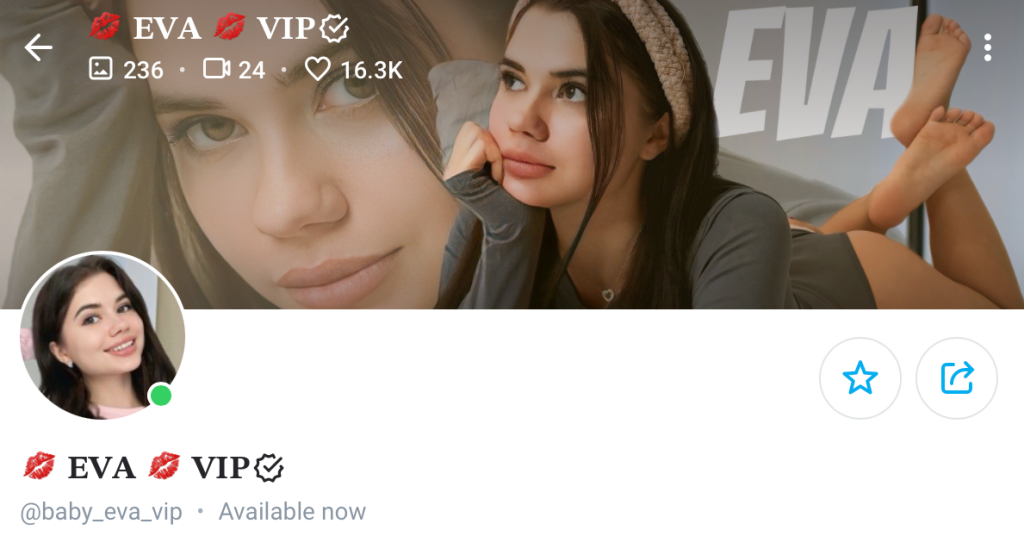
The header uses high-quality images and avoids unnecessary details
Prompt action. A banner can subtly guide users on what to do next: subscribe, send a message, or buy a discounted service. If the banner says nothing, users may scroll past the profile.
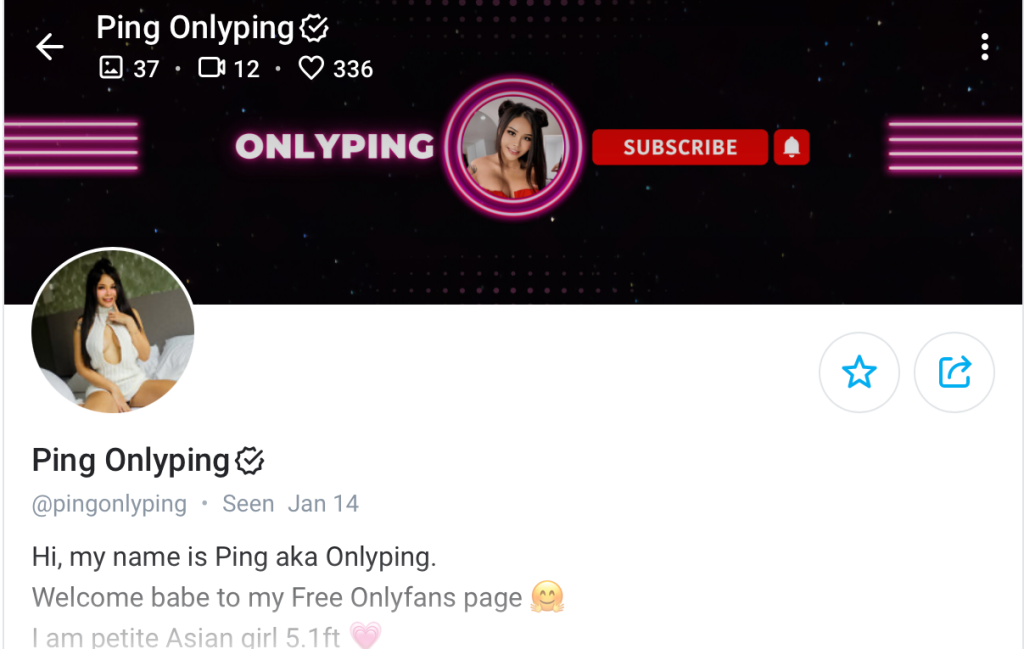
The creator added a call to subscribe directly in the header
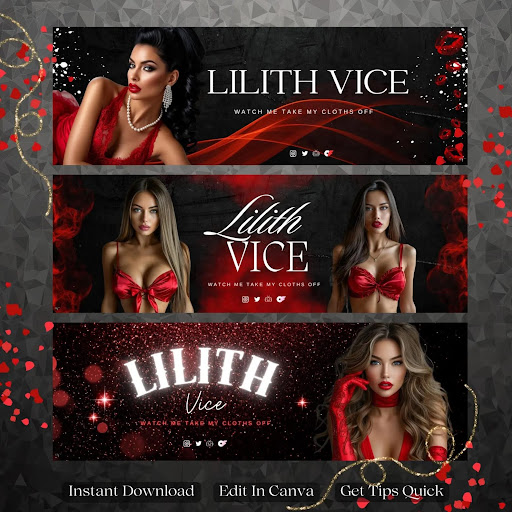
Not all templates work equally well. Overly complex designs overload attention and turn the banner into visual noise, while overly empty ones fail to communicate anything.
❌ Too many elements — the focus gets lost
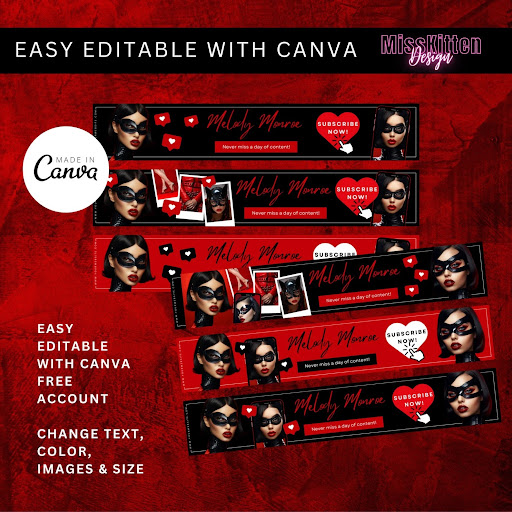
✅ Emphasis on the photo and the model’s name — suitable templates
How to design a profile photo using templates
Most OnlyFans avatars look the same: a face or body against a simple background. To stand out, you can use templates. Here’s how:
Add a frame. A frame makes the avatar more noticeable in lists and helps it stand out without heavy effects. It can be thin and match the banner colors — the key is not distracting from the face.
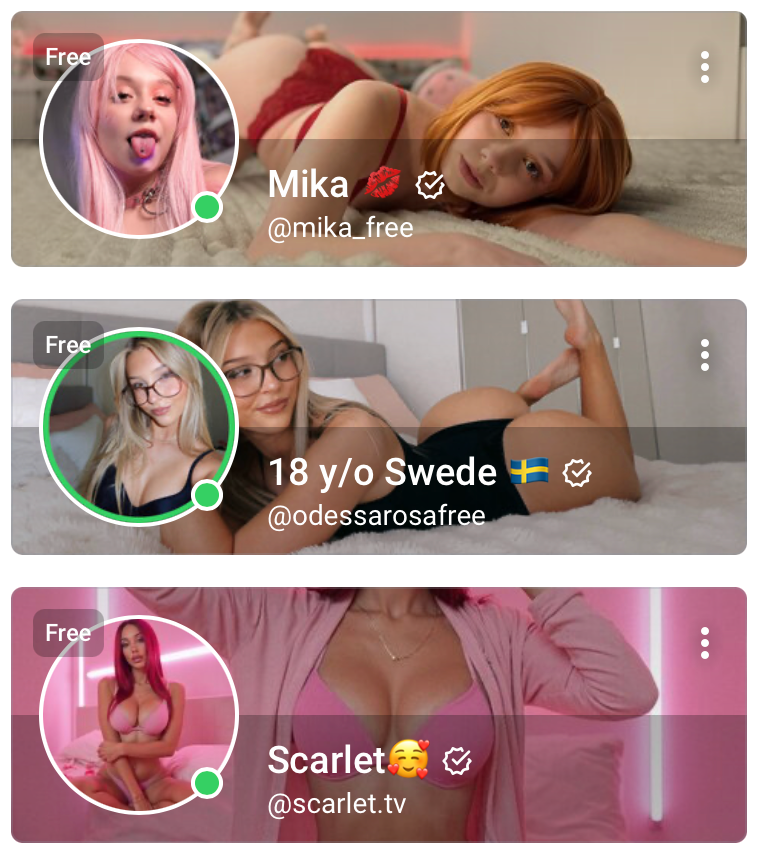
The middle account draws attention because of the colored frame
Use a solid background. A solid background makes the avatar brighter and easier to read. Choose the color based on your style: soft pastels for a calm image, bold colors for a daring one.
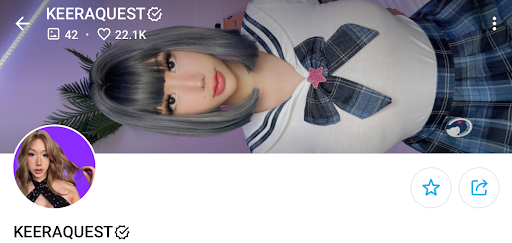
The avatar background matches the banner style, creating a unified look
How to create a tip menu using templates
A tip menu is a list of paid options a model offers subscribers — for example, a custom video, a set of five photos, or private chat for a day. It’s a crucial profile element: without it, users don’t know what they can buy. They either message with questions or leave. In the first case, the creator wastes time; in the second, they lose income.
For a menu to work, it must be visible. Pin the image to your profile, mention it in your bio, attach it to a welcome message, or periodically remind subscribers about it in posts and DMs.
SEE ALSO:
A tip menu template helps gather all offers in one place and present them clearly and neatly. When choosing a template, make sure it:
- Is easy to read — prices and services are clear at a glance.
- Is not overloaded with graphics — extra elements distract and make the menu hard to scan.
- Matches the overall profile style — colors, fonts, and design align with the banner and avatar.
❌ The layout looks chaotic and requires effort to understand
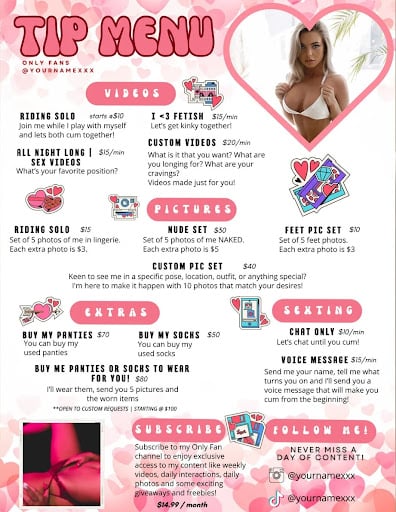
✅ Each service type is framed on a contrasting background — information is easy to read
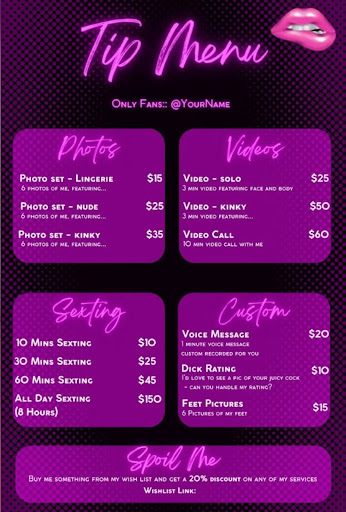
Technical Requirements to Keep in Mind
For templates to look good in your profile, design alone isn’t enough — you also need to follow OnlyFans’ technical limitations. Ignoring them can result in cropped or blurry images. Here are the parameters we recommend following.
Banner. On desktop, the banner is displayed at 599 × 180 px, which looks blurry. Upload a larger image with the same 3:1 aspect ratio to avoid quality loss:
- 1198 × 360 px
- 1797 × 540 px
- 2396 × 720 px
On mobile, the banner appears at 390 × 180 px, so cropping is important. Place key elements within the central 60% of the image and leave the edges for background.
Format: JPEG or PNG, maximum file size: 2 MB.
❌ A bad banner example — part of the model’s face is cropped
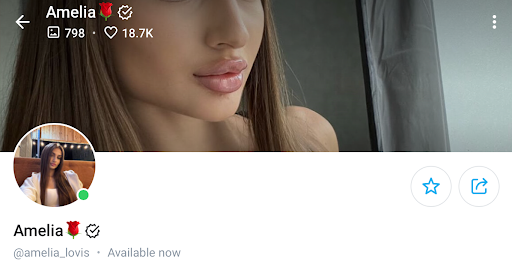
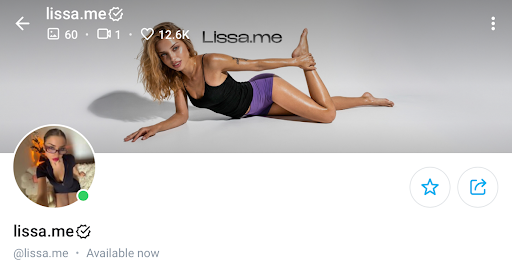
✅ A good banner — image and text are fully visible
Avatar. Profile photos are displayed in a circle, so use a 1:1 aspect ratio. Recommended size: 800 × 800 px. On desktop, the avatar shows at 144 × 144 px, on mobile — 100 × 100 px.
Try to avoid placing important details near the edges — leave some background space so the face, hair, or chest won’t be cropped. Format: JPEG or PNG, maximum file size: 2 MB. If the file is too large, OnlyFans will compress it automatically, which may reduce quality.
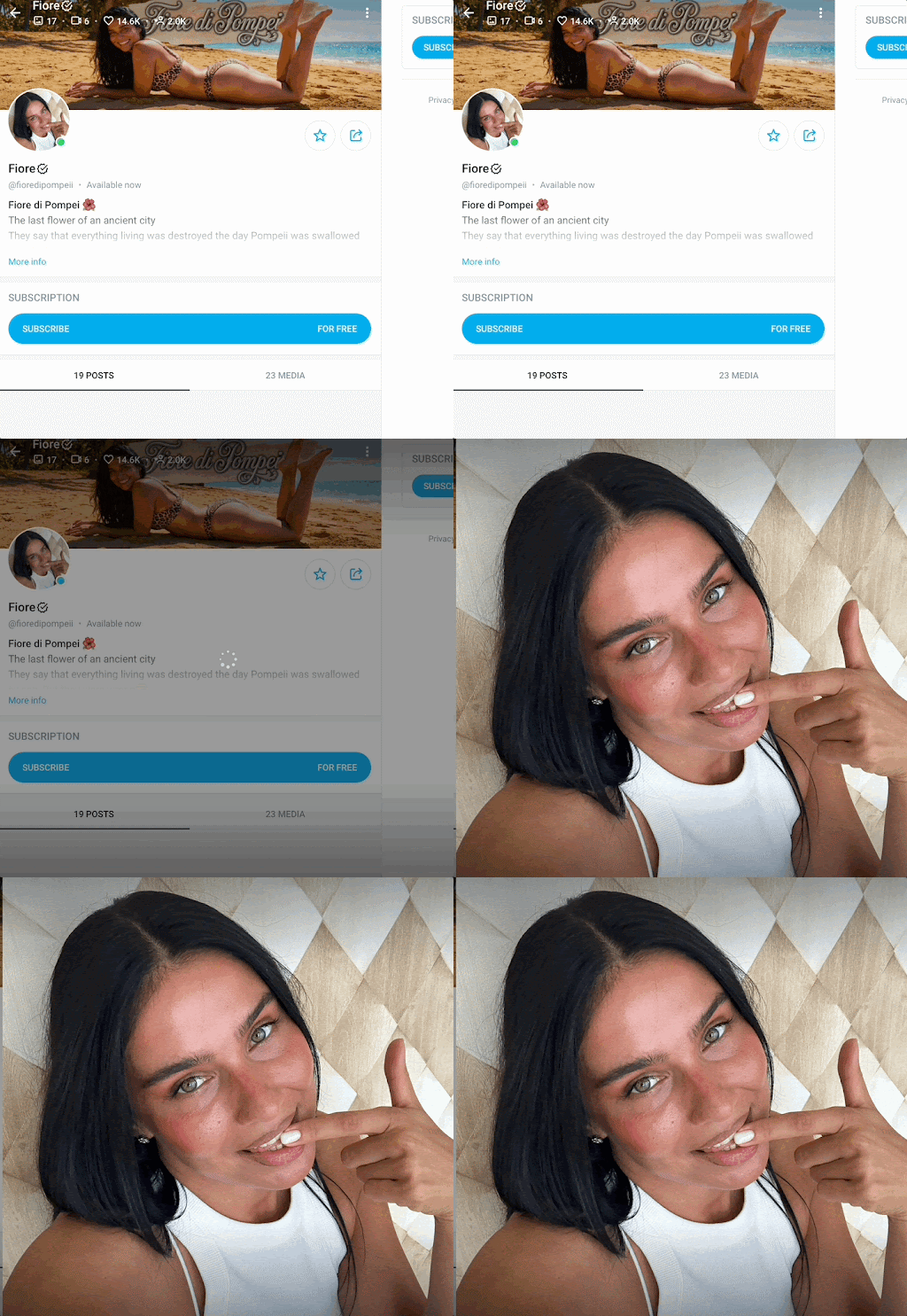
Clicking the profile photo shows the full image
When creating designs, you must also follow OnlyFans rules. Violations can lead to content removal or account suspension. Designs must not include:
- Nudity — explicit poses, exposed genitals, or simulated sex.
- Prohibited themes — violence, hate symbols, or illegal activity.
- Copyrighted content — photos of other people without permission, protected stock images, or images with watermarks.
How often to update templates
To retain existing subscribers and attract new ones, update your visuals regularly. Frequency depends on changes such as:
- New content formats — active chat, customs, video instead of photos, roleplay scenarios.
- Niche change — switching from lifestyle to adult content is a clear reason to update visuals. Old templates may create false expectations.
- Promotions and special offers — discounts, limited-time deals, free trials, bonuses for new subscribers. You don’t need a full redesign — a badge, short text, or icon is enough.
- Seasonal or event updates — New Year, Halloween, Valentine’s Day, or themed shoots.
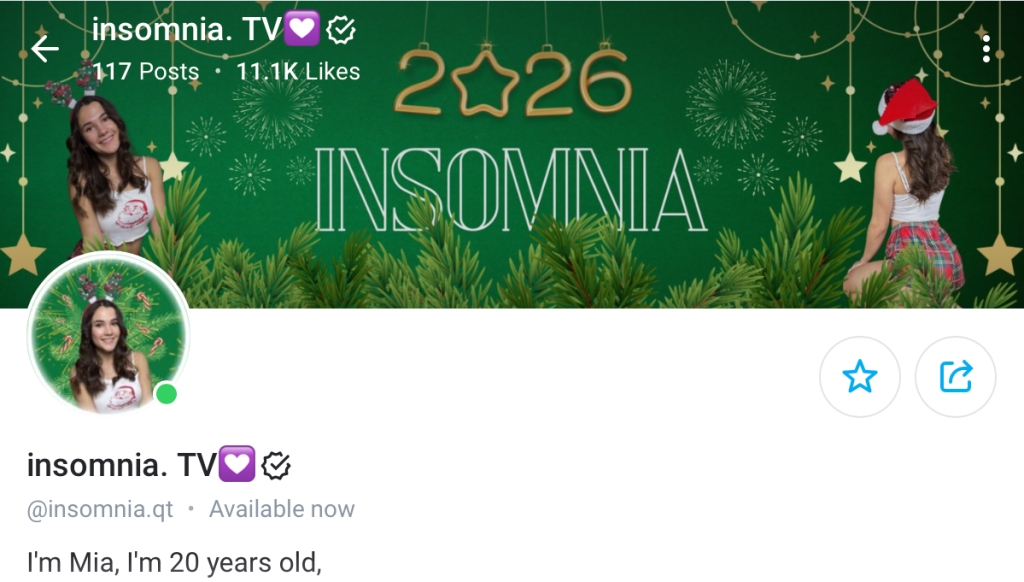
The model updated the banner and avatar with a New Year theme
Key takeaways: How to fill out an OnlyFans profile using templates
- An OnlyFans profile is not just a set of images — it’s a sales tool. It includes a banner, avatar, bio, and tip menu that work together. The profile should immediately explain the creator’s niche, content type, and why subscribing is worth it.
- Templates help make a profile clean, clear, and visually cohesive, but they don’t sell on their own — positioning and audience definition come first.
- A well-designed banner creates a strong first impression, the avatar helps stand out from competitors, and the tip menu simplifies purchasing extra services.
- When working with templates, always consider OnlyFans’ technical requirements to avoid cropping or quality loss, and follow platform rules to prevent bans.
- Your profile shouldn’t be static. Update the design regularly — for promotions, new content formats, seasonal themes, and special offers.
Author

Want more paying OnlyFans subscribers?

Launch a campaign in 24 hours and fill your creators’ pages with real fans, not freebie hunters.
Recent partner average: $4.24 back per $1 spent • 324% ROMI
Real people only. No bots, no spam traffic sources.
ONLY FOR ONLYFANS AGENCIES, MODELS, AND MARKETERS
Want to promote your OnlyFans profile?
Start getting paying subscribers from search. Launch in 48 hours.
Recent partner average: $4.24 back per $1 • 324% ROMI